
Image2Studio
Examples

gpt-image-2

Moody Retro Pixel Art Scene

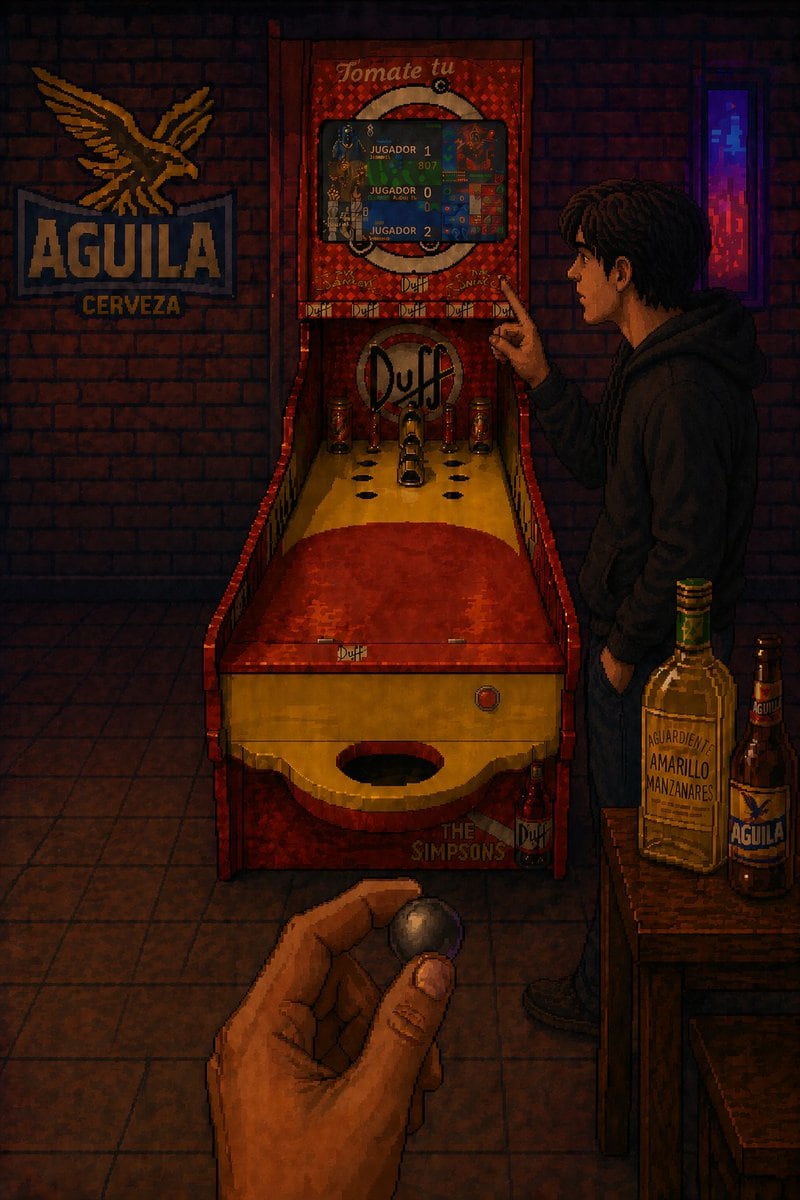
A moody retro pixel art scene inside a Colombian neighborhood bar at night, shown in portrait orientation from a first-person perspective. In the foreground, a human hand at the bottom ce...

A moody retro pixel art scene inside a Colombian neighborhood bar at night, shown in portrait orientation from a first-person perspective. In the foreground, a human hand at the bottom ce...
Prompt

A moody retro pixel art scene inside a Colombian neighborhood bar at night, shown in portrait orientation from a first-person perspective. In the foreground, a human hand at the bottom center holds a small shiny metal bolirana ball between the thumb and fingers, aimed toward a full bolirana lane machine in the middle of the room. The machine is custom themed with The Simpsons and Duff Beer branding: a red and yellow wooden lane with a large circular scoring hole at the front edge, several smaller scoring holes arranged near the backboard, three upright metal pins or bumpers, a backboard logo that says "Duff," and the text "THE SIMPSONS" near the lower front. The top marquee of the machine says "Tomate tu" and has a built-in digital score screen showing exactly 3 player labels: "JUGADOR 1", "JUGADOR 0", and "JUGADOR 2" with colorful pixelated score graphics. To the left on the brick wall, include a large illuminated beer sign with the eagle logo and the text "AGUILA CERVEZA." On the right side, a young man in a dark hoodie and jeans stands in profile beside the machine, one hand in his pocket and the other pointing at the scoreboard, his face intentionally obscured or blurred. In the lower right foreground, place a small wooden table holding exactly 2 bottles: a tall bottle labeled "AGUARDIENTE AMARILLO MANZANARES" and a brown beer bottle labeled "AGUILA." Add a narrow neon-lit vertical window or light panel in the back right glowing purple and blue. Use low-key warm amber and red bar lighting with deep shadows, brick walls, tiled floor, subtle reflections, and detailed 16-bit / 32-bit era pixel art shading, creating a nostalgic, intimate, slightly cinematic nightlife atmosphere in {argument name="location" default="Duitama, Boyacá"}.

Prompt structure
  • Modelgpt-image-2
  • Use casesocial-media-post
  • Stylecinematic, cyberpunk
  • Aspect ratioFlexible
Best used for
  • Use casesocial-media-post
  • Stylecinematic, cyberpunk
  • Recommended specs1:1, 4:5, 16:9, or 9:16
  • ModelGPT Image 2
How to customize

Use this Moody Retro Pixel Art Scene prompt as a base. Replace the subject, product details, environment, lighting, brand colors, and output ratio while keeping the social-media-post intent and cinematic, cyberpunk direction stable.

Editable variables
  • SubjectReplace the product, person, scene, interface, or object being generated.
  • Use caseKeep or rewrite the destination as social media post, ad creative, cover image, poster, or ecommerce hero.
  • FrameChoose 1:1, 4:5, 16:9, or 9:16 based on the final placement.
  • Brand cuesAdd colors, materials, props, text-safe space, and the platform where the image will be used.
Recommended specs

Choose the frame for the destination first, then use 1K, 2K, or 4K based on output quality needs. Product images and posters usually benefit from higher resolution.

Pre-generation checklist
  • CheckSubject, lighting, composition, and frame are specific enough to review.
  • CheckText-safe space is included when the image will carry a headline or ad copy.
  • CheckResolution, credit cost, and final destination are checked before generation.
Why this prompt works

Moody Retro Pixel Art Scene works because it starts from the image job, then controls subject, composition, lighting, style, and frame. It is best for social media post while keeping the cinematic, cyberpunk direction stable.

Common questions
  • Can I use it directly?Yes. Replace the subject, brand cues, and frame, then generate in Image2Studio.
  • Which ratio should I use?Choose 1:1, 4:5, 16:9, or 9:16 based on the destination.




