
Image2Studio
Prompts

gpt-image-2

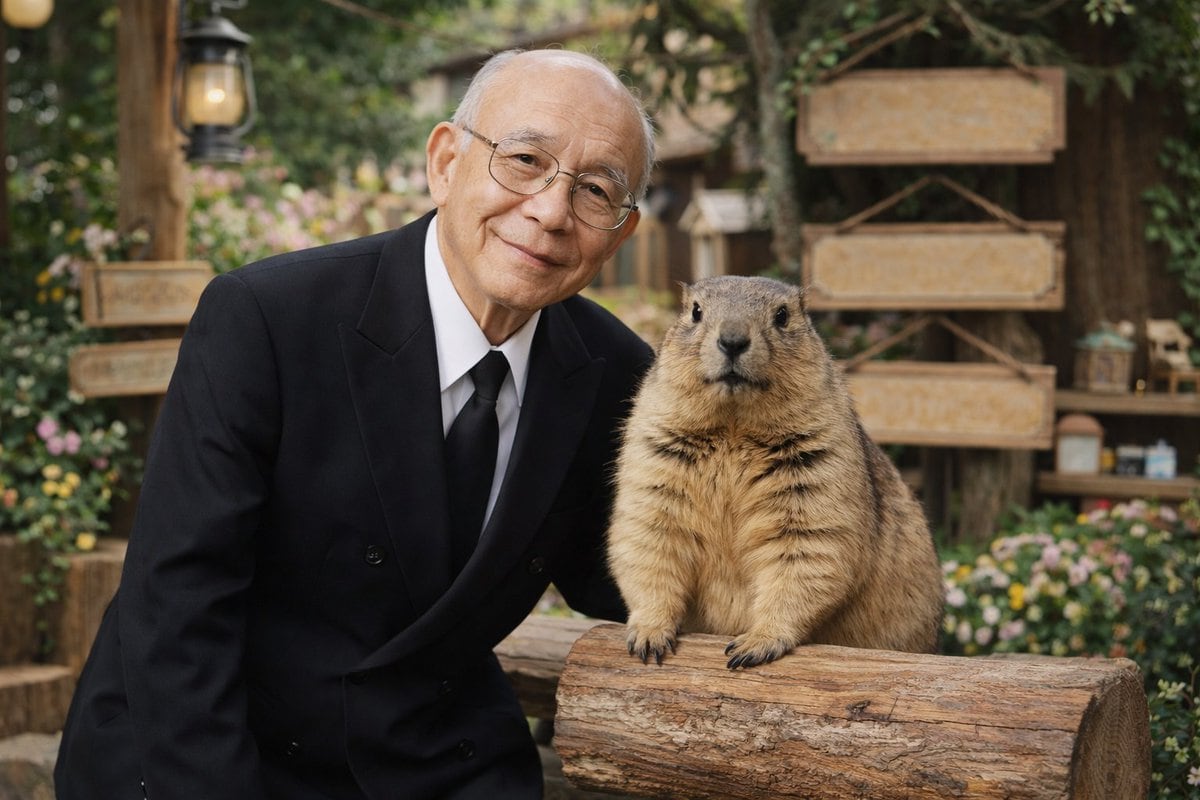
老人与土拨鼠肖像

一张写实风格的肖像照,一位身穿西装的老人与一只大土拨鼠在乡村花园背景中合影。

Copy this GPT Image 2 prompt for social media post and character design with Photorealistic styling. Use it in Image2Studio to generate, edit, and save.
Prompt

A photorealistic portrait of an {argument name="man description" default="elderly Asian man with thin wire-rimmed glasses"} wearing a {argument name="man attire" default="black double-breasted suit with a white shirt and black tie"}. He has a gentle, warm smile and is standing closely next to a {argument name="animal" default="large fluffy marmot"}. The animal is standing upright, resting its front paws on a textured wooden log. The background features a {argument name="setting" default="rustic outdoor garden with blank wooden signs, a vintage lantern on a post, lush greenery, and small colorful flowers"}. The image features {argument name="lighting and style" default="soft natural lighting, high-quality photographic details, and a shallow depth of field creating a smooth bokeh effect in the background"}.

Prompt structure
  • Modelgpt-image-2
  • Use casesocial-media-post
  • Stylephotorealistic
  • Aspect ratioFlexible
Best used for
  • Use casesocial-media-post
  • Stylephotorealistic
  • Recommended specs1:1, 4:5, 16:9, or 9:16
  • ModelGPT Image 2
How to customize

Use this 老人与土拨鼠肖像 prompt as a base. Replace the subject, product details, environment, lighting, brand colors, and output ratio while keeping the social-media-post intent and photorealistic direction stable.

Editable variables
  • SubjectReplace the product, person, scene, interface, or object being generated.
  • Use caseKeep or rewrite the destination as social media post, ad creative, cover image, poster, or ecommerce hero.
  • FrameChoose 1:1, 4:5, 16:9, or 9:16 based on the final placement.
  • Brand cuesAdd colors, materials, props, text-safe space, and the platform where the image will be used.
Recommended specs

Choose the frame for the destination first, then use 1K, 2K, or 4K based on output quality needs. Product images and posters usually benefit from higher resolution.

Pre-generation checklist
  • CheckSubject, lighting, composition, and frame are specific enough to review.
  • CheckText-safe space is included when the image will carry a headline or ad copy.
  • CheckResolution, credit cost, and final destination are checked before generation.
Why this prompt works

老人与土拨鼠肖像 works because it starts from the image job, then controls subject, composition, lighting, style, and frame. It is best for social media post while keeping the photorealistic direction stable.

Common questions
  • Can I use it directly?Yes. Replace the subject, brand cues, and frame, then generate in Image2Studio.
  • Which ratio should I use?Choose 1:1, 4:5, 16:9, or 9:16 based on the destination.




