
Image2Studio
Prompts

gpt-image-2

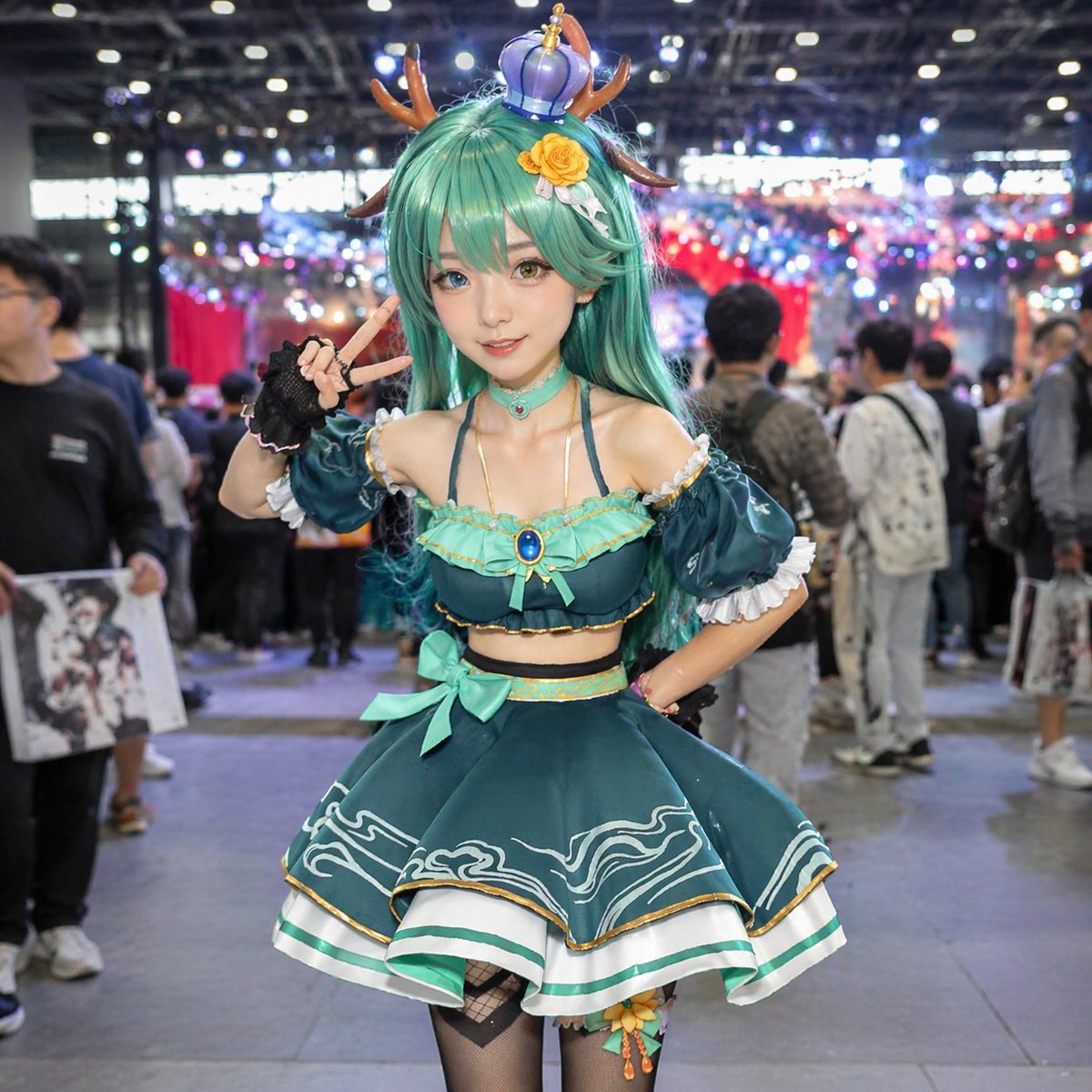
Photorealistic Portrait Of A Female Cosplayer At A Crowded Anime Convent

Photorealistic portrait of a female cosplayer at a crowded anime convention hall. She has long teal hair, heterochromia, one blue and one amber eyes, and wears deer antlers and a small pu...

Photorealistic portrait of a female cosplayer at a crowded anime convention hall. She has long teal hair, heterochromia, one blue and one amber eyes, and wears deer antlers and a small pu...
Prompt

Photorealistic portrait of a female cosplayer at a {argument name="setting" default="crowded anime convention hall"}. She has long {argument name="hair color" default="teal"} hair, {argument name="eye color" default="heterochromia, one blue and one amber"} eyes, and wears {argument name="headwear" default="deer antlers and a small purple crown"} with a yellow rose clip. Her outfit is a {argument name="outfit style" default="teal two-piece idol costume with ruffled skirt"}, gold trim, wave patterns, gem choker, black fingerless gloves, and fishnet tights. She poses with a peace sign and one hand on her hip against a blurred background of convention attendees and bokeh lighting.

Prompt structure
  • Modelgpt-image-2
  • Use casesocial-media-post
  • Stylephotorealistic, anime, luxury
  • Aspect ratioFlexible
Best used for
  • Use casesocial-media-post
  • Stylephotorealistic, anime, luxury
  • Recommended specs1:1, 4:5, 16:9, or 9:16
  • ModelGPT Image 2
How to customize

Use this Photorealistic Portrait Of A Female Cosplayer At A Crowded Anime Convent prompt as a base. Replace the subject, product details, environment, lighting, brand colors, and output ratio while keeping the social-media-post intent and photorealistic, anime, luxury direction stable.

Editable variables
  • SubjectReplace the product, person, scene, interface, or object being generated.
  • Use caseKeep or rewrite the destination as social media post, ad creative, cover image, poster, or ecommerce hero.
  • FrameChoose 1:1, 4:5, 16:9, or 9:16 based on the final placement.
  • Brand cuesAdd colors, materials, props, text-safe space, and the platform where the image will be used.
Recommended specs

Choose the frame for the destination first, then use 1K, 2K, or 4K based on output quality needs. Product images and posters usually benefit from higher resolution.

Pre-generation checklist
  • CheckSubject, lighting, composition, and frame are specific enough to review.
  • CheckText-safe space is included when the image will carry a headline or ad copy.
  • CheckResolution, credit cost, and final destination are checked before generation.
Why this prompt works

Photorealistic Portrait Of A Female Cosplayer At A Crowded Anime Convent works because it starts from the image job, then controls subject, composition, lighting, style, and frame. It is best for social media post while keeping the photorealistic, anime, luxury direction stable.

Common questions
  • Can I use it directly?Yes. Replace the subject, brand cues, and frame, then generate in Image2Studio.
  • Which ratio should I use?Choose 1:1, 4:5, 16:9, or 9:16 based on the destination.




