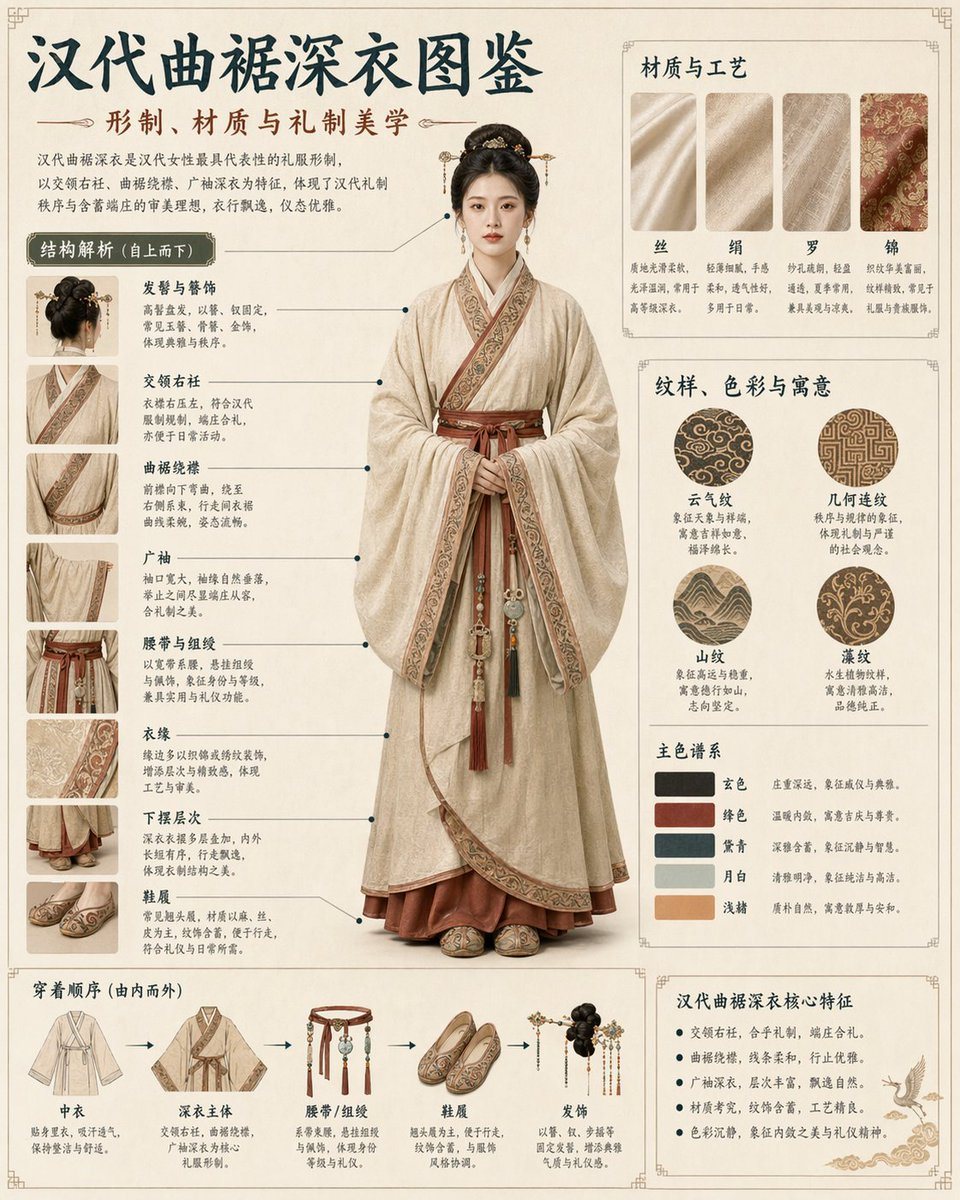
Prompt{"type": "comprehensive cultural infographic and visual guide", "subject": {"description": "{argument name=\"subject description\" default=\"young Chinese woman with elegant traditional updo\"}", "garment": "traditional Hanfu, specifically a Quju Shenyi", "colors": "{argument name=\"garment color\" default=\"beige and maroon\"}", "pose": "standing full-body, facing forward, hands clasped respectfully"}, "layout": {"background": "{argument name=\"background style\" default=\"vintage parchment with subtle traditional borders\"}", "header": {"title": "{argument name=\"main title\" default=\"汉代曲裾深衣图鉴\"}", "subtitle": "{argument name=\"subtitle\" default=\"形制、材质与礼制美学\"}", "description": "introductory paragraph explaining history and significance"}, "centerpiece": "large photorealistic full-body portrait of the subject", "sections": [{"title": "结构解析 (自上而下)", "position": "left column", "count": 8, "format": "close-up photo thumbnails with connecting lines to centerpiece", "labels": ["发髻与簪饰", "交领右衽", "曲裾绕襟", "广袖", "腰带与组绶", "衣缘", "下摆层次", "鞋履"]}, {"title": "材质与工艺", "position": "top right", "count": 4, "format": "rectangular fabric texture swatches", "labels": ["丝", "绢", "罗", "锦"]}, {"title": "纹样、色彩与寓意", "position": "middle right", "count": 2, "subsections": [{"type": "patterns", "count": 4, "format": "circular pattern swatches", "labels": ["云气纹", "几何连纹", "山纹", "藻纹"]}, {"type": "color palette", "count": 5, "format": "rectangular color swatches", "labels": ["玄色", "绛色", "黛青", "月白", "浅赭"]}]}, {"title": "穿着顺序 (由内而外)", "position": "bottom left", "count": 5, "format": "illustrated clothing items connected by sequential arrows", "labels": ["中衣", "深衣主体", "腰带/组绶", "鞋履", "发饰"]}, {"title": "汉代曲裾深衣核心特征", "position": "bottom right", "count": 5, "format": "bulleted text list with a small illustration of a flying crane", "labels": ["交领右衽,合乎礼制,端庄合礼。", "曲裾绕襟,线条柔和,行走优雅。", "广袖深衣,层次丰富,飘逸自然。", "材质考究,纹饰含蓄,工艺精良。", "色彩沉静,象征内敛之美与礼仪精神。"]}]}}
How to customizeUse this Cultural Garment Infographic prompt as a base. Replace the subject, product details, environment, lighting, brand colors, and output ratio while keeping the avatar intent and photorealistic, editorial, watercolor, luxury direction stable.
Why this prompt worksCultural Garment Infographic works because it starts from the image job, then controls subject, composition, lighting, style, and frame. It is best for avatar while keeping the photorealistic, editorial, watercolor, luxury direction stable.