
Image2Studio
Examples

gpt-image-2

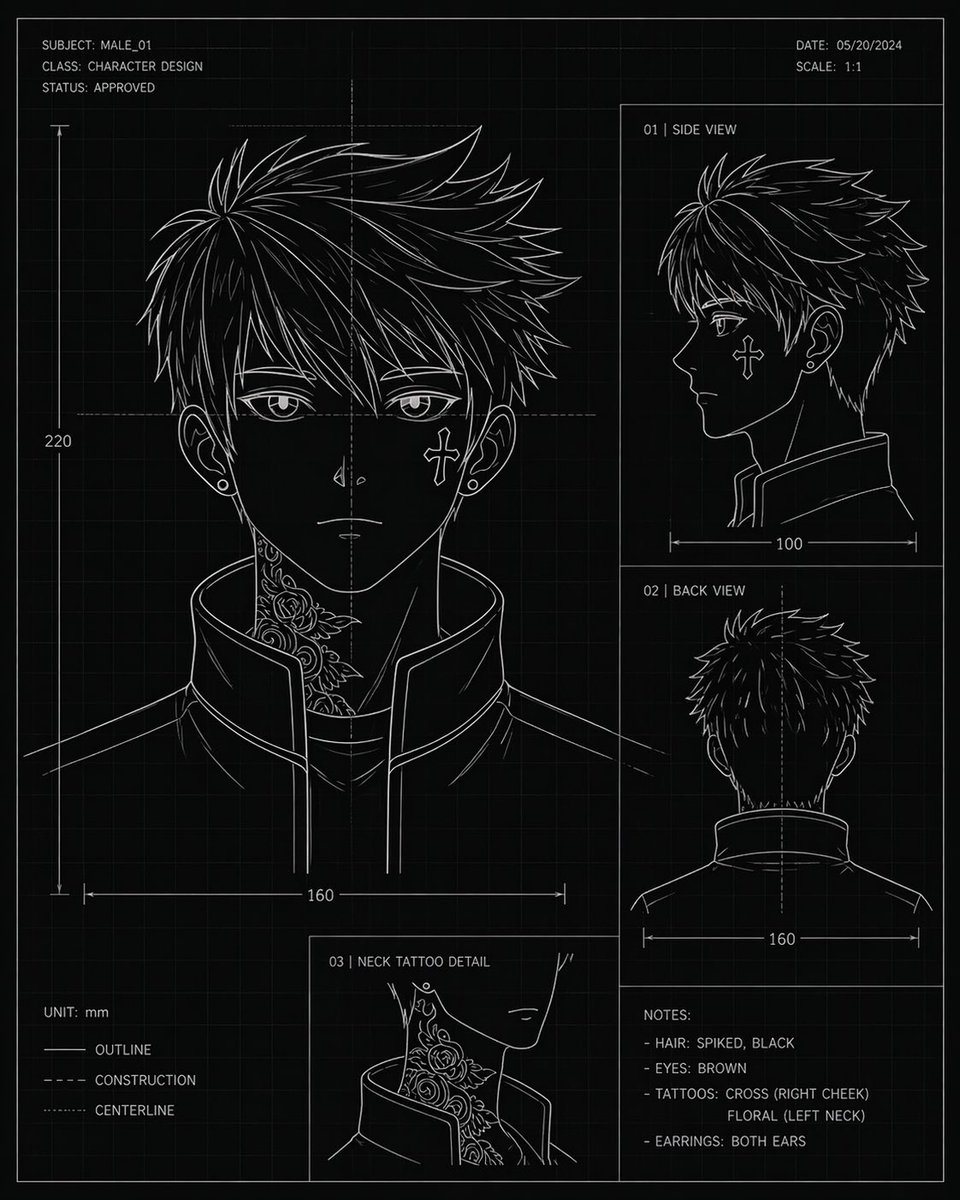
Character Design Blueprint Sheet

Ready-to-edit character design blueprint sheet image prompt.

Ready-to-edit character design blueprint sheet image prompt.
Prompt

{"type":"character design blueprint sheet","style":"technical concept art, black blueprint background with faint square grid, thin white line art, minimalist monochrome drafting aesthetic","subject":{"category":"anime-inspired male character head turnaround","name":"{argument name=\"character name\" default=\"MALE_01\"}","gender_presentation":"male","age_appearance":"young adult","hair":{"color":"{argument name=\"hair color\" default=\"black\"}","style":"short spiky layered hair with sharp jagged strands, dense volume at the crown, tapered sides and back"},"eyes":{"color":"{argument name=\"eye color\" default=\"brown\"}"},"accessories":{"earrings":"small studs in both ears"},"clothing":{"top":"high-collar structured jacket, open slightly at the front, clean angular seams"},"tattoos":["cross on right cheek","floral tattoo climbing the left side of the neck"]},"layout":{"orientation":"portrait sheet","sections":[{"title":"front view main portrait","position":"left large panel","count":1,"details":"large head-and-shoulders front view with neck tattoo visible above the raised collar, ears visible, dimension line showing width 160 and vertical height 220"},{"title":"01 | SIDE VIEW","position":"upper right panel","count":1,"details":"right-facing side profile, collar visible, width measurement 100"},{"title":"02 | BACK VIEW","position":"middle right panel","count":1,"details":"back of head and upper shoulders, centerline shown, width measurement 160"},{"title":"03 | NECK TATTOO DETAIL","position":"bottom center-left inset","count":1,"details":"close-up inset of the floral neck tattoo beside the jawline and collar"},{"title":"NOTES:","position":"bottom right","count":4,"labels":["HAIR: SPIKED, BLACK","EYES: BROWN","TATTOOS: CROSS (RIGHT CHEEK) FLORAL (LEFT NECK)","EARRINGS: BOTH EARS"]}],"header":{"top_left":["SUBJECT: {argument name=\"subject code\" default=\"MALE_01\"}","CLASS: CHARACTER DESIGN","STATUS: APPROVED"],"top_right":["DATE: {argument name=\"date\" default=\"05/20/2024\"}","SCALE: 1:1"]},"legend":{"bottom_left":["UNIT: mm","OUTLINE","CONSTRUCTION","CENTERLINE"]}},"composition":"clean drafting-page layout with thin panel borders, measurement arrows, center guides, and blueprint annotation typography; all text in crisp white uppercase sans-serif","color_palette":{"background":"black","lines":"white","grid":"dark gray","accents":"none"}}

Prompt structure
  • Modelgpt-image-2
  • Use caseavatar
  • Styleeditorial, minimal, anime
  • Aspect ratioFlexible
Best used for
  • Use caseavatar
  • Styleeditorial, minimal, anime
  • Recommended specs1:1, 4:5, 16:9, or 9:16
  • ModelGPT Image 2
How to customize

Use this Character Design Blueprint Sheet prompt as a base. Replace the subject, product details, environment, lighting, brand colors, and output ratio while keeping the avatar intent and editorial, minimal, anime direction stable.

Editable variables
  • SubjectReplace the product, person, scene, interface, or object being generated.
  • Use caseKeep or rewrite the destination as avatar, ad creative, cover image, poster, or ecommerce hero.
  • FrameChoose 1:1, 4:5, 16:9, or 9:16 based on the final placement.
  • Brand cuesAdd colors, materials, props, text-safe space, and the platform where the image will be used.
Recommended specs

Choose the frame for the destination first, then use 1K, 2K, or 4K based on output quality needs. Product images and posters usually benefit from higher resolution.

Pre-generation checklist
  • CheckSubject, lighting, composition, and frame are specific enough to review.
  • CheckText-safe space is included when the image will carry a headline or ad copy.
  • CheckResolution, credit cost, and final destination are checked before generation.
Why this prompt works

Character Design Blueprint Sheet works because it starts from the image job, then controls subject, composition, lighting, style, and frame. It is best for avatar while keeping the editorial, minimal, anime direction stable.

Common questions
  • Can I use it directly?Yes. Replace the subject, brand cues, and frame, then generate in Image2Studio.
  • Which ratio should I use?Choose 1:1, 4:5, 16:9, or 9:16 based on the destination.




