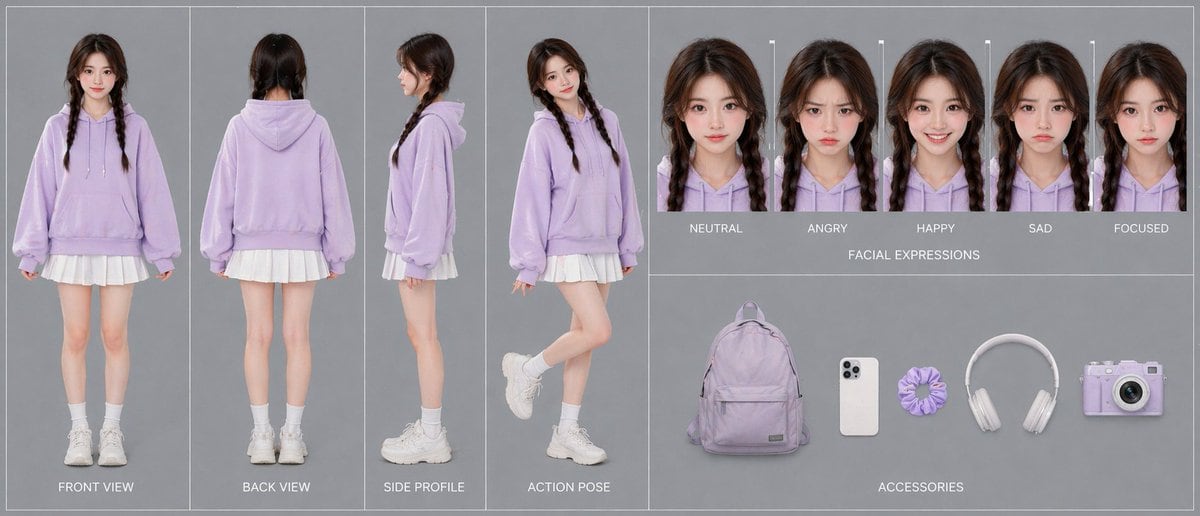
Prompt{"type":"advanced character card","style":"clean fashion character design sheet, photorealistic studio catalog aesthetic, soft even lighting, minimal shadows, muted gray background, thin white panel dividers, polished single-canvas layout","subject":{"gender_presentation":"teen girl","age_appearance":"young teenager","identity":"face intentionally obscured and de-emphasized","hair":{"color":"dark brown","style":"center-parted long hair in two braids"},"outfit":{"count":5,"pieces":["oversized pastel lavender hoodie with drawstrings and kangaroo pocket","short white pleated skirt visible below hoodie hem","white crew socks","chunky white sneakers","no visible jewelry"]},"overall_look":"cute casual pastel streetwear, soft youthful styling"},"layout":{"sections":[{"title":"turnaround views","position":"left half","count":4,"labels":["FRONT VIEW","BACK VIEW","SIDE PROFILE","ACTION POSE"],"details":"full-body character shown in four separate vertical panels; front standing straight with arms relaxed, back standing straight, side profile standing neutrally, and playful action pose with one leg bent backward and body turned slightly toward camera"},{"title":"FACIAL EXPRESSIONS","position":"top right","count":5,"labels":["NEUTRAL","ANGRY","HAPPY","SAD","FOCUSED"],"details":"five tightly cropped head-and-shoulders portraits in a horizontal row, each with the same hairstyle and hoodie, subtle expression changes, face area softly blurred"},{"title":"ACCESSORIES","position":"bottom right","count":5,"labels":["lavender backpack","white smartphone","lavender scrunchie","white over-ear headphones","lavender compact camera"],"details":"accessories evenly spaced on gray background like product cutouts"}],"centerpiece":"the 4-view full-body outfit turnaround dominates the composition"},"color_palette":{"count":4,"colors":["pastel lavender","white","soft gray","dark brown"]},"prompt":"Create a single-canvas advanced character card for {argument name=\"character name\" default=\"a teen girl\"} in a photorealistic studio fashion-sheet style. Show a consistent young girl with {argument name=\"hair color\" default=\"dark brown\"} hair in two braids, wearing an oversized {argument name=\"hoodie color\" default=\"pastel lavender\"} hoodie, a short white pleated skirt, white crew socks, and chunky white sneakers. Use a clean gray background with thin white dividers and neatly organized panels. On the left half, include 4 full-body turnaround panels labeled FRONT VIEW, BACK VIEW, SIDE PROFILE, and ACTION POSE. On the top right, include 5 headshot expression panels labeled NEUTRAL, ANGRY, HAPPY, SAD, and FOCUSED. On the bottom right, include 5 accessory items arranged horizontally: a lavender backpack, a white smartphone, a lavender scrunchie, white over-ear headphones, and a lavender compact camera. Keep lighting soft and even, composition symmetrical and professional, emphasizing 100% character consistency across all views. Preserve the minimal pastel aesthetic and use {argument name=\"background color\" default=\"soft gray\"} as the backdrop."}