
Image2Studio
Examples

gpt-image-2

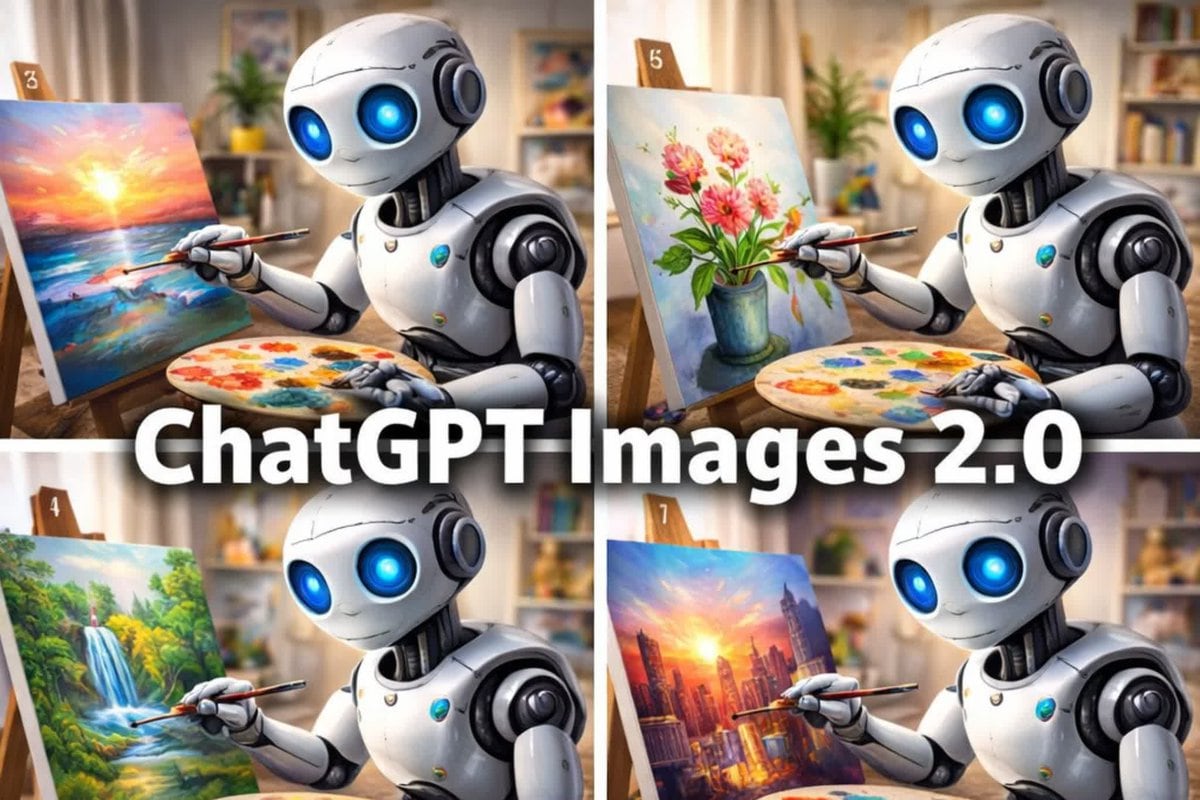
Promotional Collage Poster

Ready-to-edit promotional collage poster image prompt.

Ready-to-edit promotional collage poster image prompt.
Prompt

{"type":"promotional collage poster","subject":{"main":"cute futuristic humanoid robot painting on canvas","design":{"body":"glossy white and silver rounded robot with black joint details","eyes":"large glowing neon-blue circular eyes","expression":"gentle friendly smile","scale":"small seated tabletop robot"}},"layout":{"format":"2x2 grid collage","count":4,"panels":[{"position":"top-left","easelTag":"3","scene":"robot painting a vivid ocean sunset seascape","canvasDescription":"bright glowing sun near the horizon over colorful water with pink, orange, yellow, and blue reflections"},{"position":"top-right","easelTag":"5","scene":"robot painting a floral still life","canvasDescription":"pink and coral flowers with green leaves in a blue vase against a soft pastel background"},{"position":"bottom-left","easelTag":"4","scene":"robot painting a lush nature landscape","canvasDescription":"green forest with a waterfall cascading into a stream with sunlight filtering through trees"},{"position":"bottom-right","easelTag":"7","scene":"robot painting a dramatic city skyline at sunset","canvasDescription":"tall skyscrapers in warm orange and purple light with the sun glowing between buildings"}],"centerOverlay":{"text":"{argument name=\"headline text\" default=\"ChatGPT Images 2.0\"}","style":"very large bold white sans-serif text with subtle dark drop shadow stretching across the middle over all four panels"}},"props":{"repeatedObjectsCount":4,"objects":["wooden easel in each panel","round painter's palette with multicolored paint blobs in each panel","thin paintbrush held by the robot in each panel"]},"environment":{"setting":"cozy art studio or creative living room","background":"softly blurred warm interior with shelves, framed art, curtains, books, and potted plants","lighting":"warm natural indoor light with a polished, glossy 3D-render look"},"style":{"medium":"high-end 3D illustration","mood":"playful, polished, optimistic tech demo advertisement","composition":"tight medium shot in each panel, robot angled toward canvas"}}

Prompt structure
  • Modelgpt-image-2
  • Use casecampaign-poster
  • Style3d-render, cyberpunk, cinematic, editorial
  • Aspect ratioFlexible
Best used for
  • Use casecampaign-poster
  • Style3d-render, cyberpunk, cinematic, editorial
  • Recommended specs1:1, 4:5, 16:9, or 9:16
  • ModelGPT Image 2
How to customize

Use this Promotional Collage Poster prompt as a base. Replace the subject, product details, environment, lighting, brand colors, and output ratio while keeping the campaign-poster intent and 3d-render, cyberpunk, cinematic, editorial direction stable.

Editable variables
  • SubjectReplace the product, person, scene, interface, or object being generated.
  • Use caseKeep or rewrite the destination as campaign poster, ad creative, cover image, poster, or ecommerce hero.
  • FrameChoose 1:1, 4:5, 16:9, or 9:16 based on the final placement.
  • Brand cuesAdd colors, materials, props, text-safe space, and the platform where the image will be used.
Recommended specs

Choose the frame for the destination first, then use 1K, 2K, or 4K based on output quality needs. Product images and posters usually benefit from higher resolution.

Pre-generation checklist
  • CheckSubject, lighting, composition, and frame are specific enough to review.
  • CheckText-safe space is included when the image will carry a headline or ad copy.
  • CheckResolution, credit cost, and final destination are checked before generation.
Why this prompt works

Promotional Collage Poster works because it starts from the image job, then controls subject, composition, lighting, style, and frame. It is best for campaign poster while keeping the 3d-render, cyberpunk, cinematic, editorial direction stable.

Common questions
  • Can I use it directly?Yes. Replace the subject, brand cues, and frame, then generate in Image2Studio.
  • Which ratio should I use?Choose 1:1, 4:5, 16:9, or 9:16 based on the destination.




