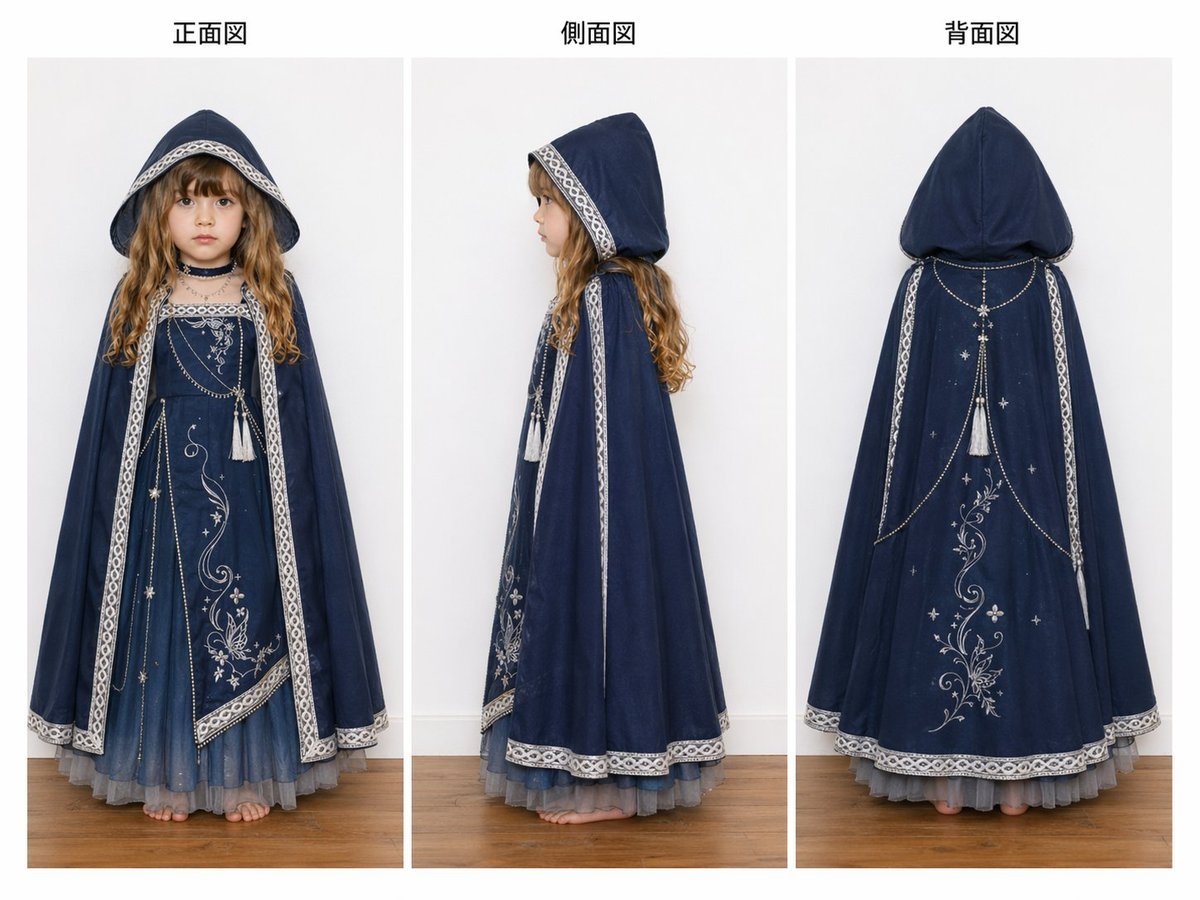
Prompt{"type":"fashion reference sheet","subject":{"garment":"children's fantasy hooded dress and cape ensemble","model":{"age_appearance":"young girl","hair":{"color":"{argument name=\"hair color\" default=\"golden blonde\"}","style":"long loose ringlets visible beneath the hood"},"face":"intentionally blurred and indistinct","pose":"standing straight with arms hidden under the cape, barefoot"},"outfit":{"primary_color":"{argument name=\"outfit color\" default=\"deep navy blue\"}","inner_dress":"floor-length dress with a square neckline, pale decorative trim, silver embroidery with floral vines and small stars on the front panel, asymmetrical embroidered hem detail, and a soft gray-blue tulle underskirt peeking out at the bottom","cape":"full-length hooded cape in matching navy with pale patterned trim running along the hood edge, front opening, side vertical borders, and hem","decorations":{"count":5,"items":["silver floral vine embroidery","small star motifs","draped chain-like beaded garlands across the chest and back","2 white tassels hanging at the upper front and upper back","ornamental trim in a pale silver-white geometric lace pattern"]},"accessories":{"count":1,"items":["dark choker necklace"]}},"studio":{"background":"plain light gray studio wall","floor":"medium-toned wooden floor","lighting":"soft even catalog lighting","framing":"full body, centered, consistent scale across all views"},"layout":{"background":"white page with three vertical image panels","sections":[{"title":"正面図","position":"left","count":1,"labels":["front view"]},{"title":"側面図","position":"center","count":1,"labels":["side view"]},{"title":"背面図","position":"right","count":1,"labels":["back view"]}],"total_views":3},"style":"clean apparel documentation photo, ecommerce costume specification sheet, high detail fabric texture, realistic folds, accurate garment construction, symmetrical presentation","instructions":"Create a three-view clothing reference sheet of {argument name=\"garment name\" default=\"a navy fantasy hooded dress for a child\"}, showing front, side, and back views. Include the Japanese headings 正面図, 側面図, and 背面図 above the three panels. Emphasize the large pointed hood, silver-white trim, embroidered celestial and floral motifs, draped chain details, tassels, and layered tulle hem. Keep the face blurred, the background minimal, and the overall look like a professional costume catalog image."}
Prompt structure- Modelgpt-image-2
- Use caseecommerce-product-image
- Stylephotorealistic, minimal, editorial
- Aspect ratioFlexible
Best used for- Use caseecommerce-product-image
- Stylephotorealistic, minimal, editorial
- Recommended specs1:1, 4:5, 16:9, or 9:16
- ModelGPT Image 2
How to customizeUse this Fashion Reference Sheet prompt as a base. Replace the subject, product details, environment, lighting, brand colors, and output ratio while keeping the ecommerce-product-image intent and photorealistic, minimal, editorial direction stable.
Editable variables- SubjectReplace the product, person, scene, interface, or object being generated.
- Use caseKeep or rewrite the destination as ecommerce product image, ad creative, cover image, poster, or ecommerce hero.
- FrameChoose 1:1, 4:5, 16:9, or 9:16 based on the final placement.
- Brand cuesAdd colors, materials, props, text-safe space, and the platform where the image will be used.
Recommended specsChoose the frame for the destination first, then use 1K, 2K, or 4K based on output quality needs. Product images and posters usually benefit from higher resolution.
Pre-generation checklist- CheckSubject, lighting, composition, and frame are specific enough to review.
- CheckText-safe space is included when the image will carry a headline or ad copy.
- CheckResolution, credit cost, and final destination are checked before generation.
Why this prompt worksFashion Reference Sheet works because it starts from the image job, then controls subject, composition, lighting, style, and frame. It is best for ecommerce product image while keeping the photorealistic, minimal, editorial direction stable.
Common questions- Can I use it directly?Yes. Replace the subject, brand cues, and frame, then generate in Image2Studio.
- Which ratio should I use?Choose 1:1, 4:5, 16:9, or 9:16 based on the destination.