
Image2Studio
Examples

gpt-image-2

Stunning Beauty

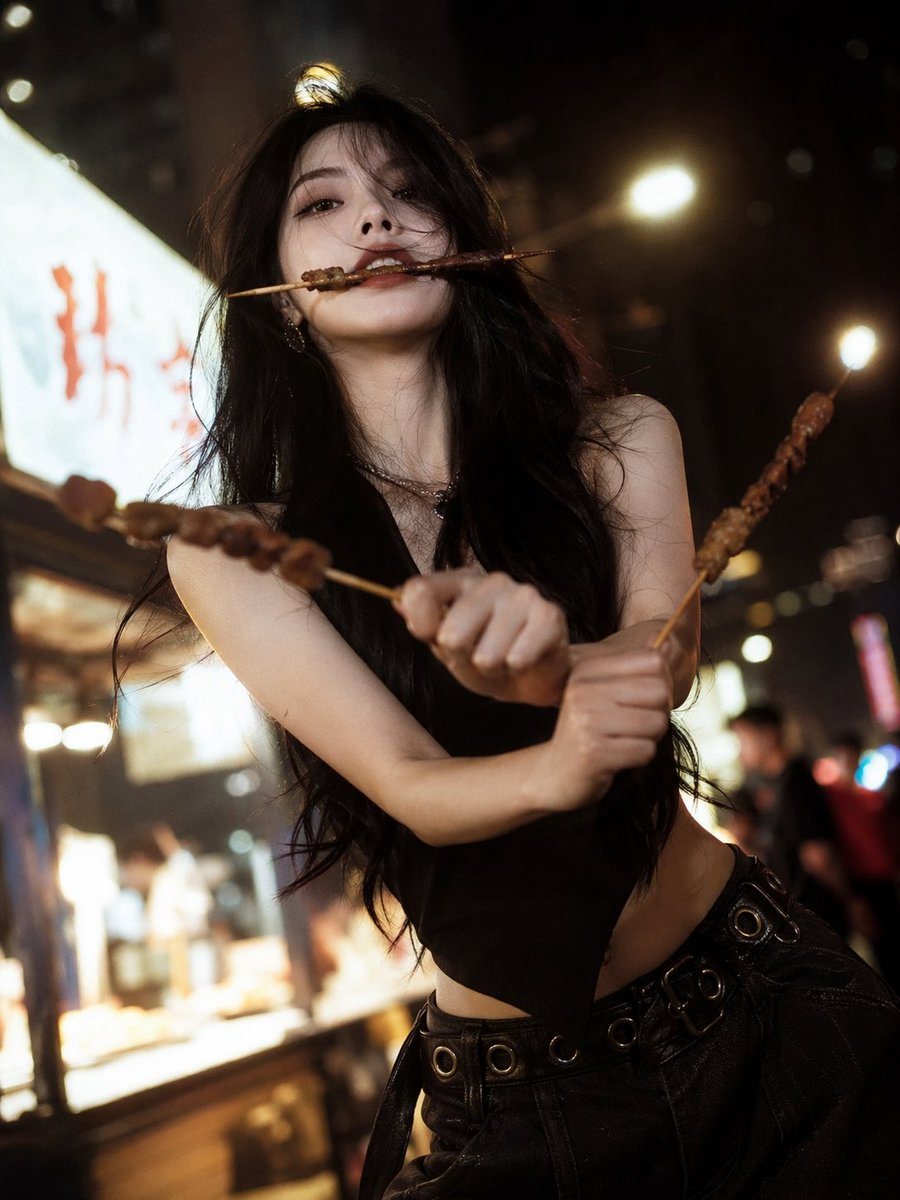
a stunning beauty with a cool, aloof atmosphere, delicate facial features, a cold and sophisticated high-fashion face, long hair, and a graceful slender figure; barbecue “three-sword styl...

a stunning beauty with a cool, aloof atmosphere, delicate facial features, a cold and sophisticated high-fashion face, long hair, and a graceful slender figure; barbecue “three-sword styl...
Prompt

{argument name="subject" default="a stunning beauty with a cool, aloof atmosphere"}, delicate facial features, a cold and sophisticated high-fashion face, long hair, and a graceful slender figure; {argument name="pose" default="barbecue “three-sword style” pose"}: one barbecue skewer held in her mouth, one skewer in each hand crossed to mimic Zoro’s three-sword style; street night scene ambiance, warm yellow night market lighting, blurred background, film-like texture, soft-focus glow, cinematic storytelling feel, trendy high-end influencer-style fashion shoot, clear luminous skin, sharply detailed strands of hair, lively dynamic expression, low-angle wide-angle shot, moody dark-toned atmosphere, shallow depth of field, ultra HD 8K, extreme detail, cinematic lighting

Prompt structure
  • Modelgpt-image-2
  • Use casesocial-media-post
  • Stylecinematic, photorealistic, luxury
  • Aspect ratioFlexible
Best used for
  • Use casesocial-media-post
  • Stylecinematic, photorealistic, luxury
  • Recommended specs1:1, 4:5, 16:9, or 9:16
  • ModelGPT Image 2
How to customize

Use this Stunning Beauty prompt as a base. Replace the subject, product details, environment, lighting, brand colors, and output ratio while keeping the social-media-post intent and cinematic, photorealistic, luxury direction stable.

Editable variables
  • SubjectReplace the product, person, scene, interface, or object being generated.
  • Use caseKeep or rewrite the destination as social media post, ad creative, cover image, poster, or ecommerce hero.
  • FrameChoose 1:1, 4:5, 16:9, or 9:16 based on the final placement.
  • Brand cuesAdd colors, materials, props, text-safe space, and the platform where the image will be used.
Recommended specs

Choose the frame for the destination first, then use 1K, 2K, or 4K based on output quality needs. Product images and posters usually benefit from higher resolution.

Pre-generation checklist
  • CheckSubject, lighting, composition, and frame are specific enough to review.
  • CheckText-safe space is included when the image will carry a headline or ad copy.
  • CheckResolution, credit cost, and final destination are checked before generation.
Why this prompt works

Stunning Beauty works because it starts from the image job, then controls subject, composition, lighting, style, and frame. It is best for social media post while keeping the cinematic, photorealistic, luxury direction stable.

Common questions
  • Can I use it directly?Yes. Replace the subject, brand cues, and frame, then generate in Image2Studio.
  • Which ratio should I use?Choose 1:1, 4:5, 16:9, or 9:16 based on the destination.




