
Image2Studio
Examples

gpt-image-2

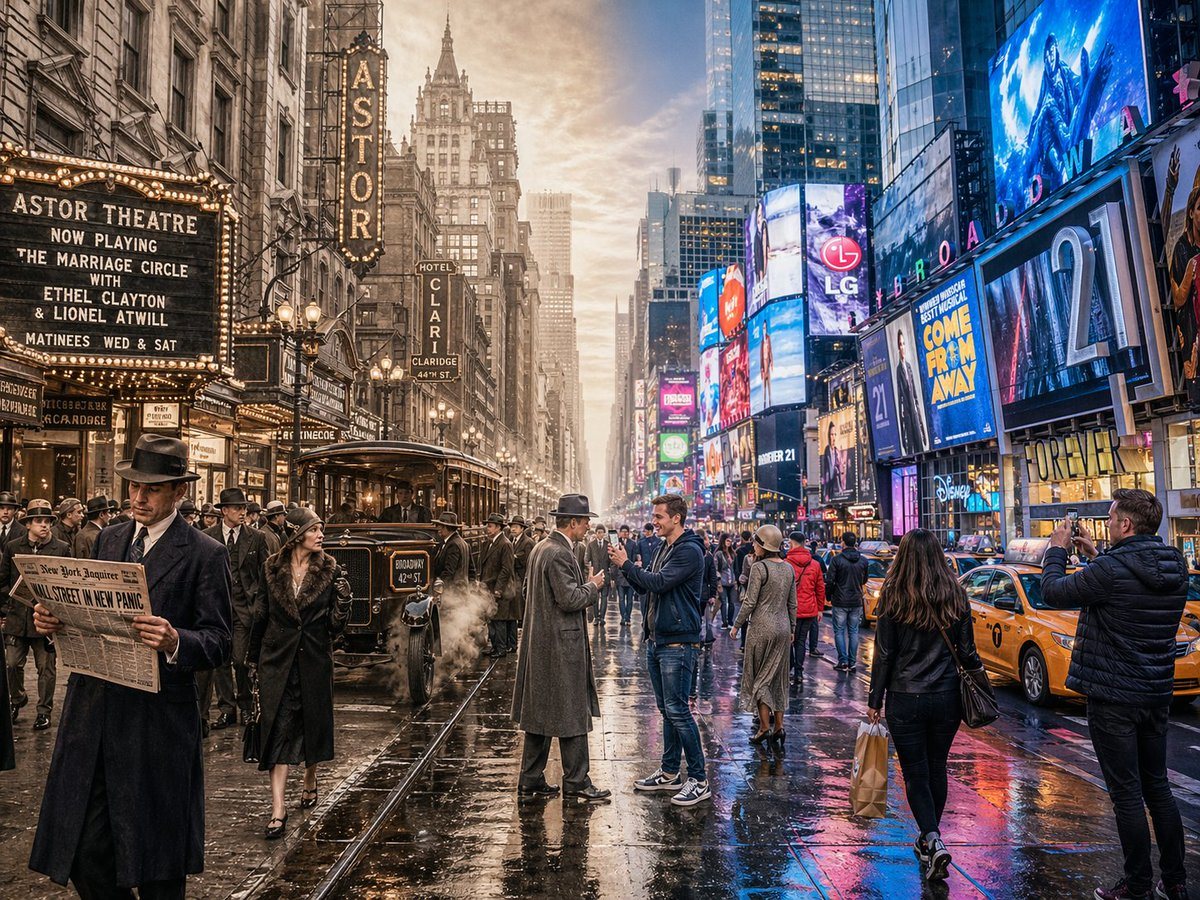
Horizontal Split-screen Cinematic Shot Of Times Square

A horizontal split-screen cinematic shot of Times Square, New York, seamlessly blending two different eras: 1920s on the left and present day on the right (default: about 100 years ago vs...

A horizontal split-screen cinematic shot of Times Square, New York, seamlessly blending two different eras: 1920s on the left and present day on the right (default: about 100 years ago vs...
Prompt

A horizontal split-screen cinematic shot of {argument name="scene" default="Times Square, New York"}, seamlessly blending two different eras: {argument name="first era" default="1920s"} on the left and {argument name="second era" default="present day"} on the right (default: about 100 years ago vs. present day). On the left side: show era-appropriate architecture, interior or environment design, materials, vehicles, and props that clearly belong to that historical period. People wear authentic clothing from the era, including hairstyles, accessories, and typical items in their hands. The overall mood feels nostalgic and historically accurate. On the right side: show the same scene in the modern era, with updated architecture or renovated structures, contemporary materials (glass, steel, LED screens, modern furniture), modern vehicles or equipment, and current technology. People wear contemporary fashion that matches today’s style in this setting. In the center: the two eras merge and overlap organically, without a hard dividing line. Elements from both eras visually interact: people from different times look at each other, walk through each other’s space, or seem surprised by the other era’s technology and objects. Architecture and environment smoothly morph from old to new. Make sure the scene is not just a simple left/right comparison but a dynamic time-travel interaction. Photorealistic, 8k resolution, cinematic lighting, wide angle, highly detailed textures, rich sense of time-travel storytelling. Aspect Ratio: 4:3

Prompt structure
  • Modelgpt-image-2
  • Use casesocial-media-post
  • Stylecinematic, photorealistic, minimal
  • Aspect ratioFlexible
Best used for
  • Use casesocial-media-post
  • Stylecinematic, photorealistic, minimal
  • Recommended specs1:1, 4:5, 16:9, or 9:16
  • ModelGPT Image 2
How to customize

Use this Horizontal Split-screen Cinematic Shot Of Times Square prompt as a base. Replace the subject, product details, environment, lighting, brand colors, and output ratio while keeping the social-media-post intent and cinematic, photorealistic, minimal direction stable.

Editable variables
  • SubjectReplace the product, person, scene, interface, or object being generated.
  • Use caseKeep or rewrite the destination as social media post, ad creative, cover image, poster, or ecommerce hero.
  • FrameChoose 1:1, 4:5, 16:9, or 9:16 based on the final placement.
  • Brand cuesAdd colors, materials, props, text-safe space, and the platform where the image will be used.
Recommended specs

Choose the frame for the destination first, then use 1K, 2K, or 4K based on output quality needs. Product images and posters usually benefit from higher resolution.

Pre-generation checklist
  • CheckSubject, lighting, composition, and frame are specific enough to review.
  • CheckText-safe space is included when the image will carry a headline or ad copy.
  • CheckResolution, credit cost, and final destination are checked before generation.
Why this prompt works

Horizontal Split-screen Cinematic Shot Of Times Square works because it starts from the image job, then controls subject, composition, lighting, style, and frame. It is best for social media post while keeping the cinematic, photorealistic, minimal direction stable.

Common questions
  • Can I use it directly?Yes. Replace the subject, brand cues, and frame, then generate in Image2Studio.
  • Which ratio should I use?Choose 1:1, 4:5, 16:9, or 9:16 based on the destination.




