
Image2Studio
Examples

gpt-image-2

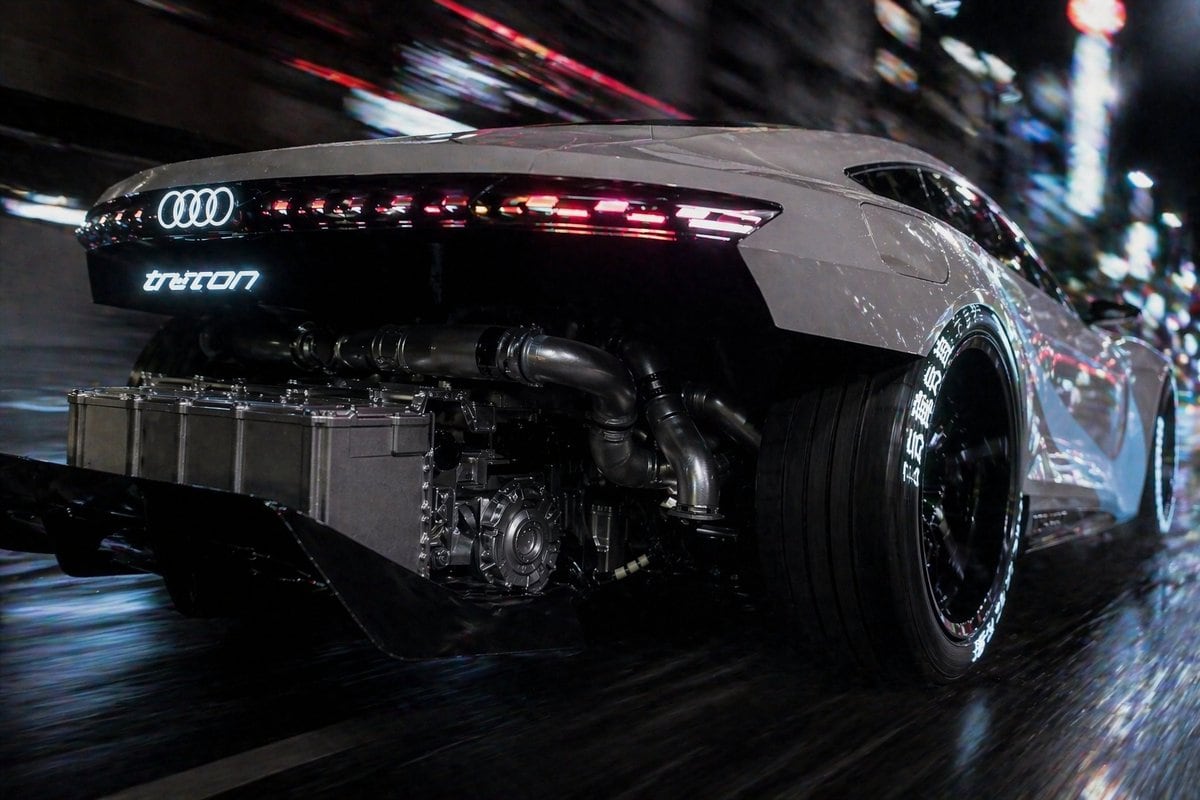
Cinematic Rear Three-quarter Tracking Shot Of A Futuristic White Audi Su

A cinematic rear three-quarter tracking shot of a futuristic white Audi supercar racing through a dense neon-lit city at night on a wet street, viewed from a very low angle close to the r...

A cinematic rear three-quarter tracking shot of a futuristic white Audi supercar racing through a dense neon-lit city at night on a wet street, viewed from a very low angle close to the r...
Prompt

A cinematic rear three-quarter tracking shot of a futuristic white Audi supercar racing through a dense neon-lit city at night on a wet street, viewed from a very low angle close to the rear wheel. The car has a sleek widebody coupe silhouette, glossy pearl white body panels, a black rear fascia, and a continuous thin LED taillight strip with segmented red and white light elements stretching across the tail. The glowing Audi four-ring logo is illuminated in white at the center rear, with a stylized glowing model badge beneath it that reads "tron" in a futuristic font. The rear bodywork is partially removed or transparently open to reveal exposed high-performance mechanical components: 1 large rectangular metallic battery or power unit mounted low at the back, 3 visible thick exhaust or cooling pipes spanning across the rear, 1 visible gearbox or motor assembly near the center-right, and a deep black rear diffuser with 2 large fins. The car rides on oversized deep-dish black wheels with ultra-wide rear tires, and the tire sidewalls feature bright white Japanese-style lettering around the circumference. Use strong motion blur in the background and along the road surface to imply high speed, with sharp focus on the car body and exposed machinery. Surround the scene with abstract urban bokeh, streaking neon signage, reflections of red, blue, and white city lights across the wet pavement and glossy bodywork. High contrast, cyberpunk atmosphere, realistic automotive photography, dramatic nighttime lighting, ultra-detailed metal textures, cinematic lens, dynamic composition, speed, power, futuristic engineering.

Prompt structure
  • Modelgpt-image-2
  • Use casesocial-media-post
  • Stylecyberpunk, photorealistic, cinematic
  • Aspect ratioFlexible
Best used for
  • Use casesocial-media-post
  • Stylecyberpunk, photorealistic, cinematic
  • Recommended specs1:1, 4:5, 16:9, or 9:16
  • ModelGPT Image 2
How to customize

Use this Cinematic Rear Three-quarter Tracking Shot Of A Futuristic White Audi Su prompt as a base. Replace the subject, product details, environment, lighting, brand colors, and output ratio while keeping the social-media-post intent and cyberpunk, photorealistic, cinematic direction stable.

Editable variables
  • SubjectReplace the product, person, scene, interface, or object being generated.
  • Use caseKeep or rewrite the destination as social media post, ad creative, cover image, poster, or ecommerce hero.
  • FrameChoose 1:1, 4:5, 16:9, or 9:16 based on the final placement.
  • Brand cuesAdd colors, materials, props, text-safe space, and the platform where the image will be used.
Recommended specs

Choose the frame for the destination first, then use 1K, 2K, or 4K based on output quality needs. Product images and posters usually benefit from higher resolution.

Pre-generation checklist
  • CheckSubject, lighting, composition, and frame are specific enough to review.
  • CheckText-safe space is included when the image will carry a headline or ad copy.
  • CheckResolution, credit cost, and final destination are checked before generation.
Why this prompt works

Cinematic Rear Three-quarter Tracking Shot Of A Futuristic White Audi Su works because it starts from the image job, then controls subject, composition, lighting, style, and frame. It is best for social media post while keeping the cyberpunk, photorealistic, cinematic direction stable.

Common questions
  • Can I use it directly?Yes. Replace the subject, brand cues, and frame, then generate in Image2Studio.
  • Which ratio should I use?Choose 1:1, 4:5, 16:9, or 9:16 based on the destination.




