
Image2Studio
Examples

gpt-image-2

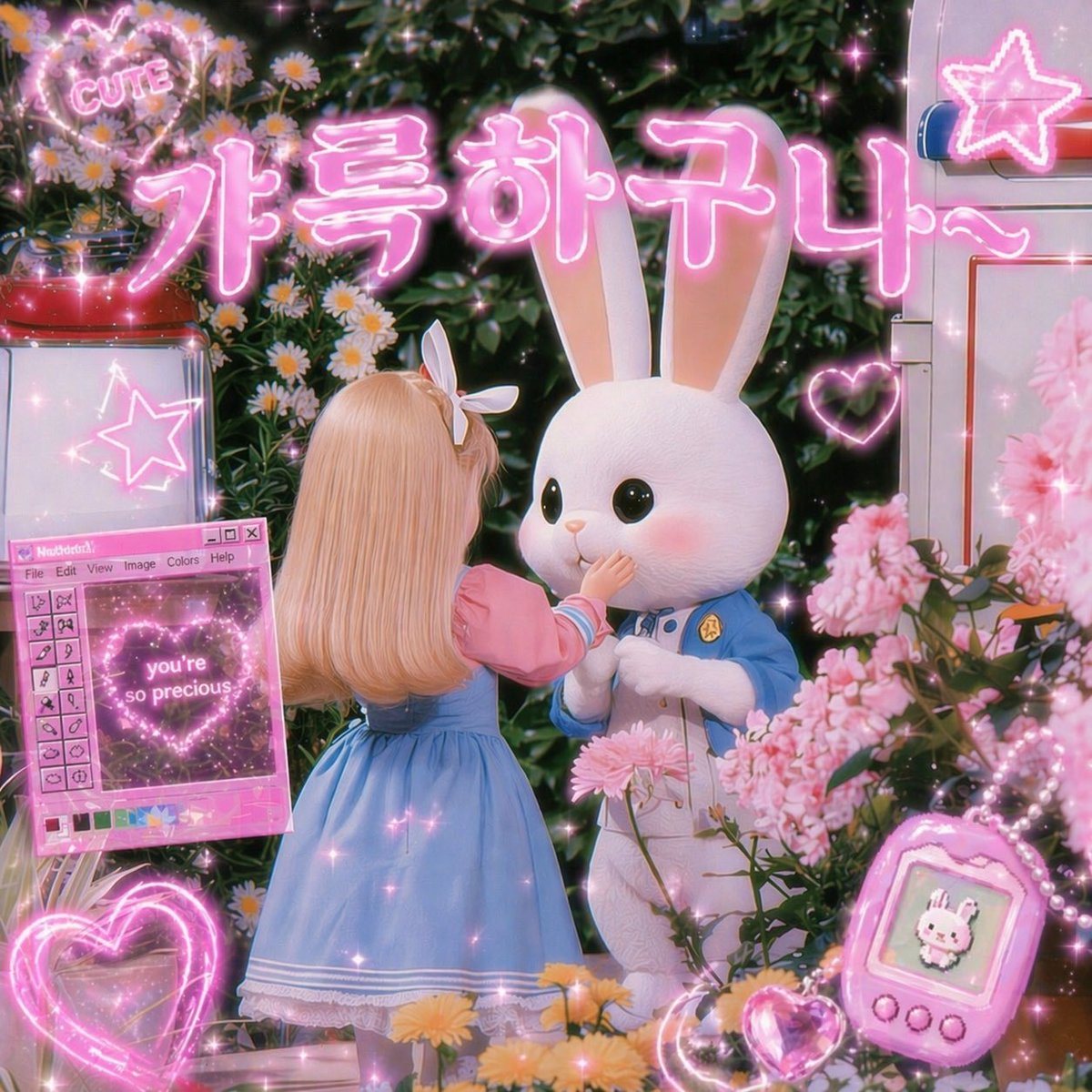
Dreamy Kawaii 3D Render In A Lush Flower Garden At Night

A dreamy kawaii 3D render in a lush flower garden at night, filled with glowing pink neon graphics and soft sparkles. In the center, a small doll-like girl is shown from behind, with long...

A dreamy kawaii 3D render in a lush flower garden at night, filled with glowing pink neon graphics and soft sparkles. In the center, a small doll-like girl is shown from behind, with long...
Prompt

A dreamy kawaii 3D render in a lush flower garden at night, filled with glowing pink neon graphics and soft sparkles. In the center, a small doll-like girl is shown from behind, with long silky blonde hair and a white bow headband, wearing a pastel blue pinafore dress over a pink puff-sleeve blouse with white trim. She gently reaches up to touch the mouth of a large white rabbit character standing in front of her. The rabbit has oversized upright ears, glossy black eyes, rosy cheeks, and a cute plush-like face, and wears a light blue uniform-style jacket with a tiny gold badge over a white body. Surround them with dense greenery, daisies, and abundant pink blossoms in the foreground and background. Across the top, place large glowing Korean neon text reading {argument name="headline text" default="가특하구나~"} in bright pink bubble lettering with a soft halo. Include exactly 7 additional neon or UI-style decorative elements: 1 heart-shaped sign at the upper left with the word {argument name="top sign text" default="CUTE"}, 1 neon star sign on a white cabinet at the upper right, 1 glowing heart outline near the rabbit on the right, 1 retro pink computer-style floating window on the left with tiny toolbar details and a central heart graphic containing the text {argument name="window text" default="you're so precious"}, 1 large glowing heart outline at the bottom left, 1 pink handheld virtual pet device at the bottom right showing a tiny bunny sprite, and 1 small glowing crystal heart near the device. Add soft bloom, glossy highlights, magical glitter particles, pink rim lighting, shallow depth of field, toy-photography styling, and a nostalgic cute internet aesthetic with pastel pink and blue as the dominant palette.

Prompt structure
  • Modelgpt-image-2
  • Use casesocial-media-post
  • Stylecyberpunk, 3d-render, photorealistic, anime
  • Aspect ratioFlexible
Best used for
  • Use casesocial-media-post
  • Stylecyberpunk, 3d-render, photorealistic, anime
  • Recommended specs1:1, 4:5, 16:9, or 9:16
  • ModelGPT Image 2
How to customize

Use this Dreamy Kawaii 3D Render In A Lush Flower Garden At Night prompt as a base. Replace the subject, product details, environment, lighting, brand colors, and output ratio while keeping the social-media-post intent and cyberpunk, 3d-render, photorealistic, anime direction stable.

Editable variables
  • SubjectReplace the product, person, scene, interface, or object being generated.
  • Use caseKeep or rewrite the destination as social media post, ad creative, cover image, poster, or ecommerce hero.
  • FrameChoose 1:1, 4:5, 16:9, or 9:16 based on the final placement.
  • Brand cuesAdd colors, materials, props, text-safe space, and the platform where the image will be used.
Recommended specs

Choose the frame for the destination first, then use 1K, 2K, or 4K based on output quality needs. Product images and posters usually benefit from higher resolution.

Pre-generation checklist
  • CheckSubject, lighting, composition, and frame are specific enough to review.
  • CheckText-safe space is included when the image will carry a headline or ad copy.
  • CheckResolution, credit cost, and final destination are checked before generation.
Why this prompt works

Dreamy Kawaii 3D Render In A Lush Flower Garden At Night works because it starts from the image job, then controls subject, composition, lighting, style, and frame. It is best for social media post while keeping the cyberpunk, 3d-render, photorealistic, anime direction stable.

Common questions
  • Can I use it directly?Yes. Replace the subject, brand cues, and frame, then generate in Image2Studio.
  • Which ratio should I use?Choose 1:1, 4:5, 16:9, or 9:16 based on the destination.




