
Image2Studio
Examples

gpt-image-2

Preserve The Face

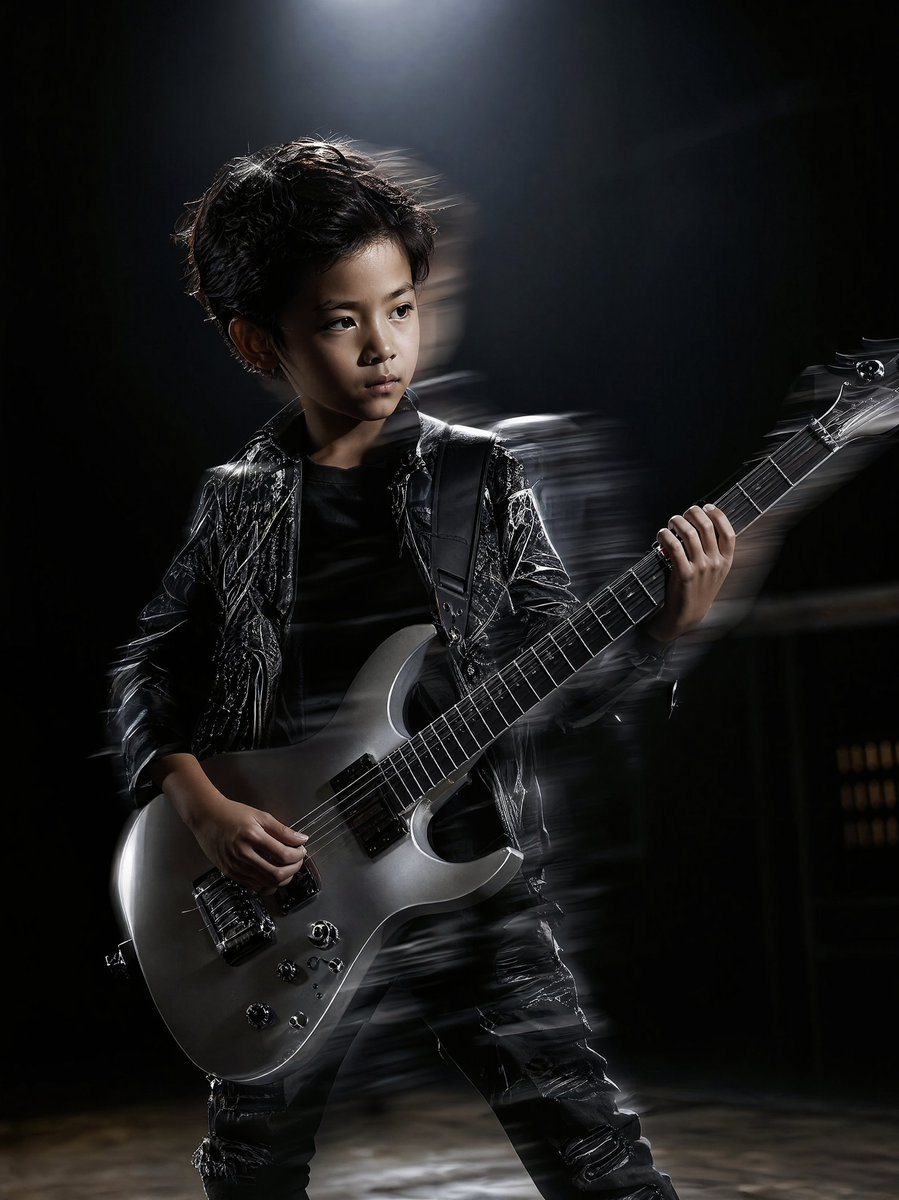
Preserve the face, proportions, and external features of the model as in the reference. 8-year-old boy in a dark, moody studio rehearsal hall. Dramatic rim lighting and a single overhead...

Preserve the face, proportions, and external features of the model as in the reference. 8-year-old boy in a dark, moody studio rehearsal hall. Dramatic rim lighting and a single overhead...
Prompt

Preserve the face, proportions, and external features of the model as in the reference. {argument name="subject" default="8-year-old boy"} in a dark, moody studio rehearsal hall. Dramatic rim lighting and a single overhead spotlight creating a silhouette effect. He holds a {argument name="instrument" default="silver electric guitar"} with visible metallic string textures. Motion blur from a strobe light effect, high-contrast, commercial magazine shoot, fashion editorial realism, intense focused expression.

Prompt structure
  • Modelgpt-image-2
  • Use casesocial-media-post
  • Styleeditorial, cinematic, photorealistic
  • Aspect ratioFlexible
Best used for
  • Use casesocial-media-post
  • Styleeditorial, cinematic, photorealistic
  • Recommended specs1:1, 4:5, 16:9, or 9:16
  • ModelGPT Image 2
How to customize

Use this Preserve The Face prompt as a base. Replace the subject, product details, environment, lighting, brand colors, and output ratio while keeping the social-media-post intent and editorial, cinematic, photorealistic direction stable.

Editable variables
  • SubjectReplace the product, person, scene, interface, or object being generated.
  • Use caseKeep or rewrite the destination as social media post, ad creative, cover image, poster, or ecommerce hero.
  • FrameChoose 1:1, 4:5, 16:9, or 9:16 based on the final placement.
  • Brand cuesAdd colors, materials, props, text-safe space, and the platform where the image will be used.
Recommended specs

Choose the frame for the destination first, then use 1K, 2K, or 4K based on output quality needs. Product images and posters usually benefit from higher resolution.

Pre-generation checklist
  • CheckSubject, lighting, composition, and frame are specific enough to review.
  • CheckText-safe space is included when the image will carry a headline or ad copy.
  • CheckResolution, credit cost, and final destination are checked before generation.
Why this prompt works

Preserve The Face works because it starts from the image job, then controls subject, composition, lighting, style, and frame. It is best for social media post while keeping the editorial, cinematic, photorealistic direction stable.

Common questions
  • Can I use it directly?Yes. Replace the subject, brand cues, and frame, then generate in Image2Studio.
  • Which ratio should I use?Choose 1:1, 4:5, 16:9, or 9:16 based on the destination.




