
Image2Studio
Prompts

gpt-image-2

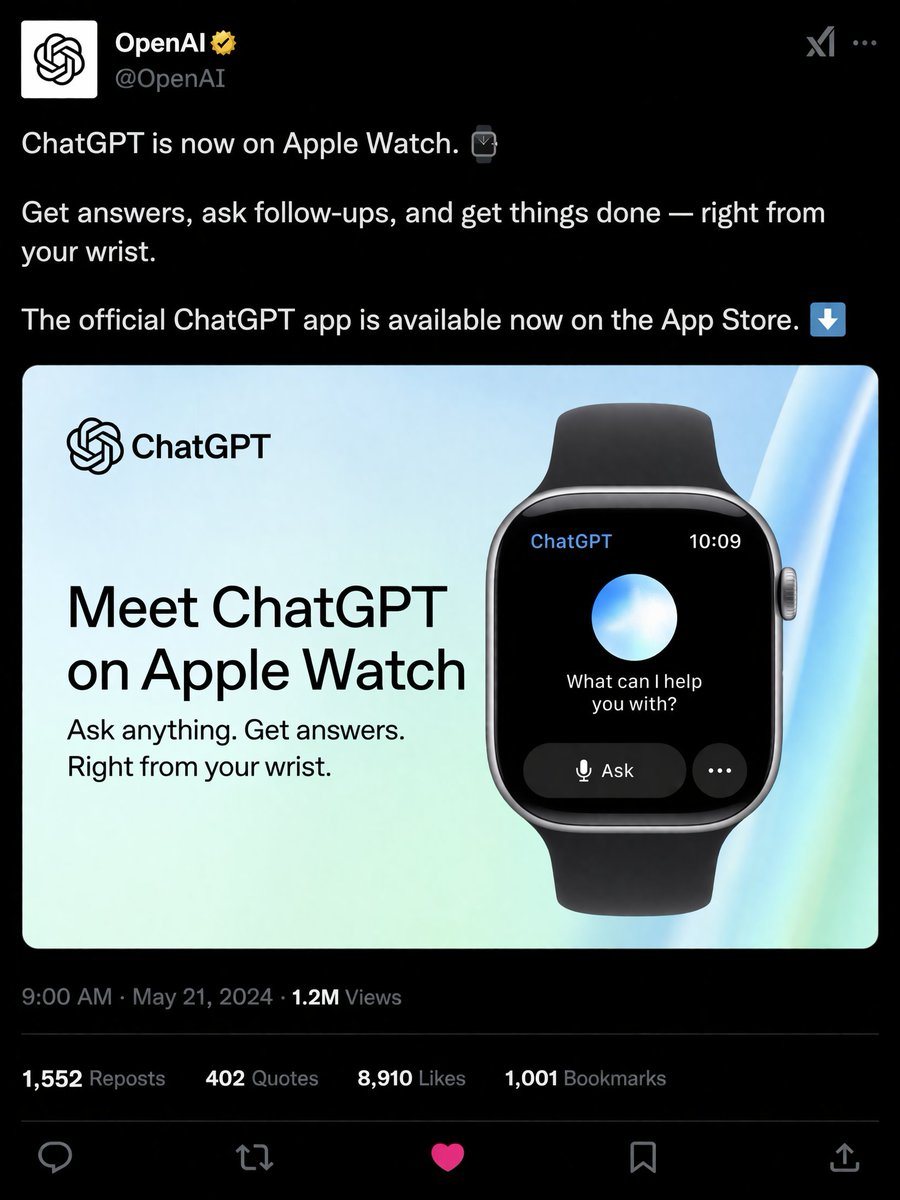
社交媒体产品发布模拟图

生成一张逼真的深色模式社交媒体帖子,展示智能手表应用的宣传图。

Copy this GPT Image 2 prompt for social media post and ui mockups with Luxury styling. Use it in Image2Studio to generate, edit, and save production-ready.
Prompt

{ "type": "social media post mockup", "theme": "dark mode", "header": { "avatar": "OpenAI logo", "account_name": "{argument name=\"account name\" default=\"OpenAI\"}", "badge": "gold checkmark", "handle": "@OpenAI" }, "post_text": [ "{argument name=\"post text\" default=\"ChatGPT is now on Apple Watch.\"}", "Get answers, ask follow-ups, and get things done — right from your wrist.", "The official ChatGPT app is available now on the App Store." ], "embedded_card": { "background": "light blue and green gradient", "left_column": { "logo": "ChatGPT", "headline": "{argument name=\"card headline\" default=\"Meet ChatGPT on Apple Watch\"}", "subheadline": "Ask anything. Get answers. Right from your wrist." }, "right_column": { "device": "smartwatch with black band", "screen_elements": { "top_bar": 2, "top_bar_labels": ["ChatGPT", "10:09"], "center": "glowing blue and white orb", "text": "{argument name=\"watch screen text\" default=\"What can I help you with?\"}", "buttons": 2, "button_labels": ["Ask", "..."] } } }, "footer": { "metadata": "9:00 AM · May 21, 2024 · 1.2M Views", "engagement_stats": { "count": 4, "labels": ["1,552 Reposts", "402 Quotes", "{argument name=\"likes count\" default=\"8,910\"} Likes", "1,001 Bookmarks"] }, "action_icons": { "count": 5, "types": ["reply", "repost", "like", "bookmark", "share"] } } }

Prompt structure
  • Modelgpt-image-2
  • Use casesocial-media-post
  • Styleluxury
  • Aspect ratioFlexible
Best used for
  • Use casesocial-media-post
  • Styleluxury
  • Recommended specs1:1, 4:5, 16:9, or 9:16
  • ModelGPT Image 2
How to customize

Use this 社交媒体产品发布模拟图 prompt as a base. Replace the subject, product details, environment, lighting, brand colors, and output ratio while keeping the social-media-post intent and luxury direction stable.

Editable variables
  • SubjectReplace the product, person, scene, interface, or object being generated.
  • Use caseKeep or rewrite the destination as social media post, ad creative, cover image, poster, or ecommerce hero.
  • FrameChoose 1:1, 4:5, 16:9, or 9:16 based on the final placement.
  • Brand cuesAdd colors, materials, props, text-safe space, and the platform where the image will be used.
Recommended specs

Choose the frame for the destination first, then use 1K, 2K, or 4K based on output quality needs. Product images and posters usually benefit from higher resolution.

Pre-generation checklist
  • CheckSubject, lighting, composition, and frame are specific enough to review.
  • CheckText-safe space is included when the image will carry a headline or ad copy.
  • CheckResolution, credit cost, and final destination are checked before generation.
Why this prompt works

社交媒体产品发布模拟图 works because it starts from the image job, then controls subject, composition, lighting, style, and frame. It is best for social media post while keeping the luxury direction stable.

Common questions
  • Can I use it directly?Yes. Replace the subject, brand cues, and frame, then generate in Image2Studio.
  • Which ratio should I use?Choose 1:1, 4:5, 16:9, or 9:16 based on the destination.