
Image2Studio
Examples

gpt-image-2

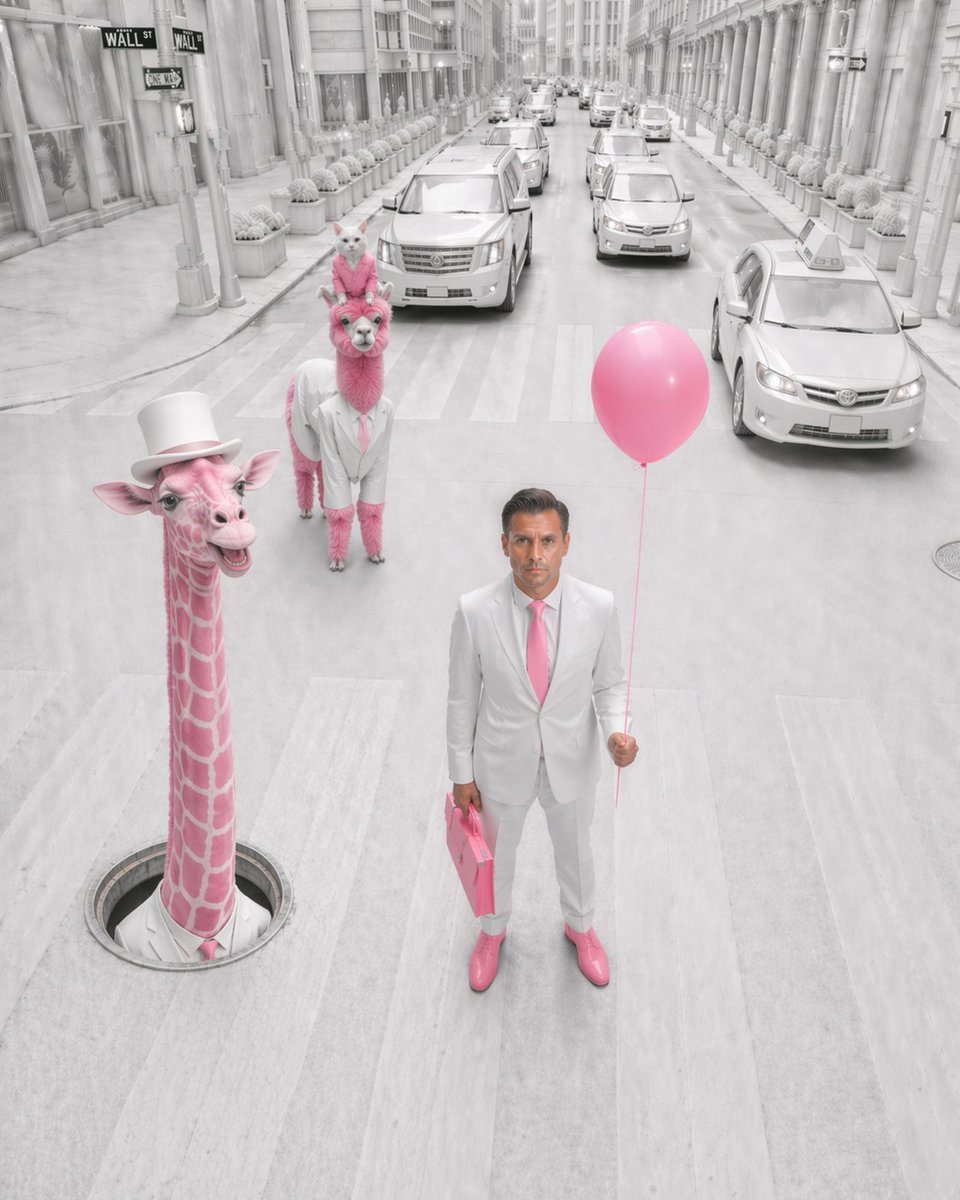
Surreal Fashion Editorial Photograph On A City Street Modeled After Wall

A surreal fashion editorial photograph on a city street modeled after Wall Street, shot from a slightly elevated front-facing angle in a tall vertical composition. The entire environment...

A surreal fashion editorial photograph on a city street modeled after Wall Street, shot from a slightly elevated front-facing angle in a tall vertical composition. The entire environment...
Prompt

A surreal fashion editorial photograph on a city street modeled after Wall Street, shot from a slightly elevated front-facing angle in a tall vertical composition. The entire environment is nearly monochrome white and pale gray, with only selective pink accents standing out vividly. In the foreground, a faceless {argument name="person" default="adult man"} stands in the middle of a crosswalk wearing a crisp white suit, white shirt, {argument name="tie color" default="pink"} tie, and glossy {argument name="shoe color" default="pink"} dress shoes, holding 1 pink balloon in his right hand and 1 pink briefcase in his left hand. To his left, 1 surreal pink giraffe emerges vertically from a round manhole in the street, wearing a white top hat and a white collar with a pink tie, smiling playfully. Behind him in the center-left lane stands 1 pink alpaca or llama dressed in a white suit with a pink tie, and perched on its head is 1 small white cat wearing a tiny pink accessory, posed upright and looking forward. The street is lined with tall classical stone buildings, repeated columns, storefront windows, rows of identical potted shrubs, and multiple pale luxury cars and taxis receding into the distance. Include visible Wall Street-style street signs near the upper left corner. The road surface, cars, buildings, and sky should all be bleached white-gray for a dreamlike high-key look, while the pink elements remain saturated: the giraffe, the alpaca, the balloon, the briefcase, the tie, and the shoes. Style: whimsical surrealism, luxury editorial photography, immaculate symmetry, soft overcast light, clean cinematic realism, uncanny yet elegant atmosphere, ultra-detailed textures, shallow facial detail on the human with the face intentionally obscured or blurred.

Prompt structure
  • Modelgpt-image-2
  • Use casesocial-media-post
  • Styleluxury, photorealistic, editorial, cinematic
  • Aspect ratioFlexible
Best used for
  • Use casesocial-media-post
  • Styleluxury, photorealistic, editorial, cinematic
  • Recommended specs1:1, 4:5, 16:9, or 9:16
  • ModelGPT Image 2
How to customize

Use this Surreal Fashion Editorial Photograph On A City Street Modeled After Wall prompt as a base. Replace the subject, product details, environment, lighting, brand colors, and output ratio while keeping the social-media-post intent and luxury, photorealistic, editorial, cinematic direction stable.

Editable variables
  • SubjectReplace the product, person, scene, interface, or object being generated.
  • Use caseKeep or rewrite the destination as social media post, ad creative, cover image, poster, or ecommerce hero.
  • FrameChoose 1:1, 4:5, 16:9, or 9:16 based on the final placement.
  • Brand cuesAdd colors, materials, props, text-safe space, and the platform where the image will be used.
Recommended specs

Choose the frame for the destination first, then use 1K, 2K, or 4K based on output quality needs. Product images and posters usually benefit from higher resolution.

Pre-generation checklist
  • CheckSubject, lighting, composition, and frame are specific enough to review.
  • CheckText-safe space is included when the image will carry a headline or ad copy.
  • CheckResolution, credit cost, and final destination are checked before generation.
Why this prompt works

Surreal Fashion Editorial Photograph On A City Street Modeled After Wall works because it starts from the image job, then controls subject, composition, lighting, style, and frame. It is best for social media post while keeping the luxury, photorealistic, editorial, cinematic direction stable.

Common questions
  • Can I use it directly?Yes. Replace the subject, brand cues, and frame, then generate in Image2Studio.
  • Which ratio should I use?Choose 1:1, 4:5, 16:9, or 9:16 based on the destination.




