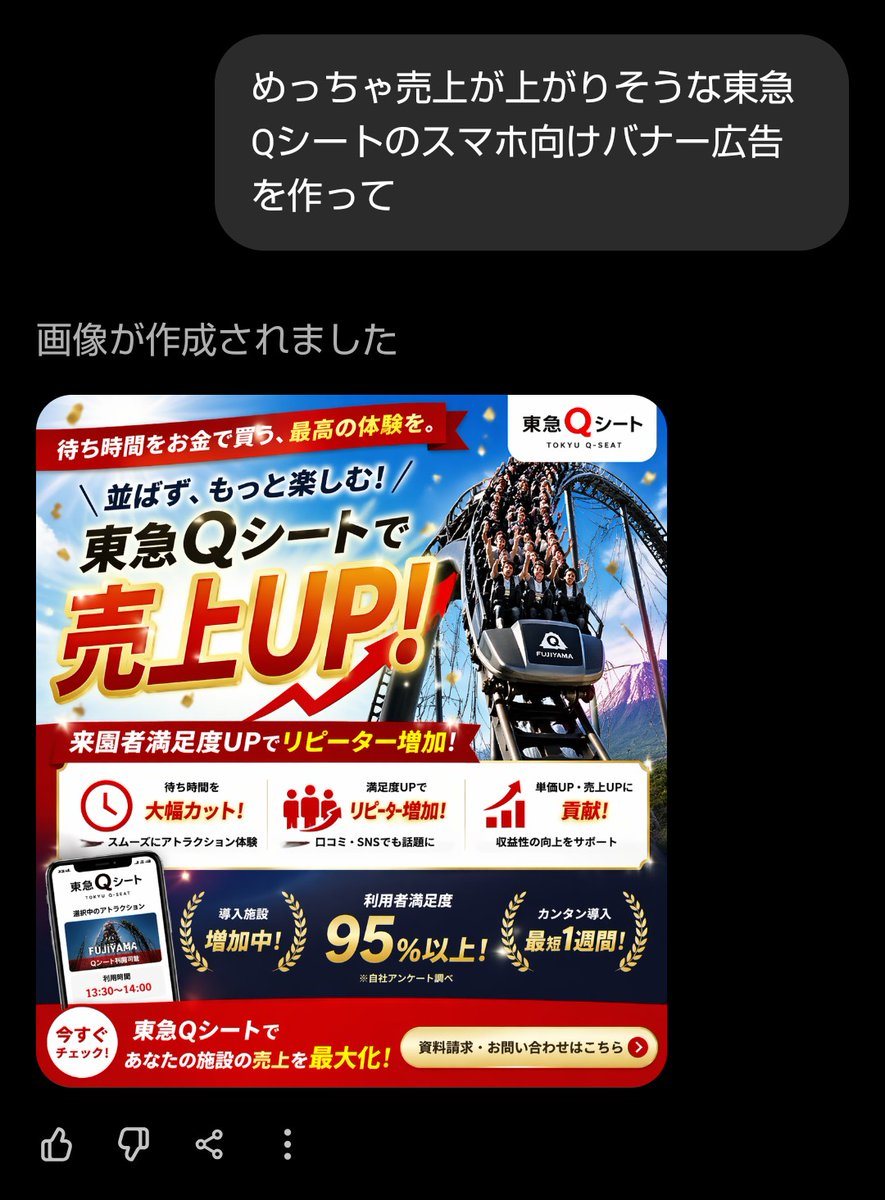
Prompt{"type":"Japanese smartphone banner advertisement","style":"high-conversion commercial promo banner, glossy and aggressive sales design, dense Japanese ad layout, vivid amusement-park marketing visual, polished corporate campaign graphic","format":{"aspect_ratio":"square","intended_use":"smartphone web banner or social media ad"},"brand":{"name":"東急Qシート","romanization":"TOKYU Q-SEAT","logo_position":"top right inside a rounded white badge"},"subject":{"main_visual":"a dramatic front-facing roller coaster car descending a steep track, packed with excited riders, shot from a low angle for speed and impact","vehicle_label":"FUJIYAMA","background":"bright blue sky with light clouds, amusement park atmosphere, hints of mountain scenery, gold confetti floating across the composition"},"color_palette":{"primary":["red","gold","white","deep blue","black"],"mood":"urgent, celebratory, premium, energetic"},"layout":{"sections":[{"title":"top ribbon","position":"top left across upper area","count":1,"labels":["待ち時間をお金で買う、最高の体験を。"]},{"title":"main headline block","position":"upper left to center","count":3,"labels":["並ばず、もっと楽しむ!","東急Qシートで","売上UP!"]},{"title":"mid red subheadline ribbon","position":"below main headline","count":1,"labels":["来園者満足度UPでリピーター増加!"]},{"title":"benefit cards","position":"middle lower band on white background","count":3,"labels":["待ち時間を 大幅カット!","満足度UPで リピーター増加!","単価UP・売上UPに 貢献!"]},{"title":"bottom navy achievements band","position":"lower section above CTA","count":3,"labels":["導入施設 増加中!","利用者満足度 95%以上!","カンタン導入 最短1週間!"]},{"title":"call to action area","position":"bottom red band","count":2,"labels":["今すぐチェック!","資料請求・お問い合わせはこちら"]}],"additional_elements_count":5,"additional_elements":["smartphone mockup at bottom left showing the service screen","clock icon in the first benefit card","group-of-people icon in the second benefit card","bar-chart arrow icon in the third benefit card","gold laurel wreath decorations around the three achievement messages"]},"typography":{"language":"Japanese","headline_style":"extra-bold sans serif with oversized kanji and katakana","headline_effect":"gold-to-yellow gradient fill with thick red outline, white glow, and subtle shadow for 売上UP!","support_text_style":"bold Japanese sans serif in black, red, and white"},"composition":"Create a dense Japanese amusement-park sales banner with the coaster image dominating the right half and the huge sales headline dominating the left half. Use diagonal energy lines, overlapping ribbons, strong hierarchy, and retail-ad urgency. Include a white rounded logo badge in the top right, a red ribbon headline at the very top, a central oversized promotional headline, a white three-column benefits strip, a dark blue achievements strip, and a red bottom CTA bar. Add gold confetti and premium highlights throughout.","text":{"top_ribbon":"待ち時間をお金で買う、最高の体験を。","headline_line_1":"並ばず、もっと楽しむ!","headline_line_2":"{argument name=\"service name\" default=\"東急Qシート\"}で","headline_line_3":"{argument name=\"main sales phrase\" default=\"売上UP!\"}","subheadline":"来園者満足度UPでリピーター増加!","benefit_1":"待ち時間を 大幅カット!","benefit_1_sub":"スムーズにアトラクション体験","benefit_2":"満足度UPで リピーター増加!","benefit_2_sub":"口コミ・SNSでも話題に","benefit_3":"単価UP・売上UPに 貢献!","benefit_3_sub":"収益性の向上をサポート","achievement_1":"導入施設 増加中!","achievement_2":"利用者満足度 {argument name=\"satisfaction figure\" default=\"95%以上!\"}","achievement_2_note":"※自社アンケート調べ","achievement_3":"カンタン導入 最短1週間!","bottom_left":"今すぐチェック!","bottom_center":"{argument name=\"bottom message\" default=\"東急Qシートで あなたの施設の売上を最大化!\"}","cta":"{argument name=\"call to action\" default=\"資料請求・お問い合わせはこちら\"}"}}