
Image2Studio
Examples

gpt-image-2

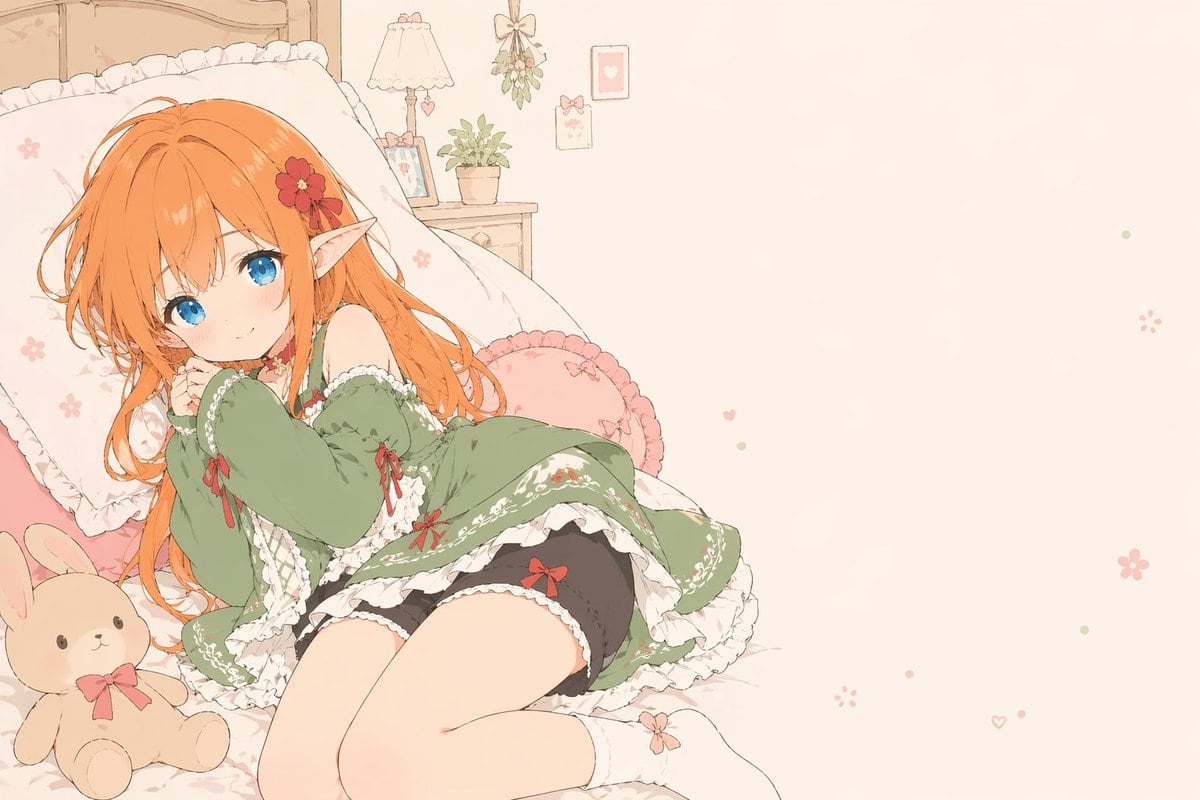
Soft Flat-color Anime Illustration Of A Cute Elf Girl Lounging Sideways

A soft flat-color anime illustration of a cute elf girl lounging sideways on a frilly bed in a pastel bedroom, with the composition weighted to the left and a large area of empty cream-co...

A soft flat-color anime illustration of a cute elf girl lounging sideways on a frilly bed in a pastel bedroom, with the composition weighted to the left and a large area of empty cream-co...
Prompt

A soft flat-color anime illustration of a cute elf girl lounging sideways on a frilly bed in a pastel bedroom, with the composition weighted to the left and a large area of empty cream-colored negative space on the right. She has long slightly tousled {argument name="hair color" default="bright orange"} hair, large vivid {argument name="eye color" default="blue"} eyes, pale skin, and one clearly visible pointed elf ear decorated with a red flower hair clip. Her expression is gentle, shy, and relaxed, with a faint blush, as she rests her cheek against her hands and curls her body slightly on the bed. She wears a romantic off-shoulder {argument name="dress color" default="sage green"} dress with abundant white lace trim, floral embroidery, and 4 small red ribbon bows visible on the dress, paired with black bloomers with 1 red bow visible and white ankle socks with a tiny pink bow detail. The bed has a white ruffled pillow, pink cushions including a round frilled cushion, and a beige bunny plush toy with a pink ribbon sitting near her legs. In the background, show a small bedside table with 1 potted plant, 1 framed photo, and 1 lamp with a fabric shade, plus wall decor consisting of 1 hanging floral ornament and 2 small framed pictures. Scatter a few tiny pastel hearts and flower motifs across the empty right side. Use a delicate clean lineart style, muted pastel palette, very light beige background, flat coloring with minimal shading, airy and sweet shoujo mood, cozy bedroom aesthetic, high detail in frills and fabric, landscape format.

Prompt structure
  • Modelgpt-image-2
  • Use casesocial-media-post
  • Styleminimal, photorealistic, anime, watercolor
  • Aspect ratioFlexible
Best used for
  • Use casesocial-media-post
  • Styleminimal, photorealistic, anime, watercolor
  • Recommended specs1:1, 4:5, 16:9, or 9:16
  • ModelGPT Image 2
How to customize

Use this Soft Flat-color Anime Illustration Of A Cute Elf Girl Lounging Sideways prompt as a base. Replace the subject, product details, environment, lighting, brand colors, and output ratio while keeping the social-media-post intent and minimal, photorealistic, anime, watercolor direction stable.

Editable variables
  • SubjectReplace the product, person, scene, interface, or object being generated.
  • Use caseKeep or rewrite the destination as social media post, ad creative, cover image, poster, or ecommerce hero.
  • FrameChoose 1:1, 4:5, 16:9, or 9:16 based on the final placement.
  • Brand cuesAdd colors, materials, props, text-safe space, and the platform where the image will be used.
Recommended specs

Choose the frame for the destination first, then use 1K, 2K, or 4K based on output quality needs. Product images and posters usually benefit from higher resolution.

Pre-generation checklist
  • CheckSubject, lighting, composition, and frame are specific enough to review.
  • CheckText-safe space is included when the image will carry a headline or ad copy.
  • CheckResolution, credit cost, and final destination are checked before generation.
Why this prompt works

Soft Flat-color Anime Illustration Of A Cute Elf Girl Lounging Sideways works because it starts from the image job, then controls subject, composition, lighting, style, and frame. It is best for social media post while keeping the minimal, photorealistic, anime, watercolor direction stable.

Common questions
  • Can I use it directly?Yes. Replace the subject, brand cues, and frame, then generate in Image2Studio.
  • Which ratio should I use?Choose 1:1, 4:5, 16:9, or 9:16 based on the destination.




