
Image2Studio
Examples

gpt-image-2

Create A Square 1

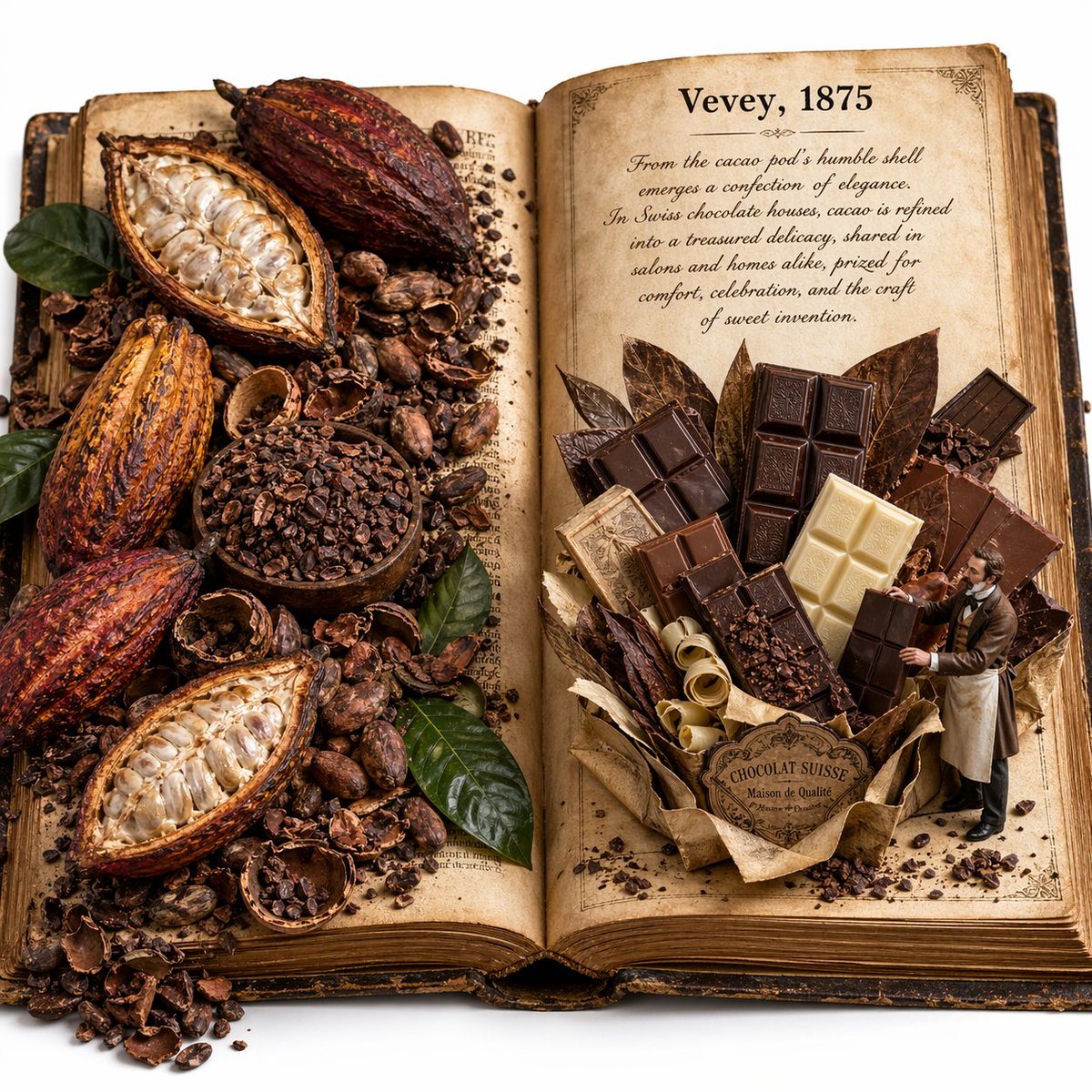
Create a square 1:1 macro photography image of an open antique history book on a clean white background, styled like an edible history pop-up book. The book is thick, vintage, leather-bou...

Create a square 1:1 macro photography image of an open antique history book on a clean white background, styled like an edible history pop-up book. The book is thick, vintage, leather-bou...
Prompt

Create a square 1:1 macro photography image of an open antique history book on a clean white background, styled like an edible history pop-up book. The book is thick, vintage, leather-bound, and lying open flat at 180 degrees. Its pages are aged parchment with yellowed paper, worn edges, and visible paper texture. On the left page, show an abundant, slightly messy cocoa harvest spread partially covering the printed text: exactly 5 whole or split cacao pods in deep red-orange and brown tones, 1 wooden bowl filled with cacao nibs, a large scatter of loose cacao beans, broken cacao shells, small piles of nibs, and several glossy green leaves tucked among the ingredients. Everything should feel organic, overflowing, and tactile. On the right page, create a large 3D pop-up sculpture of assorted Swiss chocolate built entirely from chocolate and confectionery materials: exactly 8 visible chocolate bars or bar segments in mixed dark, milk, and white chocolate, arranged in a bouquet-like upright structure with 5 large leaf-shaped cacao or chocolate leaves behind them, curled pale chocolate shavings at the base, scattered cacao crumbs, and a wrapped paper base with a vintage label reading “CHOCOLAT SUISSE” and smaller text “Maison de Qualité”. Beside it, place a tiny 1:35 scale Victorian-era chocolatier gentleman in an apron, actively presenting and adjusting the chocolate display with both hands. Print on the right page in bold black serif text: “Vevey, 1875”. Below that, include a short faded cursive lore paragraph about cacao and Swiss chocolate culture. The paragraph should read: “From the cacao pod’s humble shell emerges a confection of elegance. In Swiss chocolate houses, cacao is refined into a treasured delicacy, shared in salons and homes alike, prized for comfort, celebration, and the craft of sweet invention.” Lighting is soft, warm museum lighting focused at the center of the open book. Mood is educational, whimsical, and richly textural. Emphasize photorealism, shallow depth of field, miniature world aesthetic, premium editorial styling, and extremely high material texture fidelity.

Prompt structure
  • Modelgpt-image-2
  • Use casesocial-media-post
  • Styleminimal, photorealistic, editorial, 3d-render
  • Aspect ratioFlexible
Best used for
  • Use casesocial-media-post
  • Styleminimal, photorealistic, editorial, 3d-render
  • Recommended specs1:1, 4:5, 16:9, or 9:16
  • ModelGPT Image 2
How to customize

Use this Create A Square 1 prompt as a base. Replace the subject, product details, environment, lighting, brand colors, and output ratio while keeping the social-media-post intent and minimal, photorealistic, editorial, 3d-render direction stable.

Editable variables
  • SubjectReplace the product, person, scene, interface, or object being generated.
  • Use caseKeep or rewrite the destination as social media post, ad creative, cover image, poster, or ecommerce hero.
  • FrameChoose 1:1, 4:5, 16:9, or 9:16 based on the final placement.
  • Brand cuesAdd colors, materials, props, text-safe space, and the platform where the image will be used.
Recommended specs

Choose the frame for the destination first, then use 1K, 2K, or 4K based on output quality needs. Product images and posters usually benefit from higher resolution.

Pre-generation checklist
  • CheckSubject, lighting, composition, and frame are specific enough to review.
  • CheckText-safe space is included when the image will carry a headline or ad copy.
  • CheckResolution, credit cost, and final destination are checked before generation.
Why this prompt works

Create A Square 1 works because it starts from the image job, then controls subject, composition, lighting, style, and frame. It is best for social media post while keeping the minimal, photorealistic, editorial, 3d-render direction stable.

Common questions
  • Can I use it directly?Yes. Replace the subject, brand cues, and frame, then generate in Image2Studio.
  • Which ratio should I use?Choose 1:1, 4:5, 16:9, or 9:16 based on the destination.




