
Image2Studio
Examples

gpt-image-2

Using The Provided Reference Image

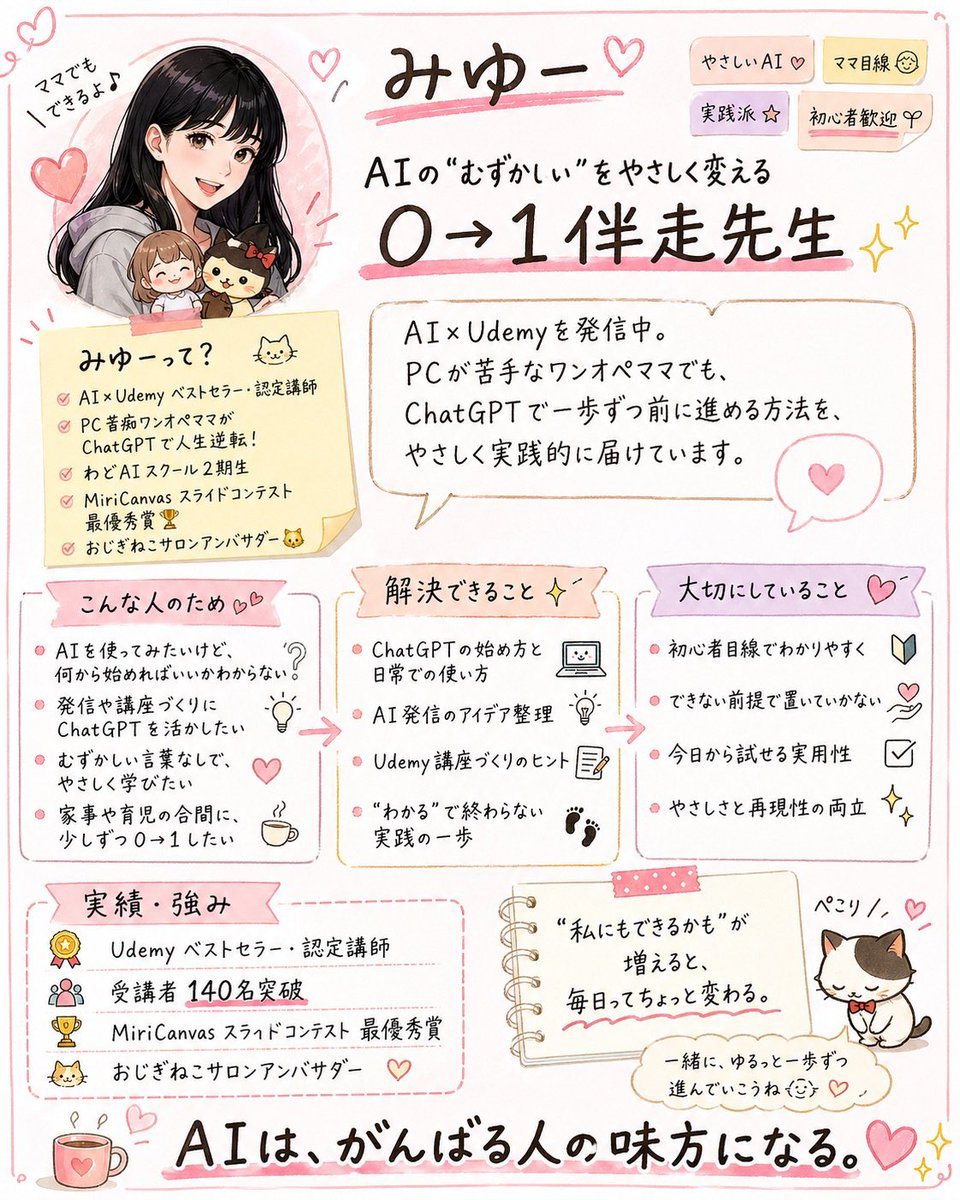
Using the provided reference image, turn the X/Twitter profile screenshot into a cute handwritten Japanese infographic poster that summarizes the account’s personal brand and offerings. K...

Using the provided reference image, turn the X/Twitter profile screenshot into a cute handwritten Japanese infographic poster that summarizes the account’s personal brand and offerings. K...
Prompt

Using the provided reference image, turn the X/Twitter profile screenshot into a cute handwritten Japanese infographic poster that summarizes the account’s personal brand and offerings. Keep the same person identity, pink feminine tone, AI/Udemy theme, cat motif, and the key achievement of 140 students, but replace the screenshot UI with an illustrated one-page flyer on a clean white background with soft pink doodle borders, hearts, sparkles, and sticky-note styling. Recreate the person as a friendly manga-style portrait in the upper left, still paired with the small chibi companions from the reference. Add a large handwritten headline with the account name and a subheadline about making difficult AI easy and helping beginners go from 0 to 1. Organize the content into 7 clearly separated sections: 1) top title area with short tag stickers, 2) a self-introduction memo card, 3) a speech-bubble profile summary, 4) “who this is for” with 4 bullet points, 5) “what problems can be solved” with 4 bullet points, 6) “core values” with 4 bullet points, 7) “achievements and strengths” with 4 bullet points. Also add 1 small notebook-style motivational quote card near the bottom center and 1 cute cat illustration with a name label at the bottom right. Include a large closing slogan across the bottom stating that AI supports people who are doing their best. Preserve the Japanese language throughout, use legible hand-drawn typography, warm pastel colors, and a polished social-media-friendly layout that feels approachable, practical, and beginner-friendly.

Prompt structure
  • Modelgpt-image-2
  • Use casesocial-media-post
  • Styleminimal, anime, editorial, watercolor
  • Aspect ratioFlexible
Best used for
  • Use casesocial-media-post
  • Styleminimal, anime, editorial, watercolor
  • Recommended specs1:1, 4:5, 16:9, or 9:16
  • ModelGPT Image 2
How to customize

Use this Using The Provided Reference Image prompt as a base. Replace the subject, product details, environment, lighting, brand colors, and output ratio while keeping the social-media-post intent and minimal, anime, editorial, watercolor direction stable.

Editable variables
  • SubjectReplace the product, person, scene, interface, or object being generated.
  • Use caseKeep or rewrite the destination as social media post, ad creative, cover image, poster, or ecommerce hero.
  • FrameChoose 1:1, 4:5, 16:9, or 9:16 based on the final placement.
  • Brand cuesAdd colors, materials, props, text-safe space, and the platform where the image will be used.
Recommended specs

Choose the frame for the destination first, then use 1K, 2K, or 4K based on output quality needs. Product images and posters usually benefit from higher resolution.

Pre-generation checklist
  • CheckSubject, lighting, composition, and frame are specific enough to review.
  • CheckText-safe space is included when the image will carry a headline or ad copy.
  • CheckResolution, credit cost, and final destination are checked before generation.
Why this prompt works

Using The Provided Reference Image works because it starts from the image job, then controls subject, composition, lighting, style, and frame. It is best for social media post while keeping the minimal, anime, editorial, watercolor direction stable.

Common questions
  • Can I use it directly?Yes. Replace the subject, brand cues, and frame, then generate in Image2Studio.
  • Which ratio should I use?Choose 1:1, 4:5, 16:9, or 9:16 based on the destination.




