
Image2Studio
Examples

gpt-image-2

Clean Celebratory Social-media Milestone Graphic On A Soft White Backgro

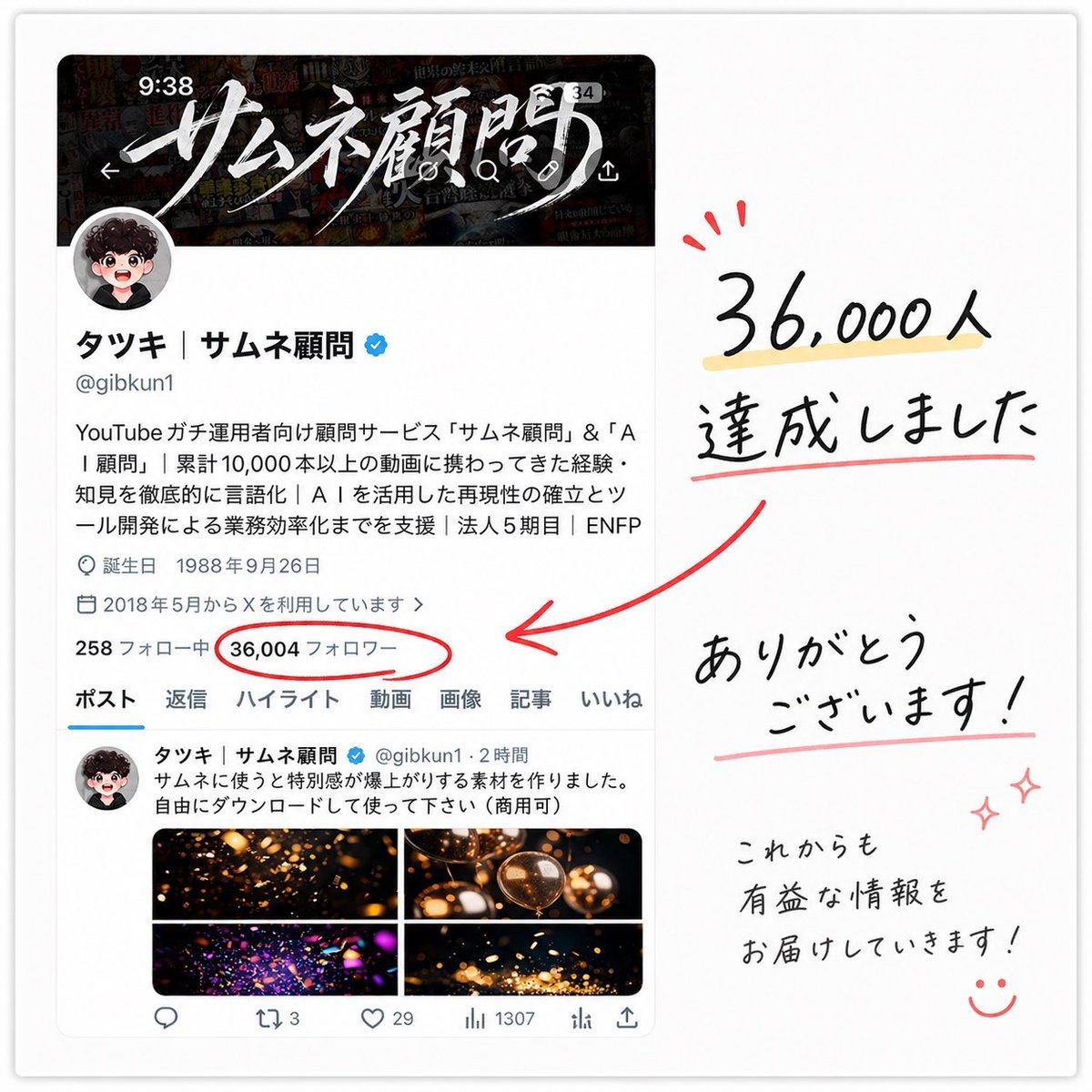
A clean celebratory social-media milestone graphic on a soft white background, styled like a screenshot of an X profile page placed on the left and handwritten thank-you lettering on the...

A clean celebratory social-media milestone graphic on a soft white background, styled like a screenshot of an X profile page placed on the left and handwritten thank-you lettering on the...
Prompt

A clean celebratory social-media milestone graphic on a soft white background, styled like a screenshot of an X profile page placed on the left and handwritten thank-you lettering on the right. The left side shows a realistic mobile-style profile card for a Japanese creator account with a dark banner image at the top featuring dramatic white brush-calligraphy Japanese text, a circular profile icon overlapping the banner, the display name “タッキ | サムネ顧問” with a blue verification badge, the handle @gibkun1, and several lines of Japanese bio text in a standard app UI font. Include small profile metadata lines such as birth date and join date, then a stats row where the follower count is the focal point: “36,004 フォロワー” circled in red. Below that, show the profile navigation tabs with exactly 7 labels: ポスト, 返信, ハイライト, 動画, 画像, 記事, いいね. Under the tabs, include one visible post preview with a small avatar, Japanese post text, and a 2 by 2 image grid containing 4 warm glowing abstract thumbnail images in black, gold, and orange tones. On the right side, create large casual handwritten Japanese text in black reading “36,000人 達成しました” with a pale yellow highlight under the number and a red underline beneath the second line, plus 3 small red celebratory accent marks above the number. Add a thick hand-drawn red arrow pointing from the right-side message toward the circled follower count on the profile screenshot. Beneath that, place another handwritten message reading “ありがとう ございます!” with a soft pink underline, and in the lower right add smaller handwritten text reading “これからも 有益な情報を お届けしていきます!” followed by a simple smiling face doodle and 2 small pink sparkle doodles. The overall composition should feel like a polished appreciation post made from a screenshot and marker annotations, with subtle drop shadow around the screenshot card, balanced spacing, crisp Japanese typography in the UI, and expressive brush-pen handwriting for the celebratory notes.

Prompt structure
  • Modelgpt-image-2
  • Use casesocial-media-post
  • Styleminimal, cinematic, photorealistic, luxury
  • Aspect ratioFlexible
Best used for
  • Use casesocial-media-post
  • Styleminimal, cinematic, photorealistic, luxury
  • Recommended specs1:1, 4:5, 16:9, or 9:16
  • ModelGPT Image 2
How to customize

Use this Clean Celebratory Social-media Milestone Graphic On A Soft White Backgro prompt as a base. Replace the subject, product details, environment, lighting, brand colors, and output ratio while keeping the social-media-post intent and minimal, cinematic, photorealistic, luxury direction stable.

Editable variables
  • SubjectReplace the product, person, scene, interface, or object being generated.
  • Use caseKeep or rewrite the destination as social media post, ad creative, cover image, poster, or ecommerce hero.
  • FrameChoose 1:1, 4:5, 16:9, or 9:16 based on the final placement.
  • Brand cuesAdd colors, materials, props, text-safe space, and the platform where the image will be used.
Recommended specs

Choose the frame for the destination first, then use 1K, 2K, or 4K based on output quality needs. Product images and posters usually benefit from higher resolution.

Pre-generation checklist
  • CheckSubject, lighting, composition, and frame are specific enough to review.
  • CheckText-safe space is included when the image will carry a headline or ad copy.
  • CheckResolution, credit cost, and final destination are checked before generation.
Why this prompt works

Clean Celebratory Social-media Milestone Graphic On A Soft White Backgro works because it starts from the image job, then controls subject, composition, lighting, style, and frame. It is best for social media post while keeping the minimal, cinematic, photorealistic, luxury direction stable.

Common questions
  • Can I use it directly?Yes. Replace the subject, brand cues, and frame, then generate in Image2Studio.
  • Which ratio should I use?Choose 1:1, 4:5, 16:9, or 9:16 based on the destination.




