
Image2Studio
Examples

gpt-image-2

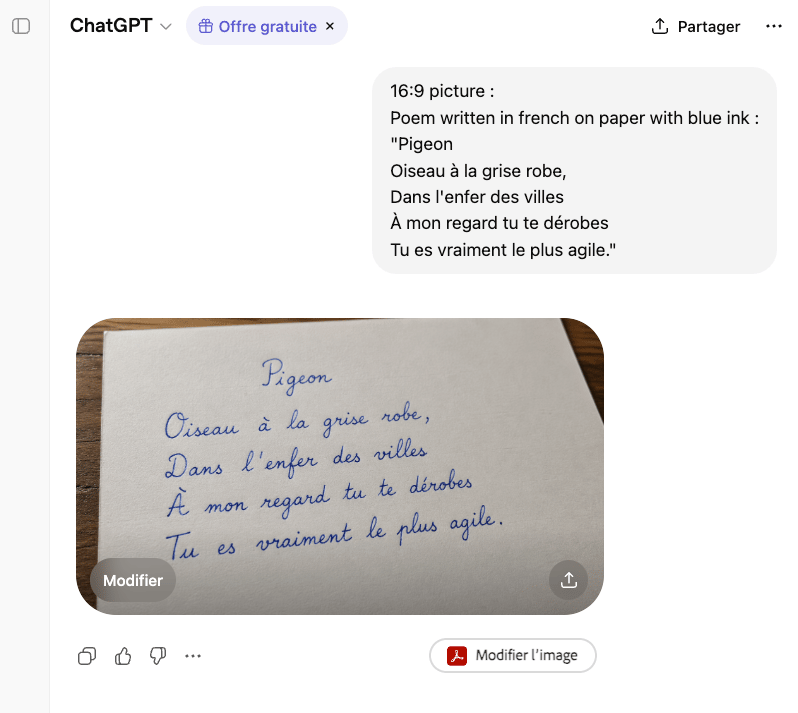
Realistic 16 9 Close-up Photograph Of A Sheet Of Slightly Textured White

A realistic 16:9 close-up photograph of a sheet of slightly textured white paper resting diagonally on a medium-brown wooden table, viewed from a shallow overhead angle. On the paper, a s...

A realistic 16:9 close-up photograph of a sheet of slightly textured white paper resting diagonally on a medium-brown wooden table, viewed from a shallow overhead angle. On the paper, a s...
Prompt

A realistic 16:9 close-up photograph of a sheet of slightly textured white paper resting diagonally on a medium-brown wooden table, viewed from a shallow overhead angle. On the paper, a short French poem is handwritten neatly in elegant cursive with vivid {argument name="ink color" default="blue"} ink. The title at the top center reads {argument name="poem title" default="Pigeon"}. Beneath it are exactly 4 lines of handwriting, centered and evenly spaced: {argument name="poem line 1" default="Oiseau à la grise robe,"}, {argument name="poem line 2" default="Dans l'enfer des villes"}, "À mon regard tu te dérobes", and "Tu es vraiment le plus agile." Keep the handwriting graceful, legible, and natural, like careful fountain-pen calligraphy by hand rather than typography. Soft warm indoor lighting, subtle shadows along the paper edges, visible paper grain, and a simple uncluttered composition focused entirely on the handwritten poem.

Prompt structure
  • Modelgpt-image-2
  • Use casesocial-media-post
  • Stylephotorealistic, minimal, luxury
  • Aspect ratioFlexible
Best used for
  • Use casesocial-media-post
  • Stylephotorealistic, minimal, luxury
  • Recommended specs1:1, 4:5, 16:9, or 9:16
  • ModelGPT Image 2
How to customize

Use this Realistic 16 9 Close-up Photograph Of A Sheet Of Slightly Textured White prompt as a base. Replace the subject, product details, environment, lighting, brand colors, and output ratio while keeping the social-media-post intent and photorealistic, minimal, luxury direction stable.

Editable variables
  • SubjectReplace the product, person, scene, interface, or object being generated.
  • Use caseKeep or rewrite the destination as social media post, ad creative, cover image, poster, or ecommerce hero.
  • FrameChoose 1:1, 4:5, 16:9, or 9:16 based on the final placement.
  • Brand cuesAdd colors, materials, props, text-safe space, and the platform where the image will be used.
Recommended specs

Choose the frame for the destination first, then use 1K, 2K, or 4K based on output quality needs. Product images and posters usually benefit from higher resolution.

Pre-generation checklist
  • CheckSubject, lighting, composition, and frame are specific enough to review.
  • CheckText-safe space is included when the image will carry a headline or ad copy.
  • CheckResolution, credit cost, and final destination are checked before generation.
Why this prompt works

Realistic 16 9 Close-up Photograph Of A Sheet Of Slightly Textured White works because it starts from the image job, then controls subject, composition, lighting, style, and frame. It is best for social media post while keeping the photorealistic, minimal, luxury direction stable.

Common questions
  • Can I use it directly?Yes. Replace the subject, brand cues, and frame, then generate in Image2Studio.
  • Which ratio should I use?Choose 1:1, 4:5, 16:9, or 9:16 based on the destination.




