
Image2Studio
Prompts

gpt-image-2

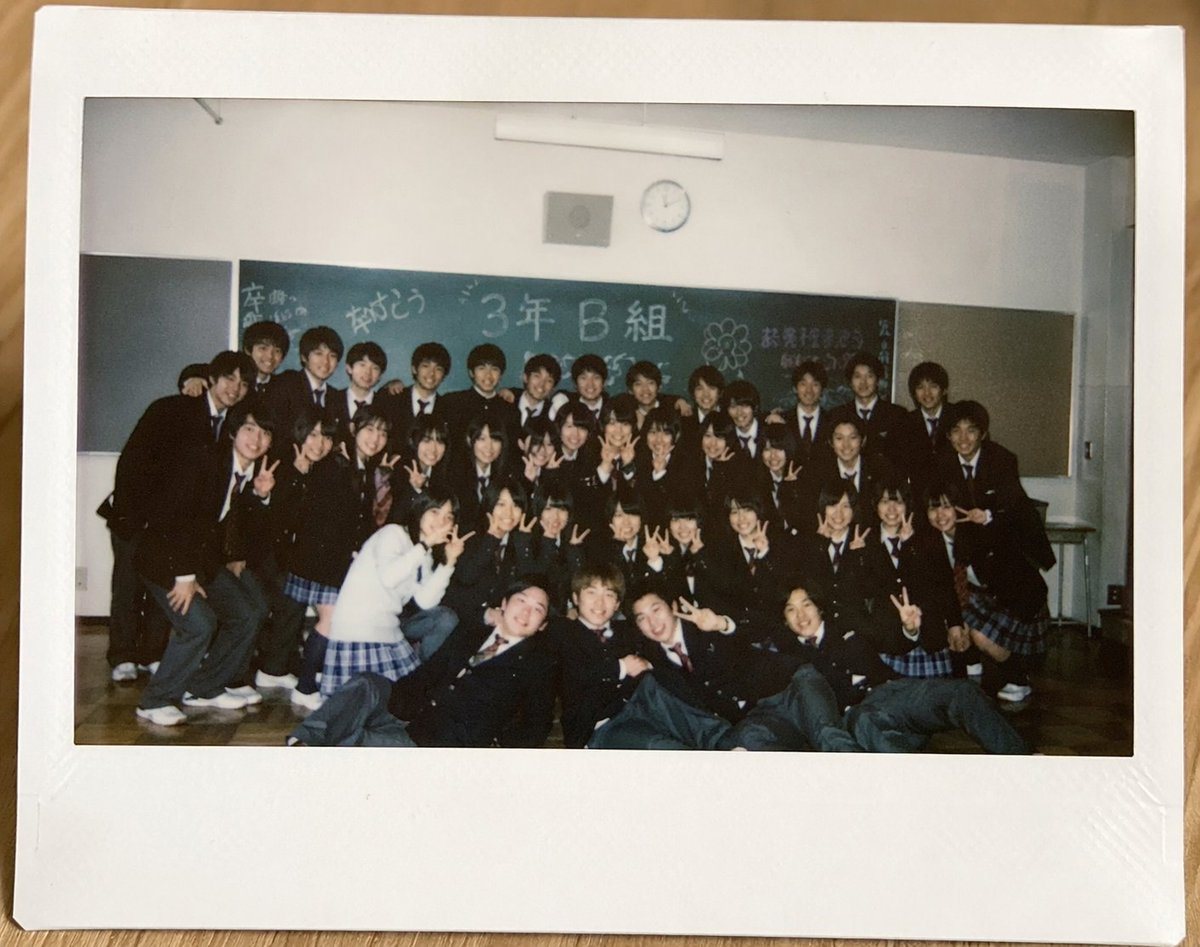
Realistic Instant Film Polaroid Photo Lying Flat On A Light Wooden Table

A realistic instant film Polaroid photo lying flat on a light wooden tabletop, photographed from directly above. The instant print has a thick white border with a wider bottom margin and...

A realistic instant film Polaroid photo lying flat on a light wooden tabletop, photographed from directly above. The instant print has a thick white border with a wider bottom margin and...
Prompt

A realistic instant film Polaroid photo lying flat on a light wooden tabletop, photographed from directly above. The instant print has a thick white border with a wider bottom margin and slight natural wear, with the photo area showing an indoor Japanese high school classroom group portrait. Inside the photo, about 35 graduating students in dark school uniforms are gathered in 4 loose rows in front of a green chalkboard, posing casually and tightly packed together. Most are teenage boys in black gakuran-style jackets or dark blazers with white shirts and ties, and several teenage girls wear dark blazers with blue plaid skirts. One girl near the front left stands out in a white cardigan and blue plaid skirt. Many students hold up peace signs, some crouch in front, and a few sit or recline on the wooden floor in the front row. Faces are intentionally obscured with soft square mosaic blurs, but the overall feeling is candid, nostalgic, and celebratory. On the chalkboard, hand-drawn Japanese graduation messages in chalk include large central text reading "3年B組" and celebratory doodles and writing around it such as graduation-themed congratulations. The classroom has white walls, a round wall clock above the chalkboard, a fluorescent ceiling light fixture, and subdued indoor lighting. The image should feel like a slightly dim early-2000s or 2010s snapshot with mild grain, soft focus, authentic flash photography, and natural color fading, emphasizing a sentimental end-of-school memory preserved as a physical instant print.

Prompt structure
  • Modelgpt-image-2
  • Use casesocial-media-post
  • Stylephotorealistic, editorial, cinematic
  • Aspect ratioFlexible
Best used for
  • Use casesocial-media-post
  • Stylephotorealistic, editorial, cinematic
  • Recommended specs1:1, 4:5, 16:9, or 9:16
  • ModelGPT Image 2
How to customize

Use this Realistic Instant Film Polaroid Photo Lying Flat On A Light Wooden Table prompt as a base. Replace the subject, product details, environment, lighting, brand colors, and output ratio while keeping the social-media-post intent and photorealistic, editorial, cinematic direction stable.

Editable variables
  • SubjectReplace the product, person, scene, interface, or object being generated.
  • Use caseKeep or rewrite the destination as social media post, ad creative, cover image, poster, or ecommerce hero.
  • FrameChoose 1:1, 4:5, 16:9, or 9:16 based on the final placement.
  • Brand cuesAdd colors, materials, props, text-safe space, and the platform where the image will be used.
Recommended specs

Choose the frame for the destination first, then use 1K, 2K, or 4K based on output quality needs. Product images and posters usually benefit from higher resolution.

Pre-generation checklist
  • CheckSubject, lighting, composition, and frame are specific enough to review.
  • CheckText-safe space is included when the image will carry a headline or ad copy.
  • CheckResolution, credit cost, and final destination are checked before generation.
Why this prompt works

Realistic Instant Film Polaroid Photo Lying Flat On A Light Wooden Table works because it starts from the image job, then controls subject, composition, lighting, style, and frame. It is best for social media post while keeping the photorealistic, editorial, cinematic direction stable.

Common questions
  • Can I use it directly?Yes. Replace the subject, brand cues, and frame, then generate in Image2Studio.
  • Which ratio should I use?Choose 1:1, 4:5, 16:9, or 9:16 based on the destination.




