
Image2Studio
Prompts

gpt-image-2

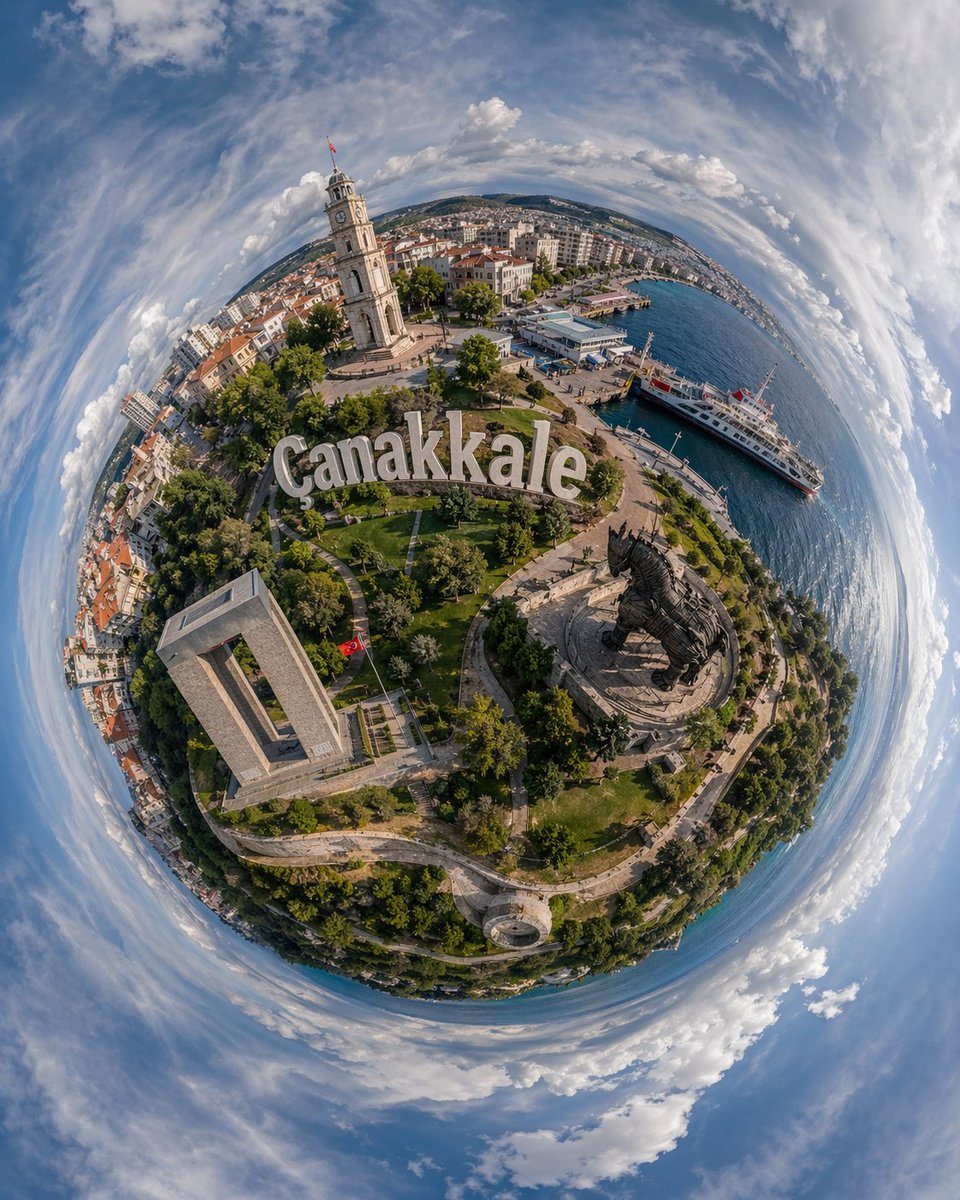
Dramatic Ultra-wide Aerial Tiny-planet Photograph Of Canakkale

A dramatic ultra-wide aerial tiny-planet photograph of Canakkale, Turkey, rendered as a full 360-degree stereographic projection so the city and waterfront form a compact spherical world...

A dramatic ultra-wide aerial tiny-planet photograph of Canakkale, Turkey, rendered as a full 360-degree stereographic projection so the city and waterfront form a compact spherical world...
Prompt

A dramatic ultra-wide aerial tiny-planet photograph of {argument name="city name" default="Canakkale"}, Turkey, rendered as a full 360-degree stereographic projection so the city and waterfront form a compact spherical world surrounded by a swirling ring of blue sky and white clouds. The viewpoint is high above the shoreline in bright daytime with crisp summer light, realistic colors, and strong photographic detail. Place the large hillside sign reading {argument name="landmark sign text" default="Canakkale"} prominently across the center of the miniature planet. On the left-upper side of the sphere, show a tall pale stone clock tower with a small red Turkish flag at the top, surrounded by dense urban blocks with red-tiled roofs and mid-rise buildings. On the right side, include a vivid blue harbor with 2 white passenger ferries docked along the waterfront and a long curving coastline extending into the distance. In the lower-right quadrant, feature the monumental dark wooden Trojan horse statue on a circular plaza. In the lower-left quadrant, include the large rectangular concrete memorial structure set within green parkland. Cover the planet with winding pedestrian paths, lawns, trees, and landscaped gardens, with city streets and waterfront promenades visible around the edges. Use a highly realistic drone-photo look, deep depth of field, sharp textures, slightly exaggerated fisheye distortion from the tiny-planet projection, and a majestic travel-poster composition emphasizing the contrast between the green park, historic landmarks, and sparkling sea.

Prompt structure
  • Modelgpt-image-2
  • Use casesocial-media-post
  • Stylephotorealistic, cinematic, isometric
  • Aspect ratioFlexible
Best used for
  • Use casesocial-media-post
  • Stylephotorealistic, cinematic, isometric
  • Recommended specs1:1, 4:5, 16:9, or 9:16
  • ModelGPT Image 2
How to customize

Use this Dramatic Ultra-wide Aerial Tiny-planet Photograph Of Canakkale prompt as a base. Replace the subject, product details, environment, lighting, brand colors, and output ratio while keeping the social-media-post intent and photorealistic, cinematic, isometric direction stable.

Editable variables
  • SubjectReplace the product, person, scene, interface, or object being generated.
  • Use caseKeep or rewrite the destination as social media post, ad creative, cover image, poster, or ecommerce hero.
  • FrameChoose 1:1, 4:5, 16:9, or 9:16 based on the final placement.
  • Brand cuesAdd colors, materials, props, text-safe space, and the platform where the image will be used.
Recommended specs

Choose the frame for the destination first, then use 1K, 2K, or 4K based on output quality needs. Product images and posters usually benefit from higher resolution.

Pre-generation checklist
  • CheckSubject, lighting, composition, and frame are specific enough to review.
  • CheckText-safe space is included when the image will carry a headline or ad copy.
  • CheckResolution, credit cost, and final destination are checked before generation.
Why this prompt works

Dramatic Ultra-wide Aerial Tiny-planet Photograph Of Canakkale works because it starts from the image job, then controls subject, composition, lighting, style, and frame. It is best for social media post while keeping the photorealistic, cinematic, isometric direction stable.

Common questions
  • Can I use it directly?Yes. Replace the subject, brand cues, and frame, then generate in Image2Studio.
  • Which ratio should I use?Choose 1:1, 4:5, 16:9, or 9:16 based on the destination.




