
Image2Studio
Examples

gpt-image-2

Using The Provided Reference Image As The Exact Background Base

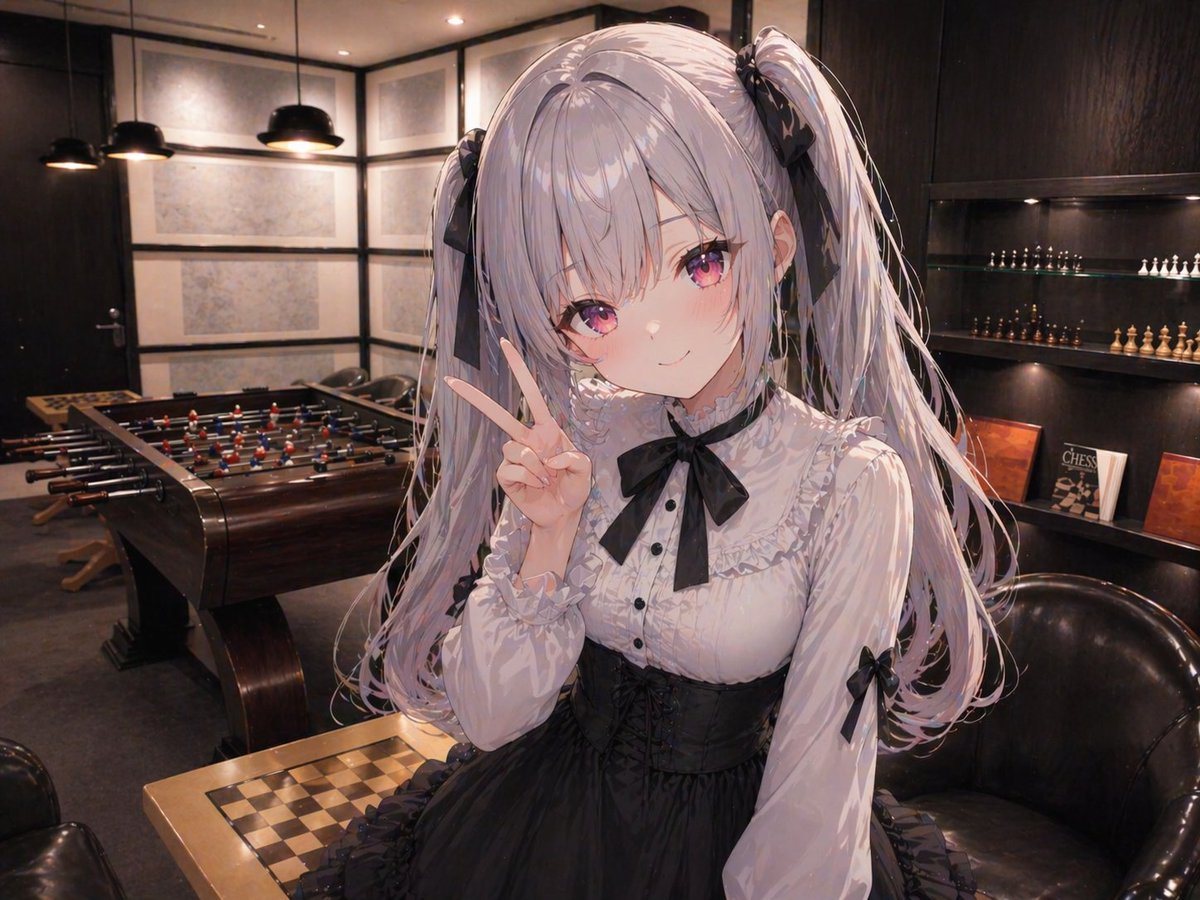
Using the provided reference image as the exact background base, keep the same upscale modern lounge/game-room interior, preserving the room layout, perspective, lighting mood, foosball t...

Using the provided reference image as the exact background base, keep the same upscale modern lounge/game-room interior, preserving the room layout, perspective, lighting mood, foosball t...
Prompt

Using the provided reference image as the exact background base, keep the same upscale modern lounge/game-room interior, preserving the room layout, perspective, lighting mood, foosball table, chess table, shelves, pendant lamps, and seating. Add a large anime-style girl in the foreground, centered slightly right and filling most of the frame from thighs up, composited naturally into the scene with correct perspective and soft ambient lighting that matches the room. She should have {argument name="hair color" default="silver-lavender"} long twin-tails tied with black ribbons, wear a black-and-white gothic lolita dress with a frilled white blouse, black bow at the collar, black corset waist, and ribbon accents on the sleeves, and make a peace sign with one hand near her face. Render her in polished modern anime illustration style, with detailed hair strands and fabric folds, while leaving the background photorealistic. Cover the face with a plain square mosaic/censor block in the center of the head area. Keep the camera angle close to the original room view and make the added character feel naturally placed in front of the chess table and armchair.

Prompt structure
  • Modelgpt-image-2
  • Use casesocial-media-post
  • Stylephotorealistic, anime, 3d-render, editorial
  • Aspect ratioFlexible
Best used for
  • Use casesocial-media-post
  • Stylephotorealistic, anime, 3d-render, editorial
  • Recommended specs1:1, 4:5, 16:9, or 9:16
  • ModelGPT Image 2
How to customize

Use this Using The Provided Reference Image As The Exact Background Base prompt as a base. Replace the subject, product details, environment, lighting, brand colors, and output ratio while keeping the social-media-post intent and photorealistic, anime, 3d-render, editorial direction stable.

Editable variables
  • SubjectReplace the product, person, scene, interface, or object being generated.
  • Use caseKeep or rewrite the destination as social media post, ad creative, cover image, poster, or ecommerce hero.
  • FrameChoose 1:1, 4:5, 16:9, or 9:16 based on the final placement.
  • Brand cuesAdd colors, materials, props, text-safe space, and the platform where the image will be used.
Recommended specs

Choose the frame for the destination first, then use 1K, 2K, or 4K based on output quality needs. Product images and posters usually benefit from higher resolution.

Pre-generation checklist
  • CheckSubject, lighting, composition, and frame are specific enough to review.
  • CheckText-safe space is included when the image will carry a headline or ad copy.
  • CheckResolution, credit cost, and final destination are checked before generation.
Why this prompt works

Using The Provided Reference Image As The Exact Background Base works because it starts from the image job, then controls subject, composition, lighting, style, and frame. It is best for social media post while keeping the photorealistic, anime, 3d-render, editorial direction stable.

Common questions
  • Can I use it directly?Yes. Replace the subject, brand cues, and frame, then generate in Image2Studio.
  • Which ratio should I use?Choose 1:1, 4:5, 16:9, or 9:16 based on the destination.




