
Image2Studio
Examples

gpt-image-2

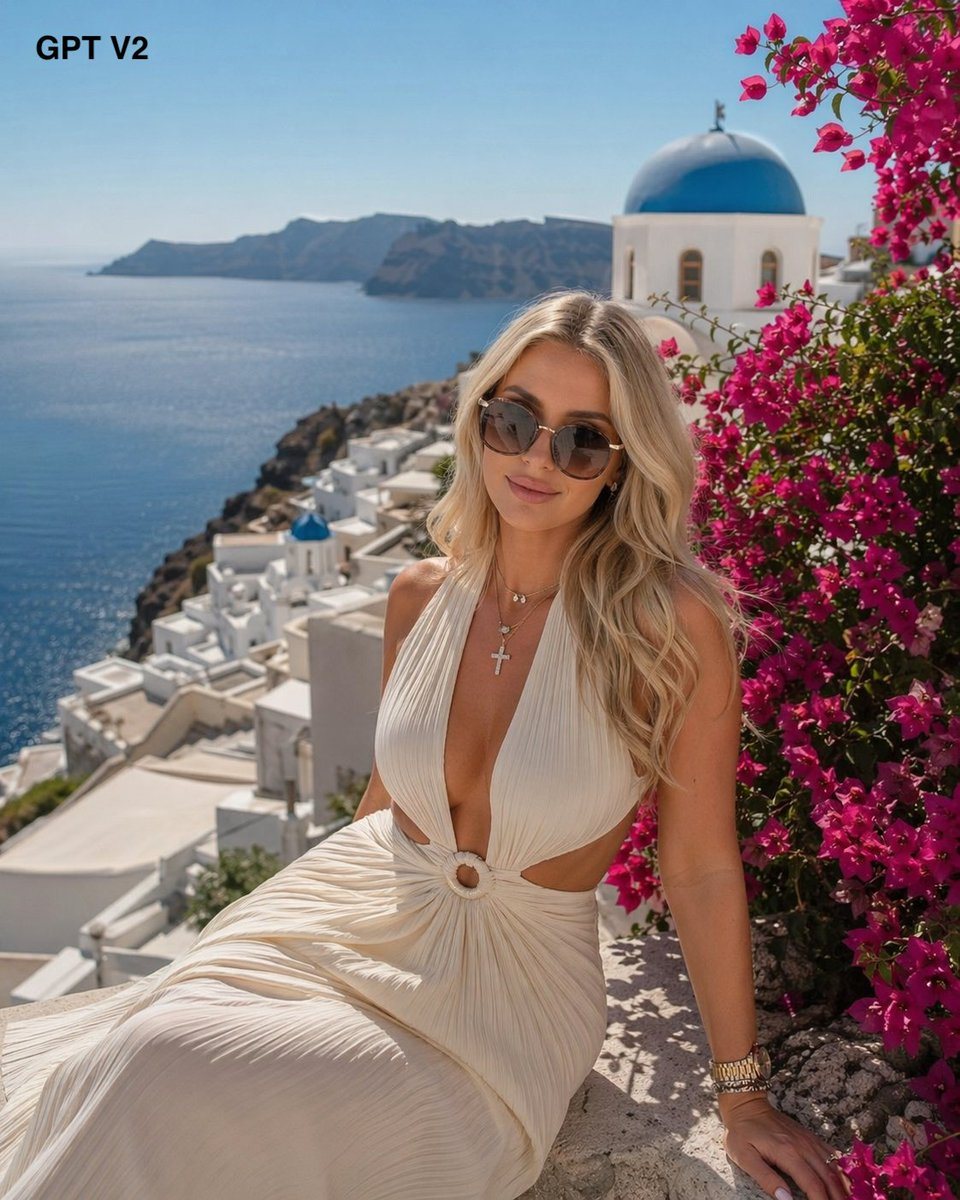
Glamorous Travel-fashion Portrait Of A Blonde Woman Seated On A Sunlit S

A glamorous travel-fashion portrait of a blonde woman seated on a sunlit stone ledge overlooking the caldera in Santorini, Greece, with whitewashed cliffside buildings descending toward a...

A glamorous travel-fashion portrait of a blonde woman seated on a sunlit stone ledge overlooking the caldera in Santorini, Greece, with whitewashed cliffside buildings descending toward a...
Prompt

A glamorous travel-fashion portrait of a {argument name="woman" default="blonde woman"} seated on a sunlit stone ledge overlooking the caldera in Santorini, Greece, with whitewashed cliffside buildings descending toward a deep blue sea and rugged volcanic islands in the distance. She wears a flowing ivory halter dress with a very deep plunging neckline, side cutouts, a gathered waist with a circular ring detail, and soft pleated fabric draped across her lap. Her hair is long, wavy, and {argument name="hair color" default="golden blonde"}, styled loose over her shoulders. Add layered delicate necklaces including a small pendant and a silver cross, plus a bracelet or watch on one wrist. Place a classic white Greek church with a bright {argument name="dome color" default="blue"} dome in the upper right background, and frame the right side of the image with vivid {argument name="flower color" default="magenta pink"} bougainvillea in full bloom. Lighting is bright Mediterranean midday sun with crisp highlights, soft skin glow, and gentle depth of field that keeps the woman sharp while the background architecture and sea are slightly softened. Composition is vertical, elegant and aspirational, with the woman centered slightly right, torso visible down to the flowing skirt, scenic coastline stretching across the left half of the frame. Add small black text in the top-left corner reading {argument name="corner text" default="GPT V2"}. Photorealistic luxury vacation aesthetic, high detail, natural colors, editorial Instagram travel vibe.

Prompt structure
  • Modelgpt-image-2
  • Use casesocial-media-post
  • Stylephotorealistic, luxury, editorial
  • Aspect ratioFlexible
Best used for
  • Use casesocial-media-post
  • Stylephotorealistic, luxury, editorial
  • Recommended specs1:1, 4:5, 16:9, or 9:16
  • ModelGPT Image 2
How to customize

Use this Glamorous Travel-fashion Portrait Of A Blonde Woman Seated On A Sunlit S prompt as a base. Replace the subject, product details, environment, lighting, brand colors, and output ratio while keeping the social-media-post intent and photorealistic, luxury, editorial direction stable.

Editable variables
  • SubjectReplace the product, person, scene, interface, or object being generated.
  • Use caseKeep or rewrite the destination as social media post, ad creative, cover image, poster, or ecommerce hero.
  • FrameChoose 1:1, 4:5, 16:9, or 9:16 based on the final placement.
  • Brand cuesAdd colors, materials, props, text-safe space, and the platform where the image will be used.
Recommended specs

Choose the frame for the destination first, then use 1K, 2K, or 4K based on output quality needs. Product images and posters usually benefit from higher resolution.

Pre-generation checklist
  • CheckSubject, lighting, composition, and frame are specific enough to review.
  • CheckText-safe space is included when the image will carry a headline or ad copy.
  • CheckResolution, credit cost, and final destination are checked before generation.
Why this prompt works

Glamorous Travel-fashion Portrait Of A Blonde Woman Seated On A Sunlit S works because it starts from the image job, then controls subject, composition, lighting, style, and frame. It is best for social media post while keeping the photorealistic, luxury, editorial direction stable.

Common questions
  • Can I use it directly?Yes. Replace the subject, brand cues, and frame, then generate in Image2Studio.
  • Which ratio should I use?Choose 1:1, 4:5, 16:9, or 9:16 based on the destination.




