
Image2Studio
Examples

gpt-image-2

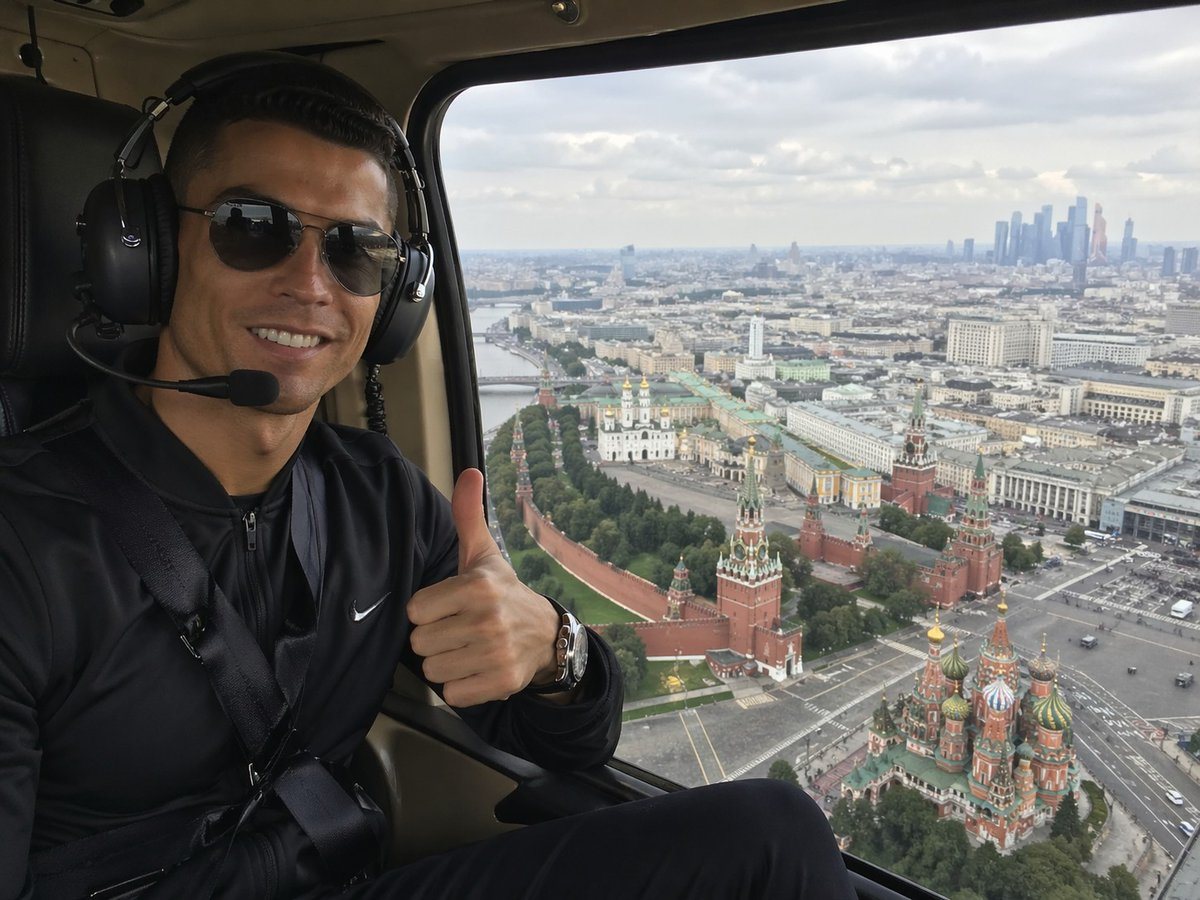
Realistic Smartphone-style Travel Photo Taken

A realistic smartphone-style travel photo taken inside a helicopter cabin, showing a seated passenger on the left side of the frame and a sweeping aerial view of Moscow through a large wi...

A realistic smartphone-style travel photo taken inside a helicopter cabin, showing a seated passenger on the left side of the frame and a sweeping aerial view of Moscow through a large wi...
Prompt

A realistic smartphone-style travel photo taken inside a helicopter cabin, showing a seated passenger on the left side of the frame and a sweeping aerial view of Moscow through a large window on the right. The person is wearing a black zip-up athletic jacket with a small white swoosh logo, a seatbelt across the chest, a metallic wristwatch, and large black aviation headphones with a microphone boom. Their face is obscured by a rectangular blur block, and they are giving a thumbs-up gesture toward the camera. The helicopter interior is dark, with black leather seating and beige cabin trim framing the window. Outside the window, capture an overcast daytime panorama of central Moscow from above, with the Kremlin walls and towers clearly visible, the colorful onion domes of Saint Basil's Cathedral in the lower right, a broad cityscape stretching into the distance, and a cluster of modern skyscrapers on the far right horizon. Use natural diffused light, realistic urban detail, mild atmospheric haze, and the candid composition of a tourist selfie shot from a helicopter ride, wide-angle but not distorted.

Prompt structure
  • Modelgpt-image-2
  • Use casesocial-media-post
  • Stylephotorealistic
  • Aspect ratioFlexible
Best used for
  • Use casesocial-media-post
  • Stylephotorealistic
  • Recommended specs1:1, 4:5, 16:9, or 9:16
  • ModelGPT Image 2
How to customize

Use this Realistic Smartphone-style Travel Photo Taken prompt as a base. Replace the subject, product details, environment, lighting, brand colors, and output ratio while keeping the social-media-post intent and photorealistic direction stable.

Editable variables
  • SubjectReplace the product, person, scene, interface, or object being generated.
  • Use caseKeep or rewrite the destination as social media post, ad creative, cover image, poster, or ecommerce hero.
  • FrameChoose 1:1, 4:5, 16:9, or 9:16 based on the final placement.
  • Brand cuesAdd colors, materials, props, text-safe space, and the platform where the image will be used.
Recommended specs

Choose the frame for the destination first, then use 1K, 2K, or 4K based on output quality needs. Product images and posters usually benefit from higher resolution.

Pre-generation checklist
  • CheckSubject, lighting, composition, and frame are specific enough to review.
  • CheckText-safe space is included when the image will carry a headline or ad copy.
  • CheckResolution, credit cost, and final destination are checked before generation.
Why this prompt works

Realistic Smartphone-style Travel Photo Taken works because it starts from the image job, then controls subject, composition, lighting, style, and frame. It is best for social media post while keeping the photorealistic direction stable.

Common questions
  • Can I use it directly?Yes. Replace the subject, brand cues, and frame, then generate in Image2Studio.
  • Which ratio should I use?Choose 1:1, 4:5, 16:9, or 9:16 based on the destination.




