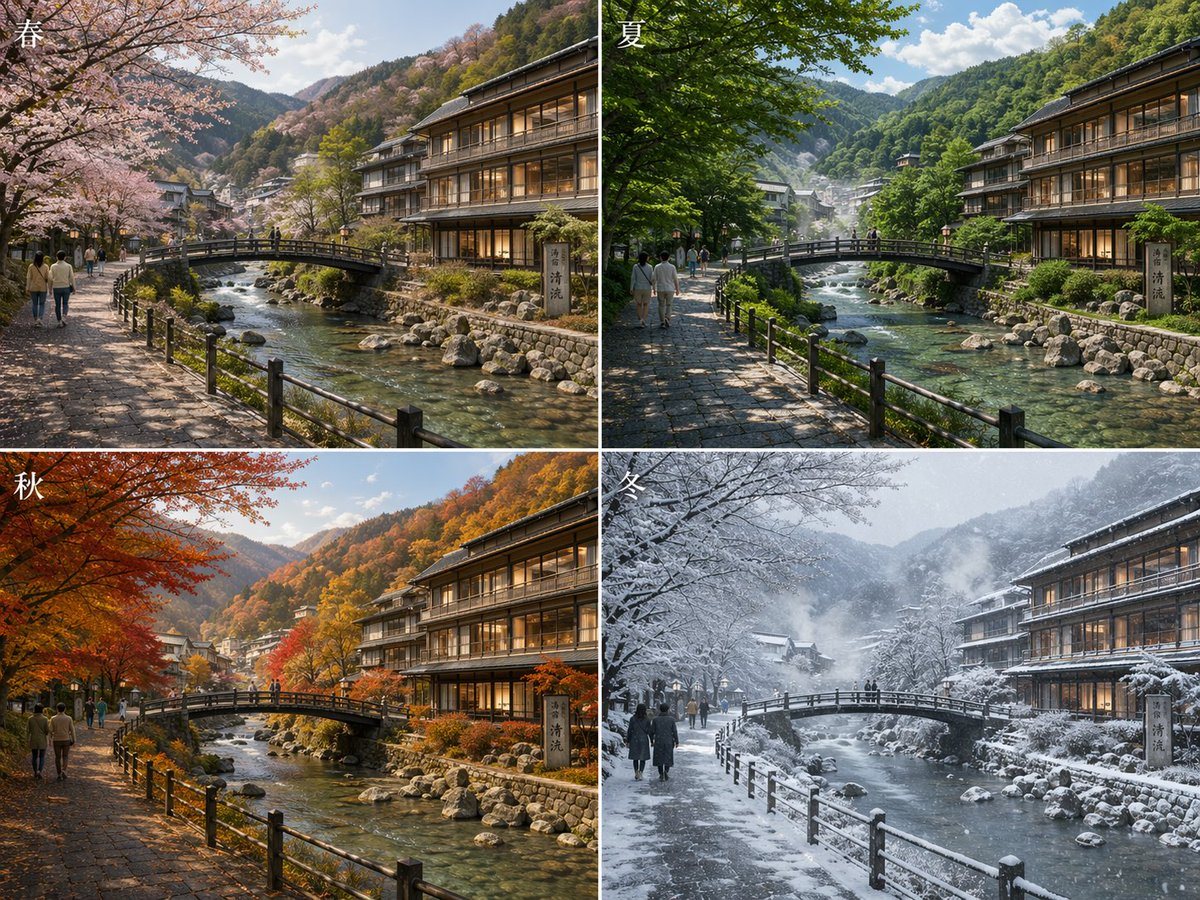
Prompt{"type":"seasonal comparison landscape collage","subject":"the same Japanese mountain hot spring town street and river shown in four seasons","setting":{"location":"traditional Japanese riverside onsen town","features":["clear shallow river with visible rocks","small arched pedestrian bridge over the river","stone-paved riverside walkway with black wooden railings","multi-story wooden ryokan or inn on the right with warm interior lighting","forested mountains in the background","village buildings receding into the valley"]},"layout":{"format":"2x2 grid collage","sections":[{"title":"春","position":"top-left","count":1,"labels":["spring"]},{"title":"夏","position":"top-right","count":1,"labels":["summer"]},{"title":"秋","position":"bottom-left","count":1,"labels":["autumn"]},{"title":"冬","position":"bottom-right","count":1,"labels":["winter"]}],"consistency":"identical camera angle and composition in all 4 panels"},"seasonal_variants":{"count":4,"items":[{"season":"春","trees":"pale pink cherry blossoms in full bloom arching over the left side","ground":"dry stone path with dappled spring light","atmosphere":"fresh, soft, mild daylight"},{"season":"夏","trees":"dense vivid green foliage creating cool shade","ground":"sunlit and shaded stone path","atmosphere":"bright clear summer day with lush vegetation"},{"season":"秋","trees":"brilliant red, orange, and golden maple leaves","ground":"warm amber light on the path","atmosphere":"crisp autumn colors across the mountainside"},{"season":"冬","trees":"bare branches and heavy snow covering trees, bridge, rooftops, and railings","ground":"snowy riverside path","atmosphere":"overcast snowy day with falling snow and cold mist"}]},"human_elements":{"count":4,"description":"small groups of pedestrians walking along the left riverside path in each panel, scaled naturally and secondary to the scenery"},"signage":{"count":1,"description":"vertical stone sign near the inn on the right riverbank with Japanese kanji"},"style":{"look":"highly detailed photorealistic travel photography","lighting":"natural seasonal lighting, cinematic, realistic reflections in water","composition":"wide scenic view, leading lines from the walkway and bridge, balanced architecture and nature","quality":"ultra-detailed, crisp textures, realistic water, foliage, wood, stone, and snow"},"prompt":"Create a photorealistic 2x2 comparison image of {argument name=\"location\" default=\"a traditional Japanese mountain hot spring town\"} shown in four seasons from the exact same viewpoint. The scene features a clear rocky river flowing through the center, a small arched pedestrian bridge, a stone-paved riverside walkway with black railings on the left, and a large wooden ryokan on the right with warmly lit windows. Add forested mountains and scattered town buildings in the distance. Top-left panel labeled 春 shows spring with blooming cherry blossoms; top-right panel labeled 夏 shows lush green summer foliage; bottom-left panel labeled 秋 shows vivid red and orange autumn leaves; bottom-right panel labeled 冬 shows snowy winter trees, bridge, rooftops, and falling snow. Include a few pedestrians on the left path in each panel. Add the season kanji in white at the upper-left corner of each panel. Emphasize realistic seasonal changes while keeping architecture, framing, and perspective identical across all four panels."}