
Image2Studio
Examples

gpt-image-2

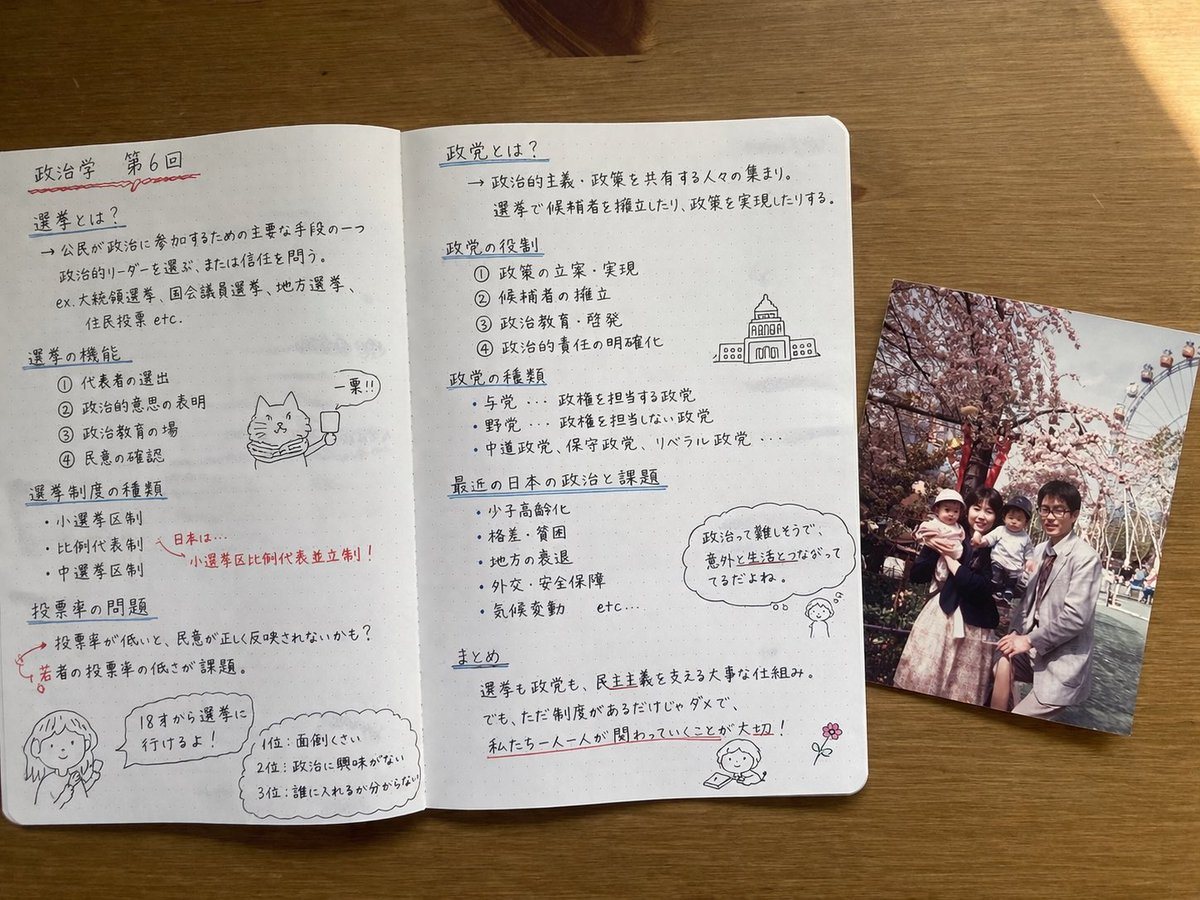
Photorealistic Top-down Still Life

Ready-to-edit photorealistic top-down still life image prompt.

Ready-to-edit photorealistic top-down still life image prompt.
Prompt

{ "type": "photorealistic top-down still life", "setting": "{argument name=\"desk surface\" default=\"wooden table\"}", "objects": [ { "item": "open notebook", "style": "{argument name=\"notebook style\" default=\"dot-grid paper with neat handwritten Japanese notes in black and red ink\"}", "layout": { "left_page": { "header": "{argument name=\"subject topic\" default=\"政治学 第6回\"}", "section_count": 4, "sections": [ { "title": "選挙とは?", "details": "definition text" }, { "title": "選挙の機能", "details": "numbered list 1-4", "doodle": "cat with scarf holding '一票!!' sign" }, { "title": "選挙制度の種類", "details": "bullet points with red arrow to '小選挙区比例代表並立制!'" }, { "title": "投票率の問題", "details": "text about youth turnout", "doodle": "girl with '18才から選挙に行けるよ!' bubble and a top 3 ranked list box" } ] }, "right_page": { "section_count": 5, "sections": [ { "title": "政党とは?", "details": "definition text" }, { "title": "政党の役割", "details": "numbered list 1-4", "doodle": "government building sketch" }, { "title": "政党の種類", "details": "bullet points" }, { "title": "最近の日本の政治と課題", "details": "bullet points", "doodle": "girl thinking '政治って難しそうで、意外と生活とつながってるだよね。'" }, { "title": "まとめ", "details": "summary with red underlines", "doodle": "girl reading and a pink flower" } ] } } }, { "item": "printed photograph", "placement": "overlapping the right edge of the notebook", "content": "{argument name=\"photo subject\" default=\"family of four posing in front of cherry blossoms and a Ferris wheel\"}", "style": "vintage, slightly faded snapshot" } ] }

Prompt structure
  • Modelgpt-image-2
  • Use casesocial-media-post
  • Stylephotorealistic, editorial
  • Aspect ratioFlexible
Best used for
  • Use casesocial-media-post
  • Stylephotorealistic, editorial
  • Recommended specs1:1, 4:5, 16:9, or 9:16
  • ModelGPT Image 2
How to customize

Use this Photorealistic Top-down Still Life prompt as a base. Replace the subject, product details, environment, lighting, brand colors, and output ratio while keeping the social-media-post intent and photorealistic, editorial direction stable.

Editable variables
  • SubjectReplace the product, person, scene, interface, or object being generated.
  • Use caseKeep or rewrite the destination as social media post, ad creative, cover image, poster, or ecommerce hero.
  • FrameChoose 1:1, 4:5, 16:9, or 9:16 based on the final placement.
  • Brand cuesAdd colors, materials, props, text-safe space, and the platform where the image will be used.
Recommended specs

Choose the frame for the destination first, then use 1K, 2K, or 4K based on output quality needs. Product images and posters usually benefit from higher resolution.

Pre-generation checklist
  • CheckSubject, lighting, composition, and frame are specific enough to review.
  • CheckText-safe space is included when the image will carry a headline or ad copy.
  • CheckResolution, credit cost, and final destination are checked before generation.
Why this prompt works

Photorealistic Top-down Still Life works because it starts from the image job, then controls subject, composition, lighting, style, and frame. It is best for social media post while keeping the photorealistic, editorial direction stable.

Common questions
  • Can I use it directly?Yes. Replace the subject, brand cues, and frame, then generate in Image2Studio.
  • Which ratio should I use?Choose 1:1, 4:5, 16:9, or 9:16 based on the destination.




