
Image2Studio
Examples

gpt-image-2

Using The Provided Reference Image

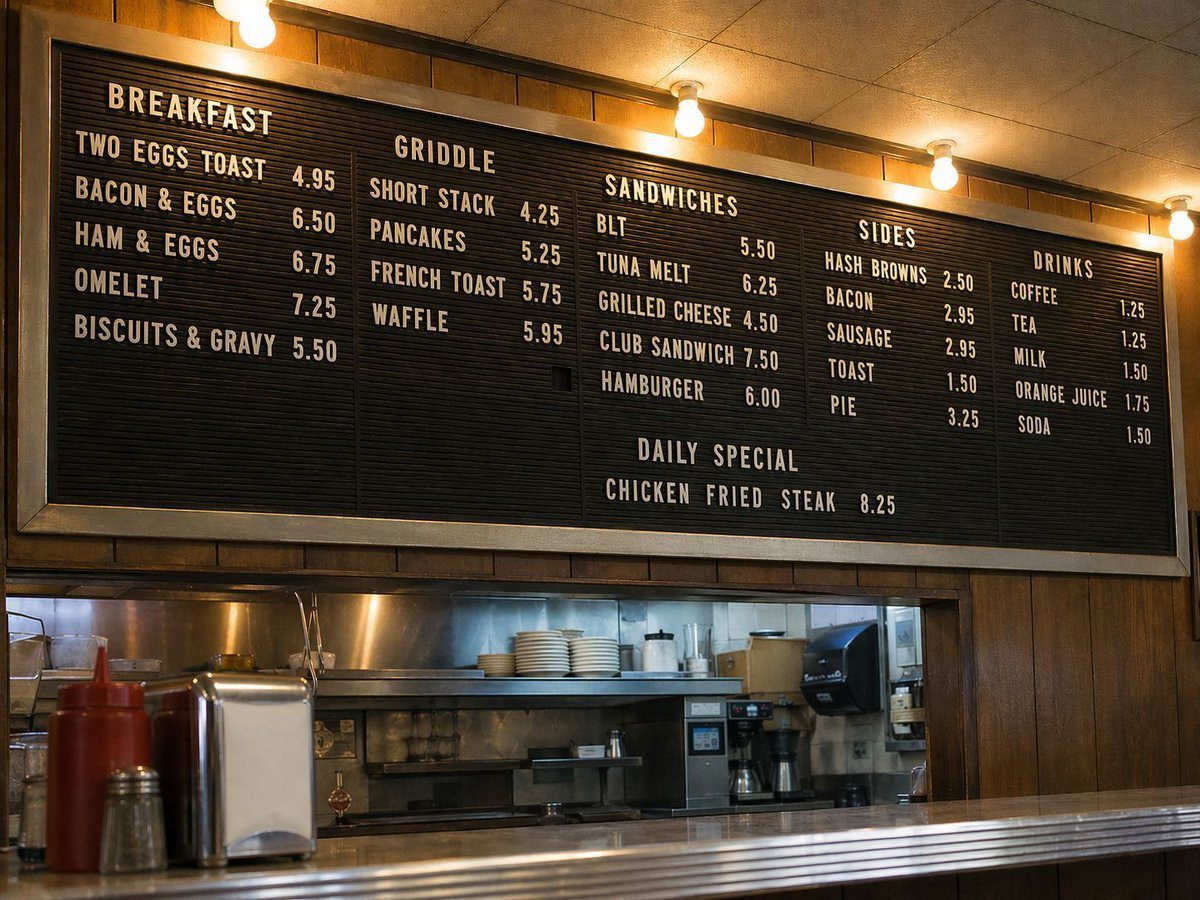
Using the provided reference image, replace the train interior scene with a straight-on, documentary-style photograph of a classic American diner counter wall. Remove the person, window r...

Using the provided reference image, replace the train interior scene with a straight-on, documentary-style photograph of a classic American diner counter wall. Remove the person, window r...
Prompt

Using the provided reference image, replace the train interior scene with a straight-on, documentary-style photograph of a classic American diner counter wall. Remove the person, window reflection, thermos, and book entirely. Keep the image photorealistic and naturally lit, with warm tungsten bulbs across the top and wood-paneled walls. Add a large black letter-board menu with white block letters as the main subject, framed in metal above an open kitchen pass. Include 6 menu sections with these exact headings and items: BREAKFAST with 5 items (TWO EGGS TOAST 4.95, BACON & EGGS 6.50, HAM & EGGS 6.75, OMELET 7.25, BISCUITS & GRAVY 5.50); GRIDDLE with 4 items (SHORT STACK 4.25, PANCAKES 5.25, FRENCH TOAST 5.75, WAFFLE 5.95); SANDWICHES with 5 items (BLT 5.50, TUNA MELT 6.25, GRILLED CHEESE 4.50, CLUB SANDWICH 7.50, HAMBURGER 6.00); SIDES with 5 items (HASH BROWNS 2.50, BACON 2.95, SAUSAGE 2.95, TOAST 1.50, PIE 3.25); DRINKS with 5 items (COFFEE 1.25, TEA 1.25, MILK 1.50, ORANGE JUICE 1.75, SODA 1.50); and a DAILY SPECIAL line reading CHICKEN FRIED STEAK 8.25. Below the menu, show a stainless service opening and countertop with diner details including 2 condiment bottles, 1 napkin dispenser, and 1 shaker in the foreground. Wide horizontal composition, centered, realistic textures, slightly nostalgic roadside-diner mood.

Prompt structure
  • Modelgpt-image-2
  • Use casesocial-media-post
  • Stylephotorealistic
  • Aspect ratioFlexible
Best used for
  • Use casesocial-media-post
  • Stylephotorealistic
  • Recommended specs1:1, 4:5, 16:9, or 9:16
  • ModelGPT Image 2
How to customize

Use this Using The Provided Reference Image prompt as a base. Replace the subject, product details, environment, lighting, brand colors, and output ratio while keeping the social-media-post intent and photorealistic direction stable.

Editable variables
  • SubjectReplace the product, person, scene, interface, or object being generated.
  • Use caseKeep or rewrite the destination as social media post, ad creative, cover image, poster, or ecommerce hero.
  • FrameChoose 1:1, 4:5, 16:9, or 9:16 based on the final placement.
  • Brand cuesAdd colors, materials, props, text-safe space, and the platform where the image will be used.
Recommended specs

Choose the frame for the destination first, then use 1K, 2K, or 4K based on output quality needs. Product images and posters usually benefit from higher resolution.

Pre-generation checklist
  • CheckSubject, lighting, composition, and frame are specific enough to review.
  • CheckText-safe space is included when the image will carry a headline or ad copy.
  • CheckResolution, credit cost, and final destination are checked before generation.
Why this prompt works

Using The Provided Reference Image works because it starts from the image job, then controls subject, composition, lighting, style, and frame. It is best for social media post while keeping the photorealistic direction stable.

Common questions
  • Can I use it directly?Yes. Replace the subject, brand cues, and frame, then generate in Image2Studio.
  • Which ratio should I use?Choose 1:1, 4:5, 16:9, or 9:16 based on the destination.




