
Image2Studio
Examples

gpt-image-2

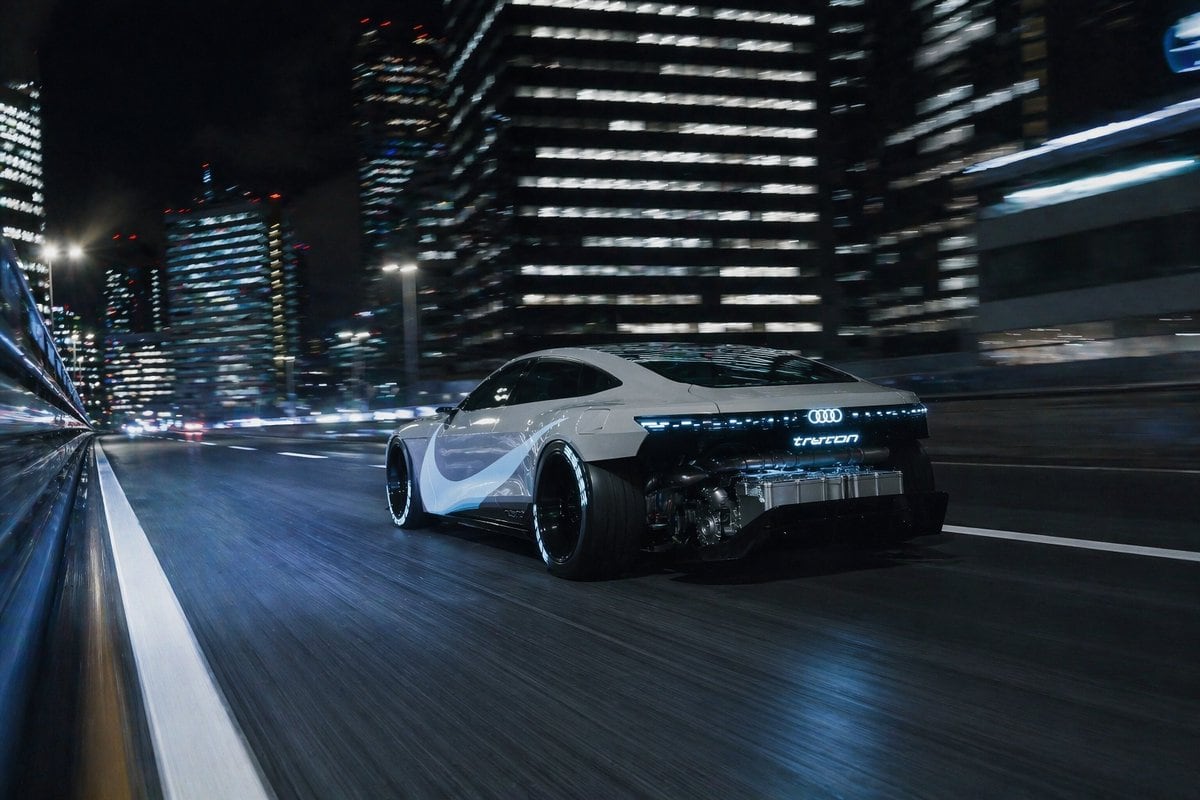
Cinematic Nighttime Automotive Action Shot Of A Futuristic Electric Spor

A cinematic nighttime automotive action shot of a futuristic electric sports coupe racing through a modern downtown city, viewed from a low rear three-quarter tracking angle. The car is a...

A cinematic nighttime automotive action shot of a futuristic electric sports coupe racing through a modern downtown city, viewed from a low rear three-quarter tracking angle. The car is a...
Prompt

A cinematic nighttime automotive action shot of a futuristic electric sports coupe racing through a modern downtown city, viewed from a low rear three-quarter tracking angle. The car is a sleek {argument name="car brand" default="Audi"} concept vehicle with a glossy {argument name="body color" default="white"} body, black roofline, dark tinted windows, extremely wide rear tires, illuminated rear light bar, and glowing {argument name="rear badge text" default="tron"} branding centered on the back. The rear lower section is partially transparent or open, revealing advanced electric drivetrain and battery hardware with metallic detail and cool blue illumination. Add flowing pale gray and blue side graphics on the doors and rear quarter panels for a concept-car look. The vehicle is driving fast on a wet multi-lane urban expressway, with strong motion blur in the asphalt, lane markings, and surrounding buildings. The background is filled with tall glass office towers at night, hundreds of bright window lights, scattered red aircraft warning lights on rooftops, and streaking traffic lights in the distance. Include reflections along a barrier or wall on the far left edge to emphasize speed and camera motion. Lighting is cool, high-contrast, and moody, with blue-white highlights, glossy reflections on the road, and a premium sci-fi luxury aesthetic. Ultra-detailed, photorealistic, long-exposure feel, dynamic tracking shot, sharp focus on the car while the city environment blurs from speed.

Prompt structure
  • Modelgpt-image-2
  • Use casesocial-media-post
  • Stylephotorealistic, cyberpunk, luxury, cinematic
  • Aspect ratioFlexible
Best used for
  • Use casesocial-media-post
  • Stylephotorealistic, cyberpunk, luxury, cinematic
  • Recommended specs1:1, 4:5, 16:9, or 9:16
  • ModelGPT Image 2
How to customize

Use this Cinematic Nighttime Automotive Action Shot Of A Futuristic Electric Spor prompt as a base. Replace the subject, product details, environment, lighting, brand colors, and output ratio while keeping the social-media-post intent and photorealistic, cyberpunk, luxury, cinematic direction stable.

Editable variables
  • SubjectReplace the product, person, scene, interface, or object being generated.
  • Use caseKeep or rewrite the destination as social media post, ad creative, cover image, poster, or ecommerce hero.
  • FrameChoose 1:1, 4:5, 16:9, or 9:16 based on the final placement.
  • Brand cuesAdd colors, materials, props, text-safe space, and the platform where the image will be used.
Recommended specs

Choose the frame for the destination first, then use 1K, 2K, or 4K based on output quality needs. Product images and posters usually benefit from higher resolution.

Pre-generation checklist
  • CheckSubject, lighting, composition, and frame are specific enough to review.
  • CheckText-safe space is included when the image will carry a headline or ad copy.
  • CheckResolution, credit cost, and final destination are checked before generation.
Why this prompt works

Cinematic Nighttime Automotive Action Shot Of A Futuristic Electric Spor works because it starts from the image job, then controls subject, composition, lighting, style, and frame. It is best for social media post while keeping the photorealistic, cyberpunk, luxury, cinematic direction stable.

Common questions
  • Can I use it directly?Yes. Replace the subject, brand cues, and frame, then generate in Image2Studio.
  • Which ratio should I use?Choose 1:1, 4:5, 16:9, or 9:16 based on the destination.




