
Image2Studio
Examples

gpt-image-2

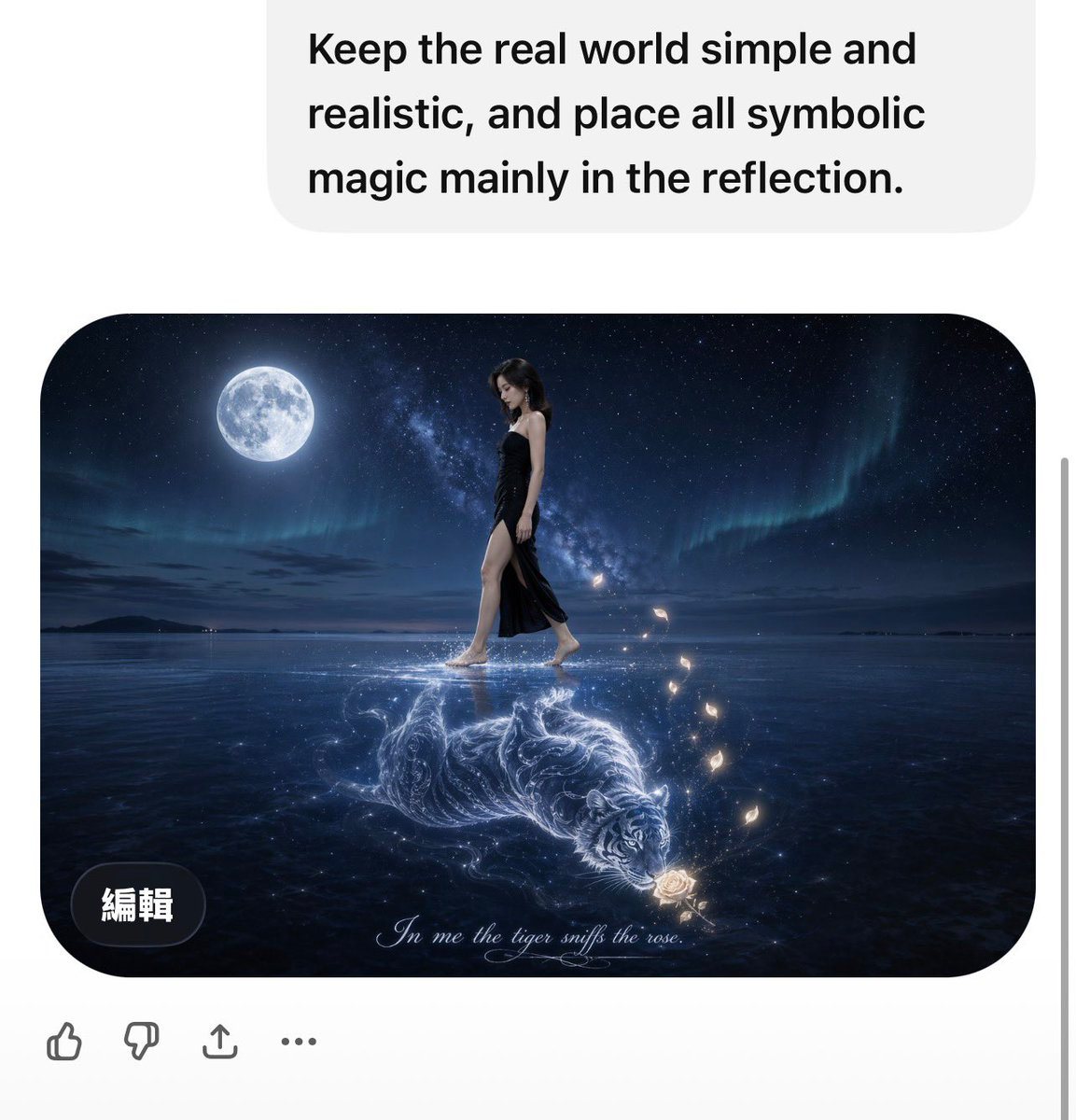
Surreal Yet Photorealistic Night Scene On A Vast Calm Reflective Water S

A surreal yet photorealistic night scene on a vast calm reflective water surface under a deep star-filled sky. A bright full moon hangs on the upper left, with the Milky Way and faint gre...

A surreal yet photorealistic night scene on a vast calm reflective water surface under a deep star-filled sky. A bright full moon hangs on the upper left, with the Milky Way and faint gre...
Prompt

A surreal yet photorealistic night scene on a vast calm reflective water surface under a deep star-filled sky. A bright full moon hangs on the upper left, with the Milky Way and faint green-blue aurora stretching across the background. In the real world, keep everything simple and realistic: a slim woman with shoulder-length dark hair walks barefoot from left to right across the water, wearing a {argument name="dress color" default="black"} elegant slit evening dress. Her posture is natural and poised, and her face is softly obscured or out of focus. The water surface is smooth and mirrorlike, with subtle ripples and realistic moonlight reflections. Place the symbolic magic mainly in the reflection: beneath her feet, instead of a normal reflection, a luminous ethereal white-blue line-art tiger appears inside the water, curled in motion and glowing like energy or moonlight. The tiger is sniffing or approaching a single glowing rose near the lower right area of the reflection. Around the rose, add exactly 6 small glowing butterfly-like light fragments rising upward in a gentle arc. Use cinematic lighting, high contrast, cool blue tones, dreamy atmosphere, ultra-detailed reflection effects, and a clean fine-art fantasy photography style. Add a delicate cursive caption centered near the bottom edge of the image that reads {argument name="caption text" default="In me the tiger sniff the rose."}. Rounded-corner framed composition, vertical social-media screenshot aesthetic, but the main artwork itself should be the focus.

Prompt structure
  • Modelgpt-image-2
  • Use casesocial-media-post
  • Stylephotorealistic, minimal, cinematic, luxury
  • Aspect ratioFlexible
Best used for
  • Use casesocial-media-post
  • Stylephotorealistic, minimal, cinematic, luxury
  • Recommended specs1:1, 4:5, 16:9, or 9:16
  • ModelGPT Image 2
How to customize

Use this Surreal Yet Photorealistic Night Scene On A Vast Calm Reflective Water S prompt as a base. Replace the subject, product details, environment, lighting, brand colors, and output ratio while keeping the social-media-post intent and photorealistic, minimal, cinematic, luxury direction stable.

Editable variables
  • SubjectReplace the product, person, scene, interface, or object being generated.
  • Use caseKeep or rewrite the destination as social media post, ad creative, cover image, poster, or ecommerce hero.
  • FrameChoose 1:1, 4:5, 16:9, or 9:16 based on the final placement.
  • Brand cuesAdd colors, materials, props, text-safe space, and the platform where the image will be used.
Recommended specs

Choose the frame for the destination first, then use 1K, 2K, or 4K based on output quality needs. Product images and posters usually benefit from higher resolution.

Pre-generation checklist
  • CheckSubject, lighting, composition, and frame are specific enough to review.
  • CheckText-safe space is included when the image will carry a headline or ad copy.
  • CheckResolution, credit cost, and final destination are checked before generation.
Why this prompt works

Surreal Yet Photorealistic Night Scene On A Vast Calm Reflective Water S works because it starts from the image job, then controls subject, composition, lighting, style, and frame. It is best for social media post while keeping the photorealistic, minimal, cinematic, luxury direction stable.

Common questions
  • Can I use it directly?Yes. Replace the subject, brand cues, and frame, then generate in Image2Studio.
  • Which ratio should I use?Choose 1:1, 4:5, 16:9, or 9:16 based on the destination.




