
Image2Studio
Examples

gpt-image-2

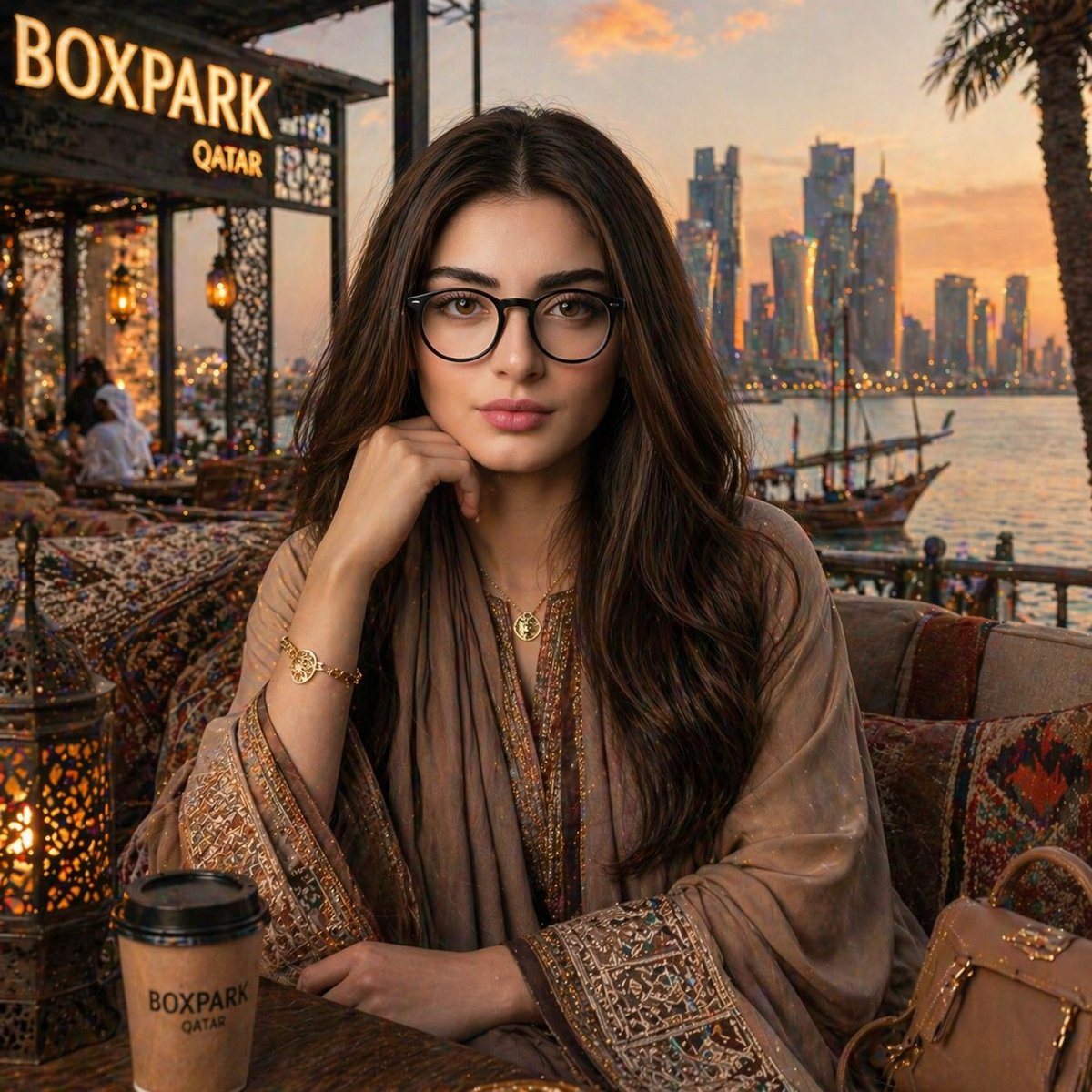
Create A Hyper-realistic

Create a hyper-realistic, cinematic portrait of a young woman sitting at a luxury waterfront café in Doha during golden hour. Preserve the exact facial features, proportions, skin tone, a...

Create a hyper-realistic, cinematic portrait of a young woman sitting at a luxury waterfront café in Doha during golden hour. Preserve the exact facial features, proportions, skin tone, a...
Prompt

Create a hyper-realistic, cinematic portrait of a {argument name="subject" default="young woman"} sitting at a {argument name="location" default="luxury waterfront café in Doha"} during golden hour. Preserve the exact facial features, proportions, skin tone, and expression from the reference image with 100% accuracy. She is styled as an elegant Arabian woman, wearing a {argument name="outfit" default="black abaya with intricate gold embroidery"}, delicate jewelry, and a subtle head covering draped naturally. She is seated at a traditional outdoor majlis-style setting with patterned cushions, Arabic lanterns, and a wooden table. Her pose is calm and confident, resting her chin gently on her hand while looking directly at the camera. Background shows the Doha skyline and traditional wooden dhow boats along the waterfront, with warm sunset lighting reflecting on the water. No visible text, logos, or signage anywhere in the scene. Lighting: soft golden hour glow, cinematic highlights, warm tones, natural shadows on face. Camera: 85mm lens, shallow depth of field, ultra-detailed, 8K resolution, DSLR quality. Style: photorealistic, cinematic, luxury lifestyle photography, rich textures, highly detailed fabrics and skin.

Prompt structure
  • Modelgpt-image-2
  • Use casesocial-media-post
  • Stylephotorealistic, luxury, cinematic
  • Aspect ratioFlexible
Best used for
  • Use casesocial-media-post
  • Stylephotorealistic, luxury, cinematic
  • Recommended specs1:1, 4:5, 16:9, or 9:16
  • ModelGPT Image 2
How to customize

Use this Create A Hyper-realistic prompt as a base. Replace the subject, product details, environment, lighting, brand colors, and output ratio while keeping the social-media-post intent and photorealistic, luxury, cinematic direction stable.

Editable variables
  • SubjectReplace the product, person, scene, interface, or object being generated.
  • Use caseKeep or rewrite the destination as social media post, ad creative, cover image, poster, or ecommerce hero.
  • FrameChoose 1:1, 4:5, 16:9, or 9:16 based on the final placement.
  • Brand cuesAdd colors, materials, props, text-safe space, and the platform where the image will be used.
Recommended specs

Choose the frame for the destination first, then use 1K, 2K, or 4K based on output quality needs. Product images and posters usually benefit from higher resolution.

Pre-generation checklist
  • CheckSubject, lighting, composition, and frame are specific enough to review.
  • CheckText-safe space is included when the image will carry a headline or ad copy.
  • CheckResolution, credit cost, and final destination are checked before generation.
Why this prompt works

Create A Hyper-realistic works because it starts from the image job, then controls subject, composition, lighting, style, and frame. It is best for social media post while keeping the photorealistic, luxury, cinematic direction stable.

Common questions
  • Can I use it directly?Yes. Replace the subject, brand cues, and frame, then generate in Image2Studio.
  • Which ratio should I use?Choose 1:1, 4:5, 16:9, or 9:16 based on the destination.




