
Image2Studio
Examples

gpt-image-2

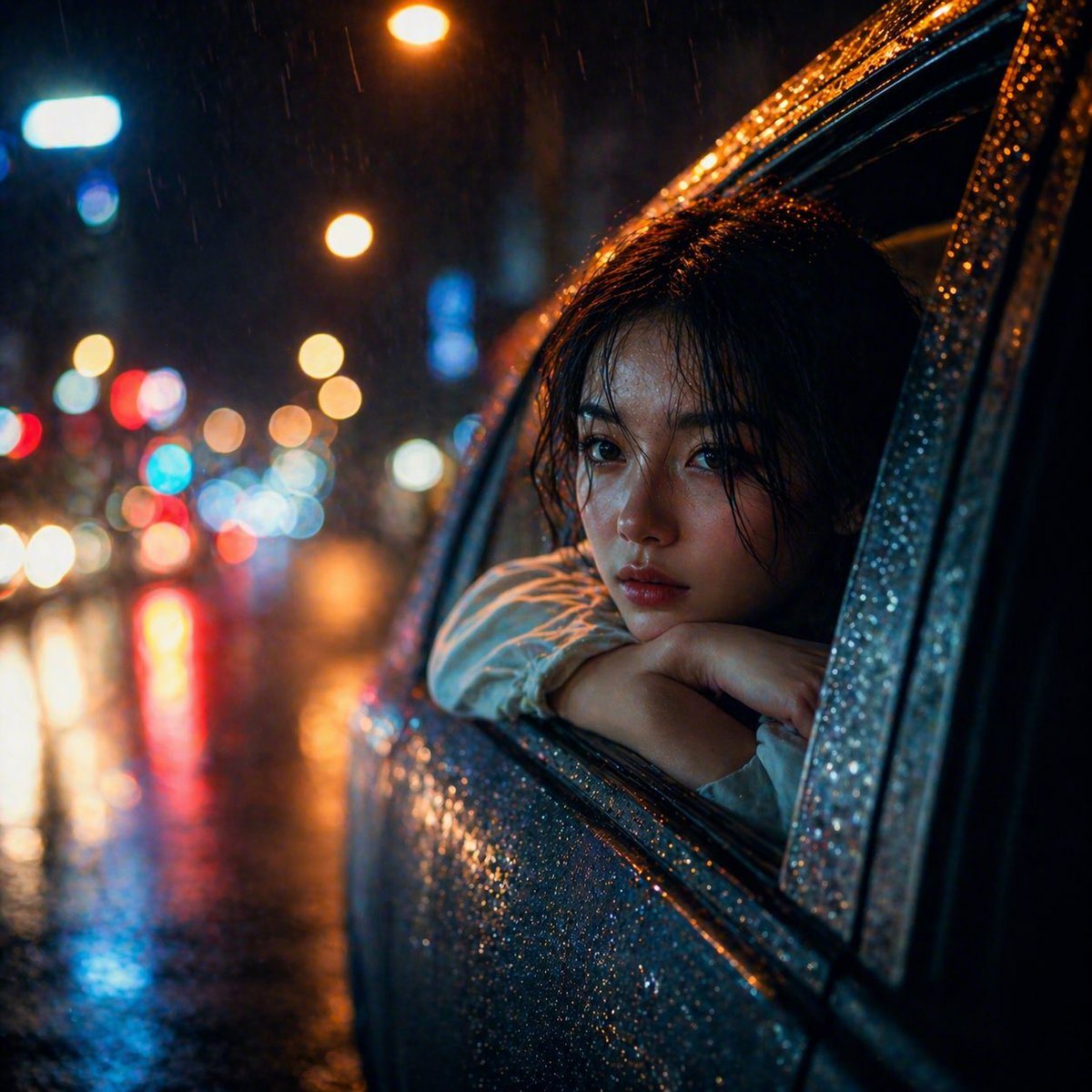
Cinematic Night Street Scene In Heavy Rain

A cinematic night street scene in heavy rain, shot from outside a car with a close three-quarter view of the rear side window. A young woman with dark brown shoulder-length wet hair leans...

A cinematic night street scene in heavy rain, shot from outside a car with a close three-quarter view of the rear side window. A young woman with dark brown shoulder-length wet hair leans...
Prompt

A cinematic night street scene in heavy rain, shot from outside a car with a close three-quarter view of the rear side window. A young woman with {argument name="hair color" default="dark brown"} shoulder-length wet hair leans her folded arms on the open car window frame and rests her head on them, gazing outward with a quiet, melancholic mood. She wears a {argument name="top color" default="white"} long-sleeve blouse. The car body fills the right half of the frame, covered in dense sparkling raindrops, with the window trim and door surface sharply detailed. The woman’s face is partially obscured by shadow and framing, creating anonymity and mystery. The left half of the image shows an out-of-focus city street with exactly 2 warm amber streetlights visible as glowing orbs near the top and middle distance, plus multicolored bokeh from traffic and signage in red, blue, white, and orange. Wet asphalt reflects the lights in long streaks. Visible rain streaks fall through the scene. Use a shallow depth of field, strong orange-and-teal color contrast, glossy reflections, moody noir atmosphere, realistic photography, high contrast, soft filmic bloom, and a slightly overprocessed AI-photo feel with occasional high-frequency sparkle and rain noise. Square composition.

Prompt structure
  • Modelgpt-image-2
  • Use casesocial-media-post
  • Stylephotorealistic, cinematic
  • Aspect ratioFlexible
Best used for
  • Use casesocial-media-post
  • Stylephotorealistic, cinematic
  • Recommended specs1:1, 4:5, 16:9, or 9:16
  • ModelGPT Image 2
How to customize

Use this Cinematic Night Street Scene In Heavy Rain prompt as a base. Replace the subject, product details, environment, lighting, brand colors, and output ratio while keeping the social-media-post intent and photorealistic, cinematic direction stable.

Editable variables
  • SubjectReplace the product, person, scene, interface, or object being generated.
  • Use caseKeep or rewrite the destination as social media post, ad creative, cover image, poster, or ecommerce hero.
  • FrameChoose 1:1, 4:5, 16:9, or 9:16 based on the final placement.
  • Brand cuesAdd colors, materials, props, text-safe space, and the platform where the image will be used.
Recommended specs

Choose the frame for the destination first, then use 1K, 2K, or 4K based on output quality needs. Product images and posters usually benefit from higher resolution.

Pre-generation checklist
  • CheckSubject, lighting, composition, and frame are specific enough to review.
  • CheckText-safe space is included when the image will carry a headline or ad copy.
  • CheckResolution, credit cost, and final destination are checked before generation.
Why this prompt works

Cinematic Night Street Scene In Heavy Rain works because it starts from the image job, then controls subject, composition, lighting, style, and frame. It is best for social media post while keeping the photorealistic, cinematic direction stable.

Common questions
  • Can I use it directly?Yes. Replace the subject, brand cues, and frame, then generate in Image2Studio.
  • Which ratio should I use?Choose 1:1, 4:5, 16:9, or 9:16 based on the destination.




