
Image2Studio
Examples

gpt-image-2

Realistic Candid Restaurant Photo Of A Young Japanese Woman Seated At A

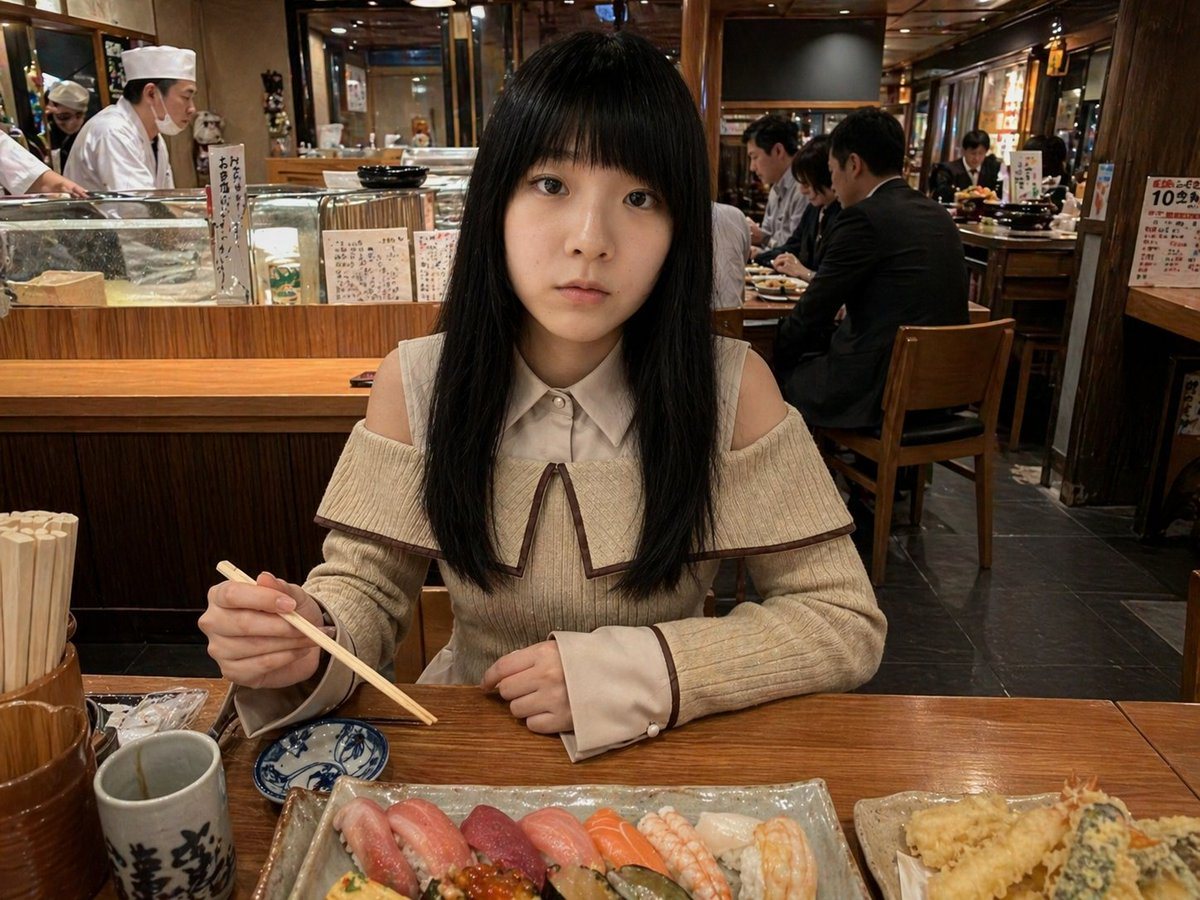
A realistic candid restaurant photo of a young Japanese woman seated at a wooden sushi counter in a warmly lit traditional Japanese restaurant, centered in the frame and facing the camera...

A realistic candid restaurant photo of a young Japanese woman seated at a wooden sushi counter in a warmly lit traditional Japanese restaurant, centered in the frame and facing the camera...
Prompt

A realistic candid restaurant photo of a young Japanese woman seated at a wooden sushi counter in a warmly lit traditional Japanese restaurant, centered in the frame and facing the camera. She has long straight {argument name="hair color" default="black"} hair with full bangs, and is wearing a soft cream knit off-shoulder sweater with a wide sailor-style collar trimmed in brown, a white buttoned inner collar, long sleeves with flared cuffs, and a feminine modest fashion look. She is holding chopsticks in her right hand above a small blue-and-white soy sauce dish, with her left hand resting on the table. In front of her is a large rectangular ceramic platter with exactly 8 pieces of sushi arranged in a row, including pink tuna, deeper red tuna, orange salmon, two shrimp nigiri, and pale white fish; to the right is a separate rectangular plate with assorted tempura including 2 large shrimp and mixed vegetable tempura. On the left side of the table are a ceramic tea cup with bold black Japanese calligraphy, a wooden chopstick holder packed with disposable chopsticks, and small wrapped items. Behind her is an open sushi bar with exactly 2 visible chefs in white uniforms and hats, glass display cases, handwritten Japanese menu cards, wooden counters, and several seated diners in the background. Shot at eye level with a smartphone-photo feel, natural indoor perspective, documentary realism, rich wood textures, warm amber lighting, detailed food realism, shallow-to-moderate depth of field, authentic busy dinner atmosphere, no stylization, no illustration, photorealistic.

Prompt structure
  • Modelgpt-image-2
  • Use casesocial-media-post
  • Stylephotorealistic, watercolor
  • Aspect ratioFlexible
Best used for
  • Use casesocial-media-post
  • Stylephotorealistic, watercolor
  • Recommended specs1:1, 4:5, 16:9, or 9:16
  • ModelGPT Image 2
How to customize

Use this Realistic Candid Restaurant Photo Of A Young Japanese Woman Seated At A prompt as a base. Replace the subject, product details, environment, lighting, brand colors, and output ratio while keeping the social-media-post intent and photorealistic, watercolor direction stable.

Editable variables
  • SubjectReplace the product, person, scene, interface, or object being generated.
  • Use caseKeep or rewrite the destination as social media post, ad creative, cover image, poster, or ecommerce hero.
  • FrameChoose 1:1, 4:5, 16:9, or 9:16 based on the final placement.
  • Brand cuesAdd colors, materials, props, text-safe space, and the platform where the image will be used.
Recommended specs

Choose the frame for the destination first, then use 1K, 2K, or 4K based on output quality needs. Product images and posters usually benefit from higher resolution.

Pre-generation checklist
  • CheckSubject, lighting, composition, and frame are specific enough to review.
  • CheckText-safe space is included when the image will carry a headline or ad copy.
  • CheckResolution, credit cost, and final destination are checked before generation.
Why this prompt works

Realistic Candid Restaurant Photo Of A Young Japanese Woman Seated At A works because it starts from the image job, then controls subject, composition, lighting, style, and frame. It is best for social media post while keeping the photorealistic, watercolor direction stable.

Common questions
  • Can I use it directly?Yes. Replace the subject, brand cues, and frame, then generate in Image2Studio.
  • Which ratio should I use?Choose 1:1, 4:5, 16:9, or 9:16 based on the destination.




