
Image2Studio
Prompts

gpt-image-2

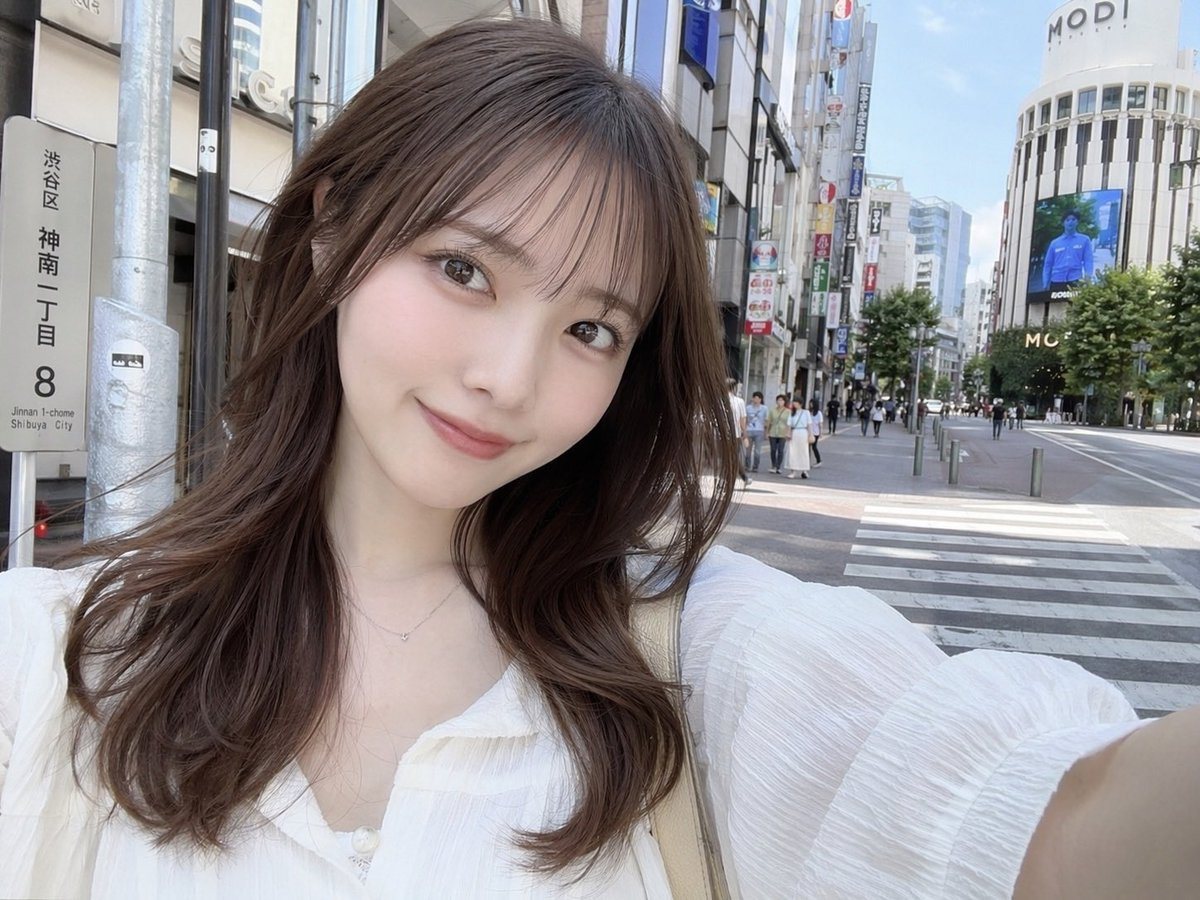
Photorealistic Selfie Of A Young Japanese Woman Standing On A Sunny City

A photorealistic selfie of a young Japanese woman standing on a sunny city street in Shibuya, Japan. She has a soft smile, fair skin, light makeup, and long wavy brown hair with see-throu...

A photorealistic selfie of a young Japanese woman standing on a sunny city street in Shibuya, Japan. She has a soft smile, fair skin, light makeup, and long wavy brown hair with see-throu...
Prompt

A photorealistic selfie of a young Japanese woman standing on a sunny city street in {argument name="location" default="Shibuya, Japan"}. She has a soft smile, fair skin, light makeup, and {argument name="hair style" default="long wavy brown hair with see-through bangs"}. She is wearing a {argument name="clothing" default="white textured blouse"} with a delicate necklace and a beige shoulder bag strap visible. The background features a bustling urban environment with a crosswalk, pedestrians on the sidewalk, and a large white commercial building displaying the text {argument name="building text" default="MODI"} at the top along with a digital billboard. On the left side of the frame, a vertical street sign clearly displays the text {argument name="street sign text" default="渋谷区 神南一丁目 8"}. The image has a bright, natural daylight aesthetic typical of a casual social media photo.

Prompt structure
  • Modelgpt-image-2
  • Use casesocial-media-post
  • Stylephotorealistic
  • Aspect ratioFlexible
Best used for
  • Use casesocial-media-post
  • Stylephotorealistic
  • Recommended specs1:1, 4:5, 16:9, or 9:16
  • ModelGPT Image 2
How to customize

Use this Photorealistic Selfie Of A Young Japanese Woman Standing On A Sunny City prompt as a base. Replace the subject, product details, environment, lighting, brand colors, and output ratio while keeping the social-media-post intent and photorealistic direction stable.

Editable variables
  • SubjectReplace the product, person, scene, interface, or object being generated.
  • Use caseKeep or rewrite the destination as social media post, ad creative, cover image, poster, or ecommerce hero.
  • FrameChoose 1:1, 4:5, 16:9, or 9:16 based on the final placement.
  • Brand cuesAdd colors, materials, props, text-safe space, and the platform where the image will be used.
Recommended specs

Choose the frame for the destination first, then use 1K, 2K, or 4K based on output quality needs. Product images and posters usually benefit from higher resolution.

Pre-generation checklist
  • CheckSubject, lighting, composition, and frame are specific enough to review.
  • CheckText-safe space is included when the image will carry a headline or ad copy.
  • CheckResolution, credit cost, and final destination are checked before generation.
Why this prompt works

Photorealistic Selfie Of A Young Japanese Woman Standing On A Sunny City works because it starts from the image job, then controls subject, composition, lighting, style, and frame. It is best for social media post while keeping the photorealistic direction stable.

Common questions
  • Can I use it directly?Yes. Replace the subject, brand cues, and frame, then generate in Image2Studio.
  • Which ratio should I use?Choose 1:1, 4:5, 16:9, or 9:16 based on the destination.




