
Image2Studio
Prompts

gpt-image-2

Realistic Image Shot

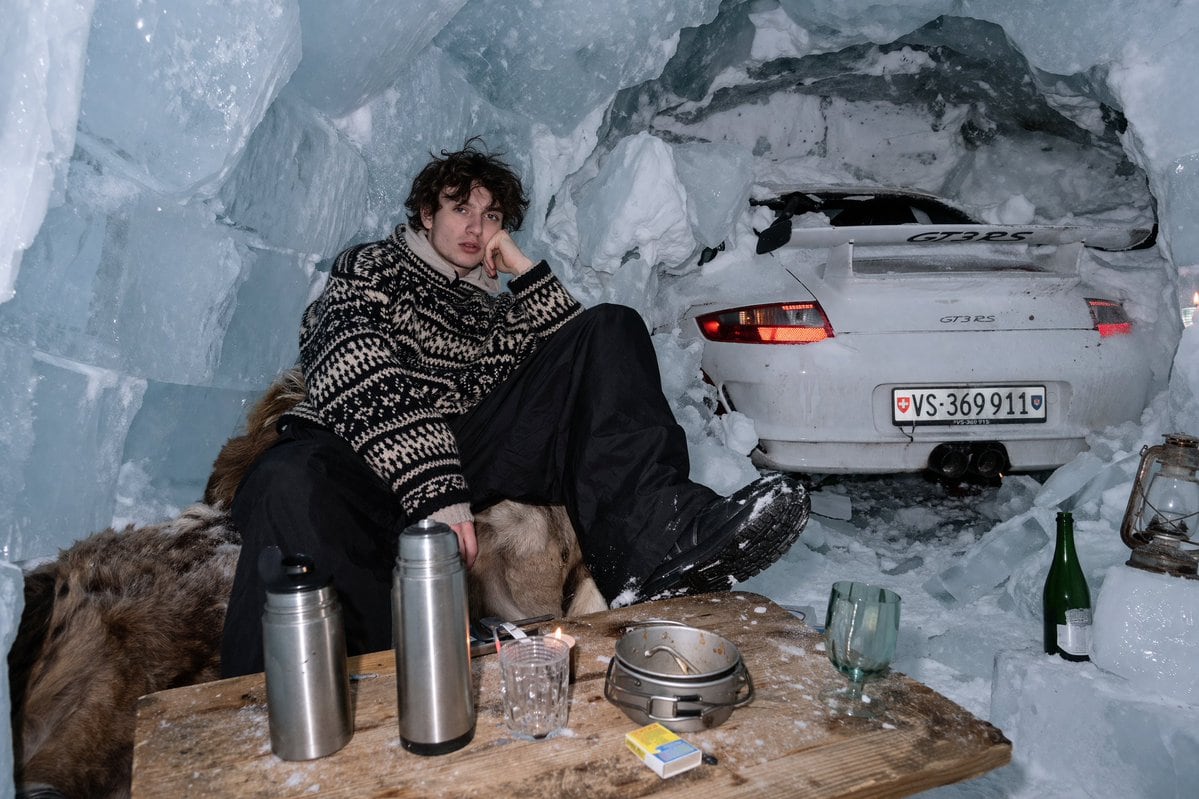
A realistic image shot with harsh direct flash photography inside an ice cave made of large ice blocks and snow. A young man with messy dark curly hair sits on a brown fur pelt, leaning h...

A realistic image shot with harsh direct flash photography inside an ice cave made of large ice blocks and snow. A young man with messy dark curly hair sits on a brown fur pelt, leaning h...
Prompt

A realistic image shot with {argument name="lighting style" default="harsh direct flash photography"} inside an {argument name="environment" default="ice cave made of large ice blocks and snow"}. A young man with messy dark curly hair sits on a brown fur pelt, leaning his head on his hand with a relaxed expression. He is wearing a {argument name="clothing" default="thick black and white patterned knit sweater"}, black snow pants, and black winter boots. Directly behind him, the rear half of a white {argument name="car model" default="Porsche 911 GT3 RS"} sports car is embedded into the snowy cave wall, with its red taillights illuminated and a license plate reading {argument name="license plate" default="VS 369 911"}. In the foreground, a rough wooden table dusted with snow holds exactly 2 stainless steel thermoses, 1 clear textured glass, 1 small metal cooking pot, and 1 yellow and blue matchbox. Resting on the icy floor to the right are 1 green glass bottle and 1 vintage metal lantern.

Prompt structure
  • Modelgpt-image-2
  • Use casesocial-media-post
  • Stylephotorealistic
  • Aspect ratioFlexible
Best used for
  • Use casesocial-media-post
  • Stylephotorealistic
  • Recommended specs1:1, 4:5, 16:9, or 9:16
  • ModelGPT Image 2
How to customize

Use this Realistic Image Shot prompt as a base. Replace the subject, product details, environment, lighting, brand colors, and output ratio while keeping the social-media-post intent and photorealistic direction stable.

Editable variables
  • SubjectReplace the product, person, scene, interface, or object being generated.
  • Use caseKeep or rewrite the destination as social media post, ad creative, cover image, poster, or ecommerce hero.
  • FrameChoose 1:1, 4:5, 16:9, or 9:16 based on the final placement.
  • Brand cuesAdd colors, materials, props, text-safe space, and the platform where the image will be used.
Recommended specs

Choose the frame for the destination first, then use 1K, 2K, or 4K based on output quality needs. Product images and posters usually benefit from higher resolution.

Pre-generation checklist
  • CheckSubject, lighting, composition, and frame are specific enough to review.
  • CheckText-safe space is included when the image will carry a headline or ad copy.
  • CheckResolution, credit cost, and final destination are checked before generation.
Why this prompt works

Realistic Image Shot works because it starts from the image job, then controls subject, composition, lighting, style, and frame. It is best for social media post while keeping the photorealistic direction stable.

Common questions
  • Can I use it directly?Yes. Replace the subject, brand cues, and frame, then generate in Image2Studio.
  • Which ratio should I use?Choose 1:1, 4:5, 16:9, or 9:16 based on the destination.




