
Image2Studio
Examples

gpt-image-2

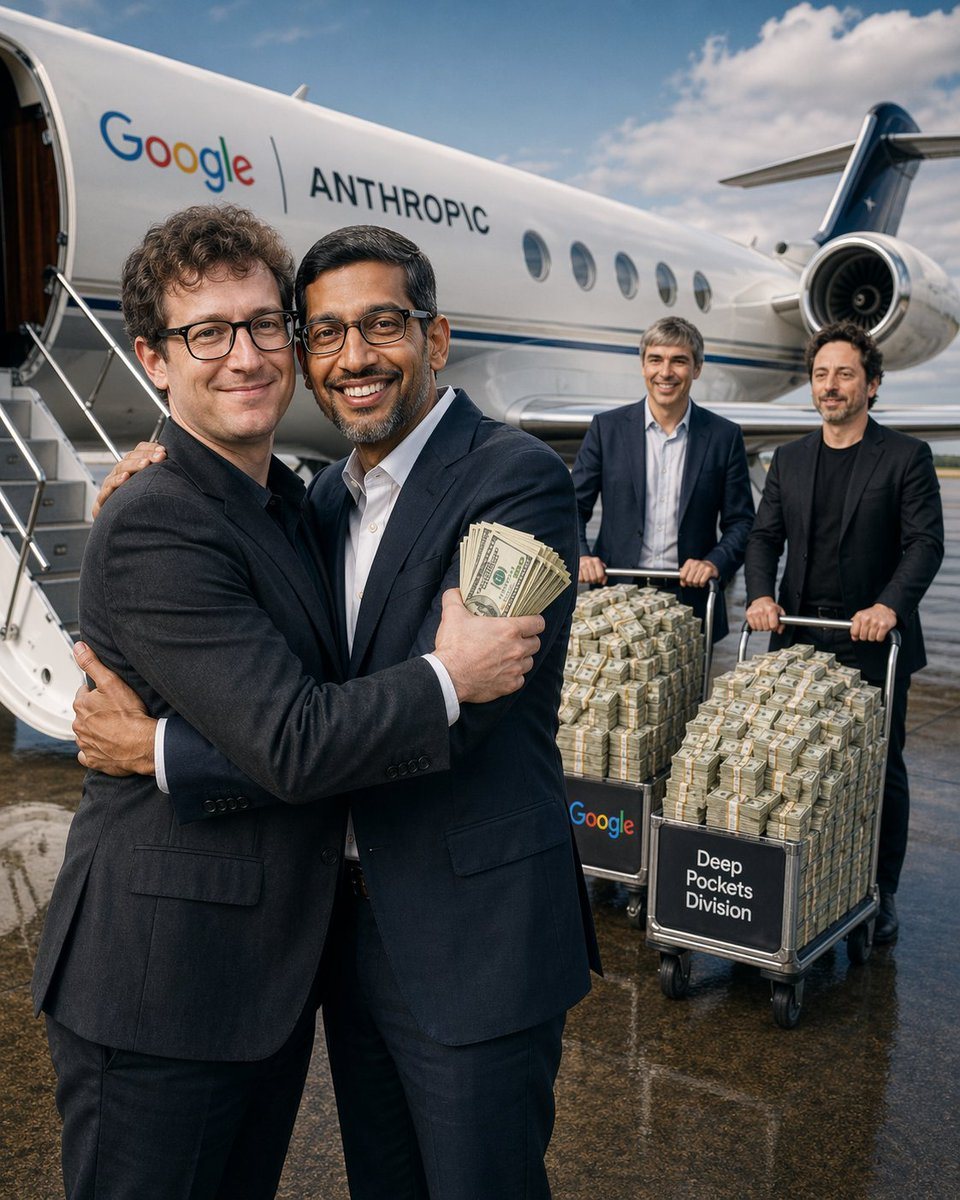
Photorealistic Satirical Airport Tarmac Scene In Daylight

A photorealistic satirical airport tarmac scene in daylight, shot vertically, showing a sleek white private jet parked with its door open and stairs visible on the left. On the side of th...

A photorealistic satirical airport tarmac scene in daylight, shot vertically, showing a sleek white private jet parked with its door open and stairs visible on the left. On the side of th...
Prompt

A photorealistic satirical airport tarmac scene in daylight, shot vertically, showing a sleek white private jet parked with its door open and stairs visible on the left. On the side of the jet, large clean corporate lettering reads “Google | ANTHROPIC”. In the foreground, 2 adult male executives in dark navy business suits embrace in a celebratory hug, centered slightly left. The man facing camera-left has curly dark hair and wears a charcoal suit; the other man, with short dark hair and a white dress shirt under a navy suit, holds a thick fan of U.S. $100 bills in one hand while hugging. Their expressions should feel triumphant and conspiratorial. In the midground and right side, 2 additional adult men in dark suits push 2 metal airport luggage carts overflowing with tightly bundled stacks of cash. The left cart has a black front panel labeled “Google” in multicolor corporate-style lettering, and the right cart has a black front panel labeled “Deep Pockets Division” in white sans-serif text. Count exactly 2 carts and show both piled high with money bricks wrapped in bank bands. The private jet extends across most of the background, with oval windows, a visible rear engine on the right, and a partly cloudy blue sky above. The ground is wet and reflective, adding glossy reflections under the people and carts. Editorial photojournalism style, ultra-realistic lighting, sharp focus, subtle depth of field, luxury wealth satire, corporate power imagery, high-detail textures on suits, aircraft metal, and cash bundles.

Prompt structure
  • Modelgpt-image-2
  • Use casesocial-media-post
  • Stylephotorealistic, editorial, minimal, luxury
  • Aspect ratioFlexible
Best used for
  • Use casesocial-media-post
  • Stylephotorealistic, editorial, minimal, luxury
  • Recommended specs1:1, 4:5, 16:9, or 9:16
  • ModelGPT Image 2
How to customize

Use this Photorealistic Satirical Airport Tarmac Scene In Daylight prompt as a base. Replace the subject, product details, environment, lighting, brand colors, and output ratio while keeping the social-media-post intent and photorealistic, editorial, minimal, luxury direction stable.

Editable variables
  • SubjectReplace the product, person, scene, interface, or object being generated.
  • Use caseKeep or rewrite the destination as social media post, ad creative, cover image, poster, or ecommerce hero.
  • FrameChoose 1:1, 4:5, 16:9, or 9:16 based on the final placement.
  • Brand cuesAdd colors, materials, props, text-safe space, and the platform where the image will be used.
Recommended specs

Choose the frame for the destination first, then use 1K, 2K, or 4K based on output quality needs. Product images and posters usually benefit from higher resolution.

Pre-generation checklist
  • CheckSubject, lighting, composition, and frame are specific enough to review.
  • CheckText-safe space is included when the image will carry a headline or ad copy.
  • CheckResolution, credit cost, and final destination are checked before generation.
Why this prompt works

Photorealistic Satirical Airport Tarmac Scene In Daylight works because it starts from the image job, then controls subject, composition, lighting, style, and frame. It is best for social media post while keeping the photorealistic, editorial, minimal, luxury direction stable.

Common questions
  • Can I use it directly?Yes. Replace the subject, brand cues, and frame, then generate in Image2Studio.
  • Which ratio should I use?Choose 1:1, 4:5, 16:9, or 9:16 based on the destination.




