
Image2Studio
Prompts

gpt-image-2

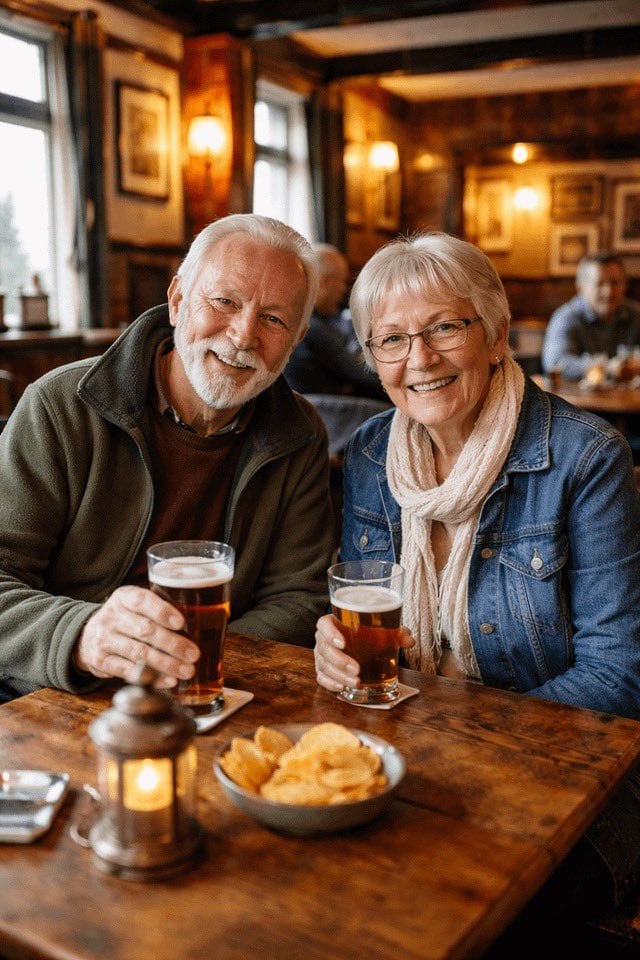
情侣酒吧肖像转换

将一张情侣的抓拍照片转换为姿态优雅、风格化的肖像,并更新服装、道具以及温暖的酒吧背景。

Copy this GPT Image 2 prompt for social media post and fashion editorial with Photorealistic styling. Use it in Image2Studio to generate, edit, and save.
Prompt

Using REFERENCE_0, transform the older couple so they are both looking directly at the camera and smiling. For the man on the left, add a {argument name="man's facial hair" default="full white beard"}, remove his glasses, and dress him in a {argument name="man's clothing" default="green fleece jacket"}. For the woman on the right, add glasses, change her hair to straight with bangs, and dress her in a {argument name="woman's clothing" default="denim jacket and white scarf"}. Have both subjects holding glasses of beer. On the wooden table, add 1 bowl of potato chips and 1 small lit lantern. Replace the background with a {argument name="background setting" default="warm, blurred pub interior with 2 background patrons"}.

Prompt structure
  • Modelgpt-image-2
  • Use casesocial-media-post
  • Stylephotorealistic
  • Aspect ratioFlexible
Best used for
  • Use casesocial-media-post
  • Stylephotorealistic
  • Recommended specs1:1, 4:5, 16:9, or 9:16
  • ModelGPT Image 2
How to customize

Use this 情侣酒吧肖像转换 prompt as a base. Replace the subject, product details, environment, lighting, brand colors, and output ratio while keeping the social-media-post intent and photorealistic direction stable.

Editable variables
  • SubjectReplace the product, person, scene, interface, or object being generated.
  • Use caseKeep or rewrite the destination as social media post, ad creative, cover image, poster, or ecommerce hero.
  • FrameChoose 1:1, 4:5, 16:9, or 9:16 based on the final placement.
  • Brand cuesAdd colors, materials, props, text-safe space, and the platform where the image will be used.
Recommended specs

Choose the frame for the destination first, then use 1K, 2K, or 4K based on output quality needs. Product images and posters usually benefit from higher resolution.

Pre-generation checklist
  • CheckSubject, lighting, composition, and frame are specific enough to review.
  • CheckText-safe space is included when the image will carry a headline or ad copy.
  • CheckResolution, credit cost, and final destination are checked before generation.
Why this prompt works

情侣酒吧肖像转换 works because it starts from the image job, then controls subject, composition, lighting, style, and frame. It is best for social media post while keeping the photorealistic direction stable.

Common questions
  • Can I use it directly?Yes. Replace the subject, brand cues, and frame, then generate in Image2Studio.
  • Which ratio should I use?Choose 1:1, 4:5, 16:9, or 9:16 based on the destination.




