
Image2Studio
Examples

gpt-image-2

Using REFERENCE_0 Turn The Photo Into A Soft Feminine Japanese Fashion-c

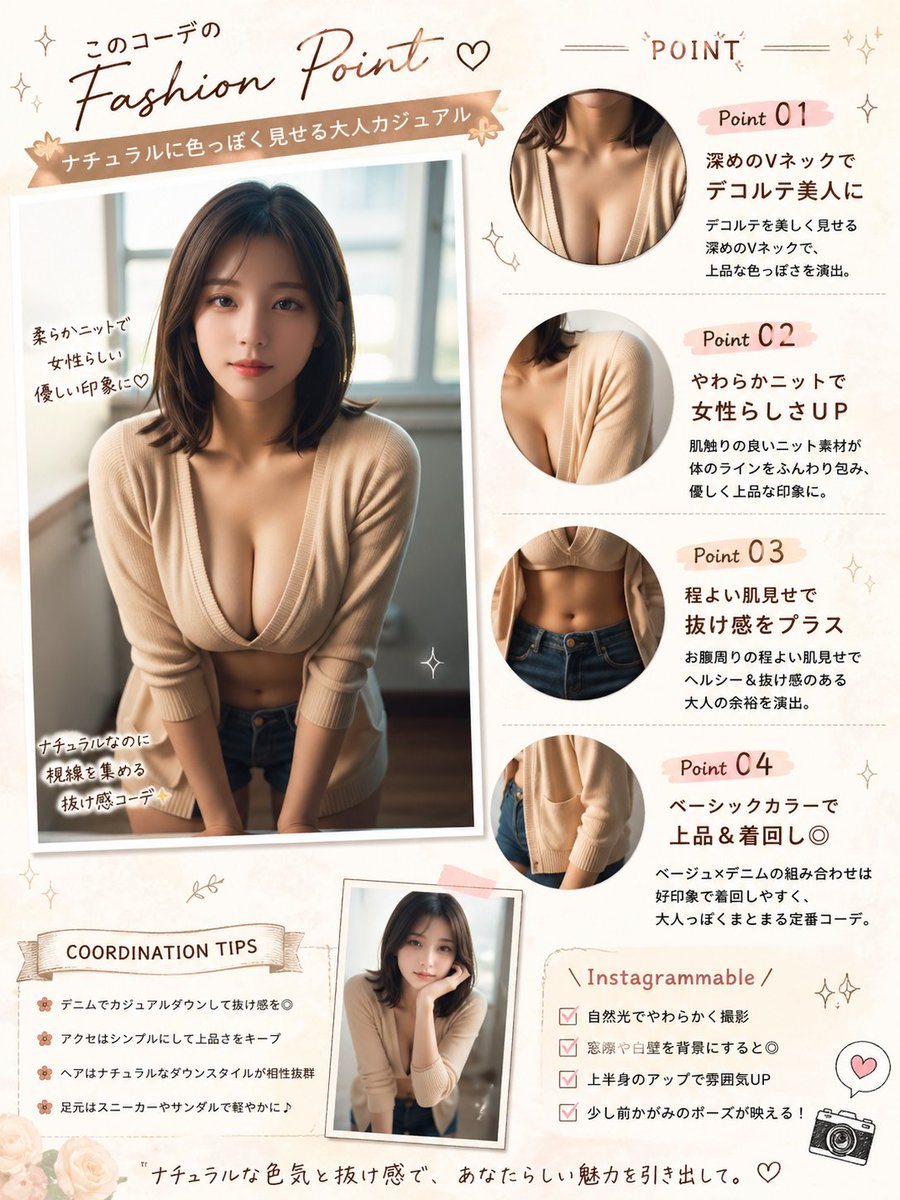
Using REFERENCE_0, turn the photo into a soft feminine Japanese fashion-check infographic poster while keeping the same person, outfit, indoor window setting, and blurred face censorship....

Using REFERENCE_0, turn the photo into a soft feminine Japanese fashion-check infographic poster while keeping the same person, outfit, indoor window setting, and blurred face censorship....
Prompt

Using REFERENCE_0, turn the photo into a soft feminine Japanese fashion-check infographic poster while keeping the same person, outfit, indoor window setting, and blurred face censorship. Create a scrapbook/editorial layout on a warm cream background with blush-pink and beige accents. Place the main full-body photo on the left as a slightly tilted printed snapshot with handwritten callouts. Add 4 circular close-up detail crops on the right showing: 1) neckline/chest area, 2) knit shoulder and sleeve texture, 3) waist and jeans area, 4) cardigan hem and pocket area. Add a small extra inset portrait near the bottom center using the same outfit and person in a casual leaning pose. Include Japanese magazine-style typography and decorative doodles throughout. The visible text should include these sections and labels: top headline 「このコーデの Fashion Point ♡」, ribbon subtitle 「ナチュラルに色っぽく見せる大人カジュアル」, right header 「POINT」, point labels 「Point 01」「Point 02」「Point 03」「Point 04」, left photo notes 「柔らかニットで女性らしい優しい印象に♡」「ナチュラルなのに視線を集める抜け感コーデ✨」, a tips box titled 「COORDINATION TIPS」 with 4 bullet lines, a box titled 「Instagrammable」 with 4 checklist lines, and a bottom tagline 「ナチュラルな色気と抜け感で、あなたらしい魅力を引き出して。」. For the point descriptions, write short Japanese copy praising the deep V-neck, soft knit, subtle midriff reveal, and basic color styling. Add small stars, hearts, sparkles, flowers, stitched lines, and a tiny camera icon. Make it look like a polished social-media fashion advice sheet, portrait orientation.

Prompt structure
  • Modelgpt-image-2
  • Use casesocial-media-post
  • Stylephotorealistic, editorial
  • Aspect ratioFlexible
Best used for
  • Use casesocial-media-post
  • Stylephotorealistic, editorial
  • Recommended specs1:1, 4:5, 16:9, or 9:16
  • ModelGPT Image 2
How to customize

Use this Using REFERENCE_0 Turn The Photo Into A Soft Feminine Japanese Fashion-c prompt as a base. Replace the subject, product details, environment, lighting, brand colors, and output ratio while keeping the social-media-post intent and photorealistic, editorial direction stable.

Editable variables
  • SubjectReplace the product, person, scene, interface, or object being generated.
  • Use caseKeep or rewrite the destination as social media post, ad creative, cover image, poster, or ecommerce hero.
  • FrameChoose 1:1, 4:5, 16:9, or 9:16 based on the final placement.
  • Brand cuesAdd colors, materials, props, text-safe space, and the platform where the image will be used.
Recommended specs

Choose the frame for the destination first, then use 1K, 2K, or 4K based on output quality needs. Product images and posters usually benefit from higher resolution.

Pre-generation checklist
  • CheckSubject, lighting, composition, and frame are specific enough to review.
  • CheckText-safe space is included when the image will carry a headline or ad copy.
  • CheckResolution, credit cost, and final destination are checked before generation.
Why this prompt works

Using REFERENCE_0 Turn The Photo Into A Soft Feminine Japanese Fashion-c works because it starts from the image job, then controls subject, composition, lighting, style, and frame. It is best for social media post while keeping the photorealistic, editorial direction stable.

Common questions
  • Can I use it directly?Yes. Replace the subject, brand cues, and frame, then generate in Image2Studio.
  • Which ratio should I use?Choose 1:1, 4:5, 16:9, or 9:16 based on the destination.




