
Image2Studio
Examples

gpt-image-2

Create A Hyper-realistic Lifestyle Portrait Of A Young Woman Sitting At

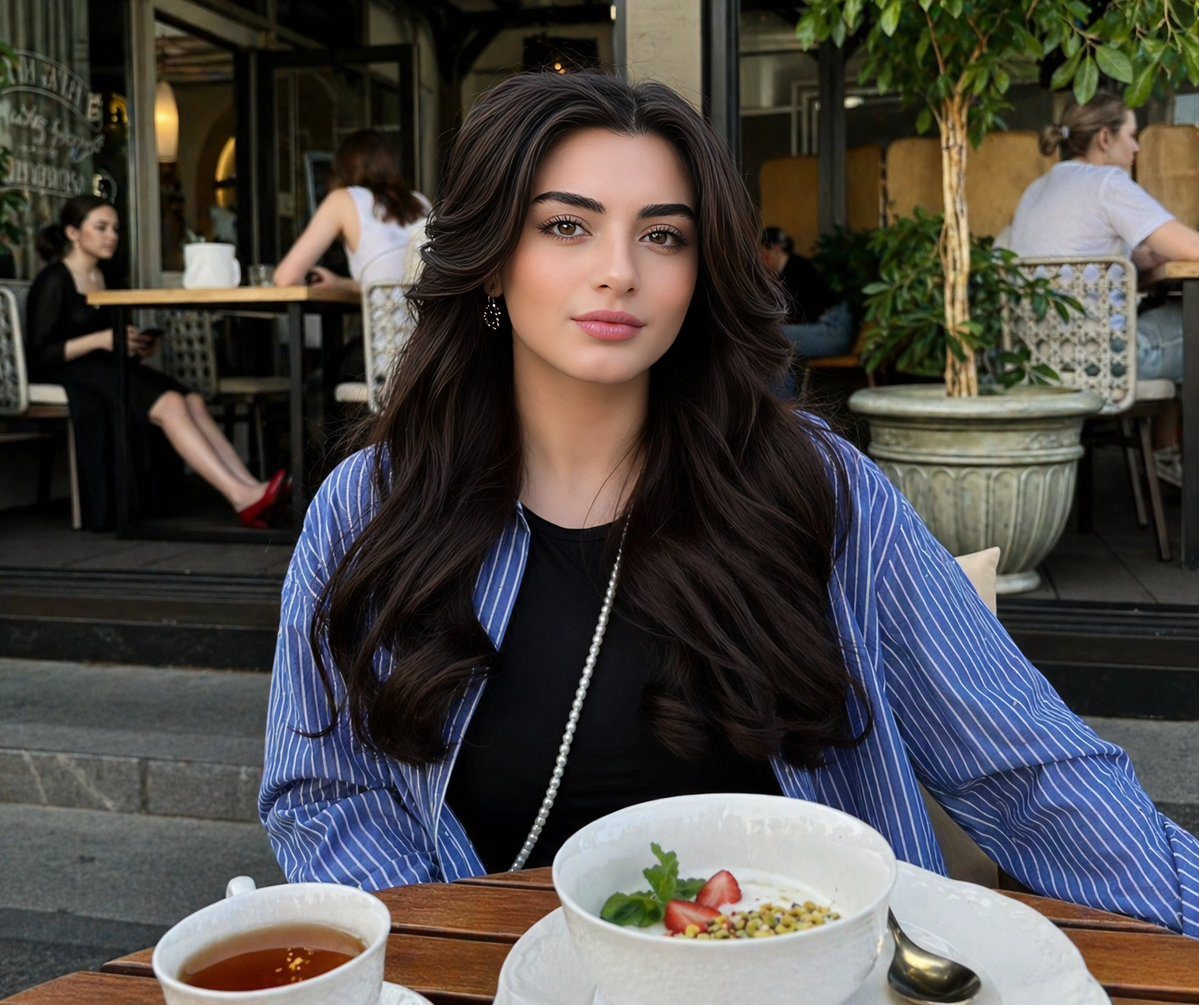
Create a hyper-realistic lifestyle portrait of a young woman sitting at an outdoor café. She has long, voluminous dark brown hair styled in soft waves, glowing skin, and natural elegant m...

Create a hyper-realistic lifestyle portrait of a young woman sitting at an outdoor café. She has long, voluminous dark brown hair styled in soft waves, glowing skin, and natural elegant m...
Prompt

Create a hyper-realistic lifestyle portrait of a {argument name="subject" default="young woman sitting at an outdoor café"}. She has {argument name="hair" default="long, voluminous dark brown hair"} styled in soft waves, glowing skin, and natural elegant makeup with a subtle pink lip. Her expression is calm, confident, and slightly smiling while looking off to the side. She is wearing a black top layered with a loose blue-and-white striped shirt, accessorized with a delicate pearl necklace and small earrings. In front of her is a wooden café table with a minimal breakfast setup: a {argument name="food" default="white ceramic bowl filled with yogurt topped with strawberries and pistachios"}, and a cup of tea in a white cup. A spoon rests on the plate beside the bowl.

Prompt structure
  • Modelgpt-image-2
  • Use casesocial-media-post
  • Stylephotorealistic, minimal, luxury
  • Aspect ratioFlexible
Best used for
  • Use casesocial-media-post
  • Stylephotorealistic, minimal, luxury
  • Recommended specs1:1, 4:5, 16:9, or 9:16
  • ModelGPT Image 2
How to customize

Use this Create A Hyper-realistic Lifestyle Portrait Of A Young Woman Sitting At prompt as a base. Replace the subject, product details, environment, lighting, brand colors, and output ratio while keeping the social-media-post intent and photorealistic, minimal, luxury direction stable.

Editable variables
  • SubjectReplace the product, person, scene, interface, or object being generated.
  • Use caseKeep or rewrite the destination as social media post, ad creative, cover image, poster, or ecommerce hero.
  • FrameChoose 1:1, 4:5, 16:9, or 9:16 based on the final placement.
  • Brand cuesAdd colors, materials, props, text-safe space, and the platform where the image will be used.
Recommended specs

Choose the frame for the destination first, then use 1K, 2K, or 4K based on output quality needs. Product images and posters usually benefit from higher resolution.

Pre-generation checklist
  • CheckSubject, lighting, composition, and frame are specific enough to review.
  • CheckText-safe space is included when the image will carry a headline or ad copy.
  • CheckResolution, credit cost, and final destination are checked before generation.
Why this prompt works

Create A Hyper-realistic Lifestyle Portrait Of A Young Woman Sitting At works because it starts from the image job, then controls subject, composition, lighting, style, and frame. It is best for social media post while keeping the photorealistic, minimal, luxury direction stable.

Common questions
  • Can I use it directly?Yes. Replace the subject, brand cues, and frame, then generate in Image2Studio.
  • Which ratio should I use?Choose 1:1, 4:5, 16:9, or 9:16 based on the destination.




