
Image2Studio
Examples

gpt-image-2

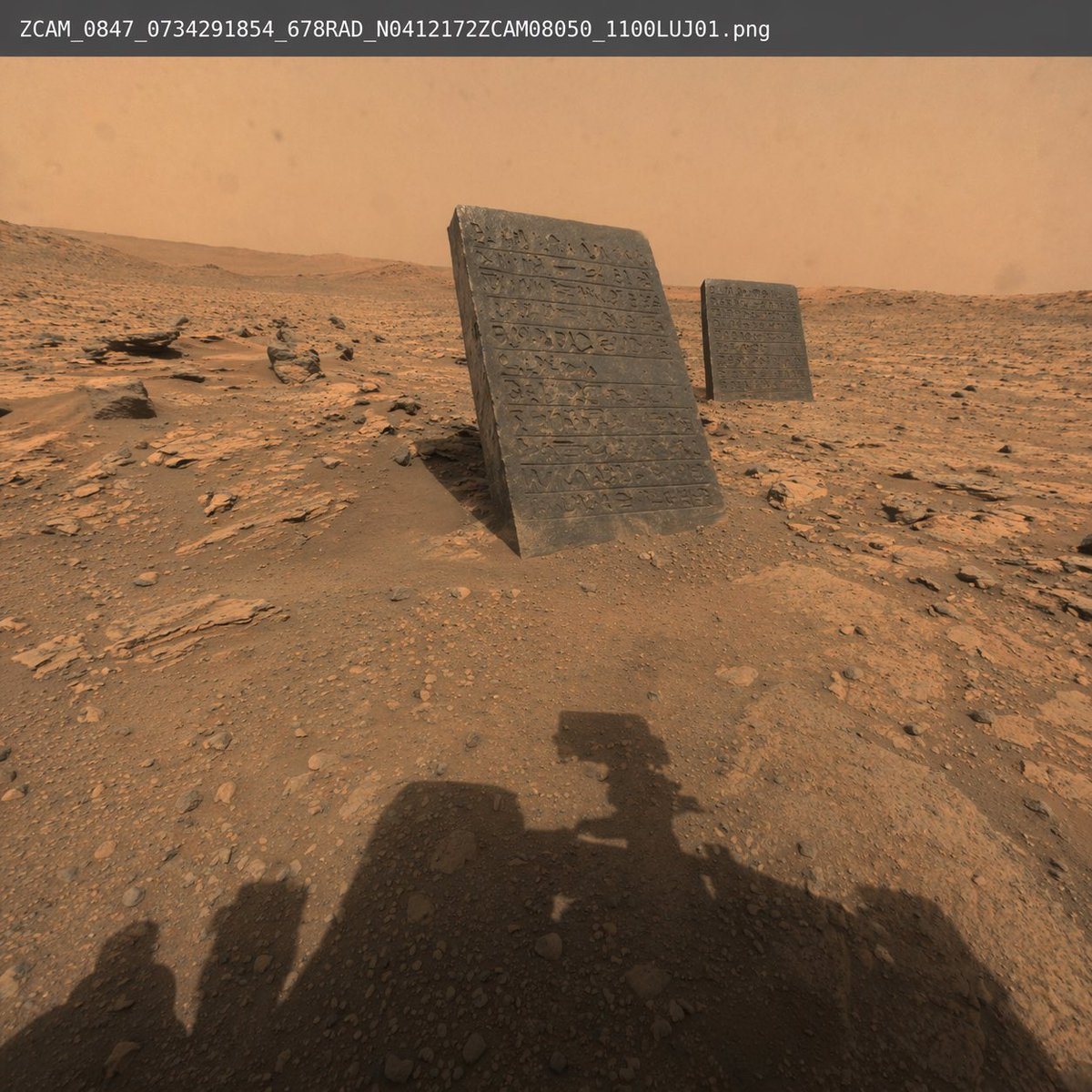
Photorealistic Raw Space Agency Photo Of A Martian Landscape

A photorealistic, raw space agency photo of a Martian landscape with red dirt, scattered rocks, and a hazy orange sky. In the middle ground, two dark stone tablets covered in ancient carv...

A photorealistic, raw space agency photo of a Martian landscape with red dirt, scattered rocks, and a hazy orange sky. In the middle ground, two dark stone tablets covered in ancient carv...
Prompt

A photorealistic, raw space agency photo of a {argument name="setting" default="Martian landscape"} with red dirt, scattered rocks, and a hazy orange sky. In the middle ground, {argument name="objects" default="two dark stone tablets covered in ancient carved hieroglyphs"} are jutting out of the ground at a slight angle. In the immediate foreground, the distinct {argument name="foreground element" default="shadow of a Mars rover"} is cast onto the rocky terrain, indicating the perspective of the photo. Across the top edge of the image, there is a plain white text overlay resembling a raw file name reading "{argument name="overlay text" default="ZCAM_0847_0734291854_678RAD_N0412172ZCAM08050_1100LUJ01.png"}". The lighting is harsh and realistic, mimicking actual extraterrestrial surface photography.

Prompt structure
  • Modelgpt-image-2
  • Use casesocial-media-post
  • Stylephotorealistic
  • Aspect ratioFlexible
Best used for
  • Use casesocial-media-post
  • Stylephotorealistic
  • Recommended specs1:1, 4:5, 16:9, or 9:16
  • ModelGPT Image 2
How to customize

Use this Photorealistic Raw Space Agency Photo Of A Martian Landscape prompt as a base. Replace the subject, product details, environment, lighting, brand colors, and output ratio while keeping the social-media-post intent and photorealistic direction stable.

Editable variables
  • SubjectReplace the product, person, scene, interface, or object being generated.
  • Use caseKeep or rewrite the destination as social media post, ad creative, cover image, poster, or ecommerce hero.
  • FrameChoose 1:1, 4:5, 16:9, or 9:16 based on the final placement.
  • Brand cuesAdd colors, materials, props, text-safe space, and the platform where the image will be used.
Recommended specs

Choose the frame for the destination first, then use 1K, 2K, or 4K based on output quality needs. Product images and posters usually benefit from higher resolution.

Pre-generation checklist
  • CheckSubject, lighting, composition, and frame are specific enough to review.
  • CheckText-safe space is included when the image will carry a headline or ad copy.
  • CheckResolution, credit cost, and final destination are checked before generation.
Why this prompt works

Photorealistic Raw Space Agency Photo Of A Martian Landscape works because it starts from the image job, then controls subject, composition, lighting, style, and frame. It is best for social media post while keeping the photorealistic direction stable.

Common questions
  • Can I use it directly?Yes. Replace the subject, brand cues, and frame, then generate in Image2Studio.
  • Which ratio should I use?Choose 1:1, 4:5, 16:9, or 9:16 based on the destination.




