
Image2Studio
Examples

gpt-image-2

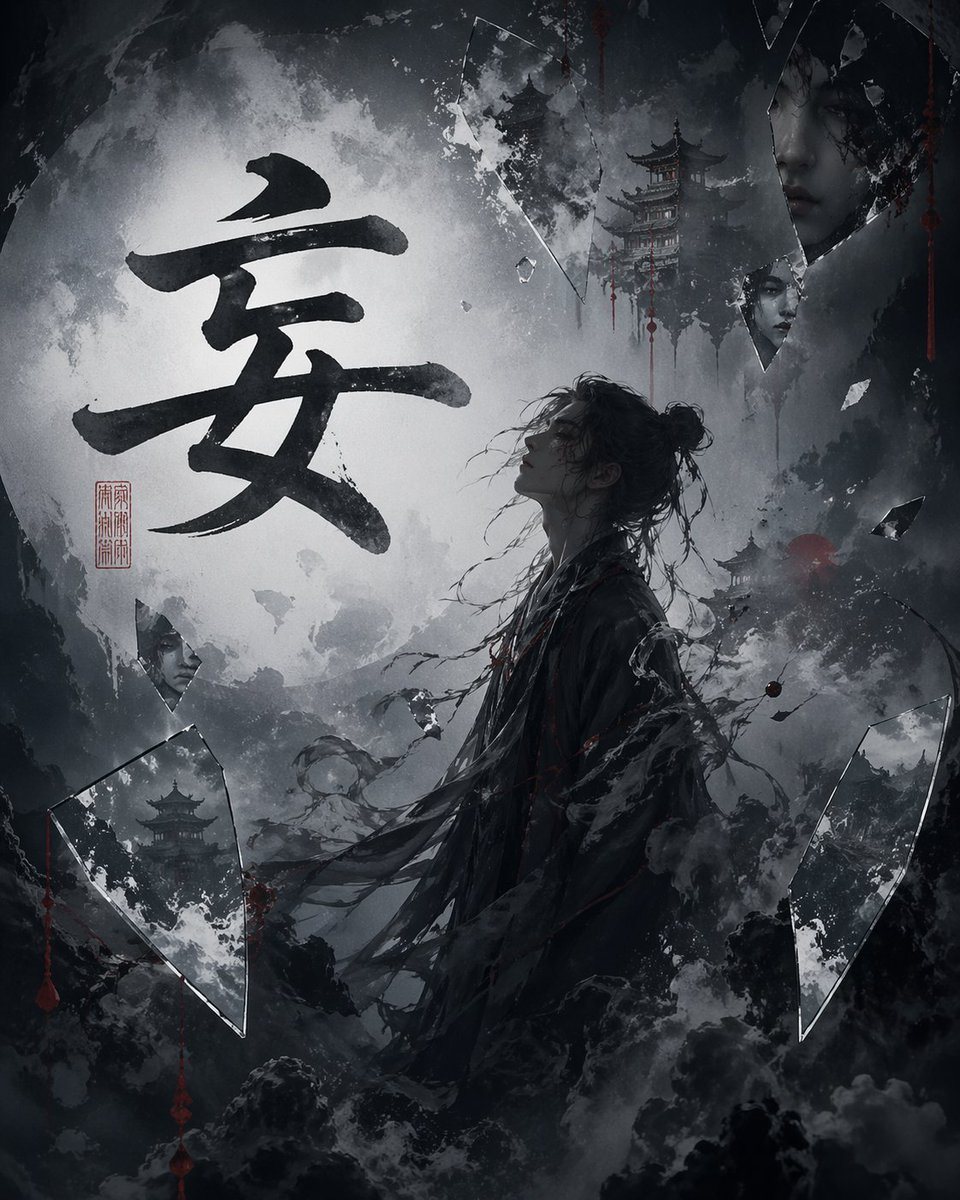
Dark Cinematic Chinese Ink-wash Fantasy Illustration Centered On The Lar

A dark, cinematic Chinese ink-wash fantasy illustration centered on the large black calligraphy character "安" painted in bold expressive brushstrokes across a glowing full moon-like white...

A dark, cinematic Chinese ink-wash fantasy illustration centered on the large black calligraphy character "安" painted in bold expressive brushstrokes across a glowing full moon-like white...
Prompt

A dark, cinematic Chinese ink-wash fantasy illustration centered on the large black calligraphy character "安" painted in bold expressive brushstrokes across a glowing full moon-like white disc in the background. In the lower center-right foreground, show 1 lone East Asian warrior-scholar figure in side profile facing left, with a loose messy topknot, stray windswept hair strands, and a long shredded black robe dissolving into smoke and ink. The figure feels solemn, ghostly, and dramatic, standing amid stormy mist and swirling black watercolor clouds. The palette is nearly monochrome charcoal, black, ash gray, and cold white, with very sparse deep crimson accents. Include 4 visible pagoda structures: 2 small distant pagodas on the right side, 1 pagoda reflected inside a large broken mirror shard at bottom left, and 1 taller pagoda near the upper right emerging from fog. Surround the composition with 5 prominent shattered glass or mirror fragments: 1 large triangular shard at bottom left, 1 tall shard near the upper center, 1 large vertical shard at upper right, 1 small hanging shard below it, and 1 large curved shard at bottom right, plus a few tiny splinters. In 1 shard near the left side, include the partial reflection of a human face. Add 1 red seal stamp with Chinese characters near the left side beneath the large calligraphy. Use splattered ink textures, torn paper-like edges, dripping red marks, and layered smoke to create an eerie wuxia-horror atmosphere. High contrast lighting, painterly mixed-media style, textured brushwork, poster-like composition, ultra-detailed, moody, mystical, and elegant.

Prompt structure
  • Modelgpt-image-2
  • Use casesocial-media-post
  • Stylewatercolor, cinematic, luxury
  • Aspect ratioFlexible
Best used for
  • Use casesocial-media-post
  • Stylewatercolor, cinematic, luxury
  • Recommended specs1:1, 4:5, 16:9, or 9:16
  • ModelGPT Image 2
How to customize

Use this Dark Cinematic Chinese Ink-wash Fantasy Illustration Centered On The Lar prompt as a base. Replace the subject, product details, environment, lighting, brand colors, and output ratio while keeping the social-media-post intent and watercolor, cinematic, luxury direction stable.

Editable variables
  • SubjectReplace the product, person, scene, interface, or object being generated.
  • Use caseKeep or rewrite the destination as social media post, ad creative, cover image, poster, or ecommerce hero.
  • FrameChoose 1:1, 4:5, 16:9, or 9:16 based on the final placement.
  • Brand cuesAdd colors, materials, props, text-safe space, and the platform where the image will be used.
Recommended specs

Choose the frame for the destination first, then use 1K, 2K, or 4K based on output quality needs. Product images and posters usually benefit from higher resolution.

Pre-generation checklist
  • CheckSubject, lighting, composition, and frame are specific enough to review.
  • CheckText-safe space is included when the image will carry a headline or ad copy.
  • CheckResolution, credit cost, and final destination are checked before generation.
Why this prompt works

Dark Cinematic Chinese Ink-wash Fantasy Illustration Centered On The Lar works because it starts from the image job, then controls subject, composition, lighting, style, and frame. It is best for social media post while keeping the watercolor, cinematic, luxury direction stable.

Common questions
  • Can I use it directly?Yes. Replace the subject, brand cues, and frame, then generate in Image2Studio.
  • Which ratio should I use?Choose 1:1, 4:5, 16:9, or 9:16 based on the destination.




