
Image2Studio
Examples

gpt-image-2

Using The Provided Reference Image

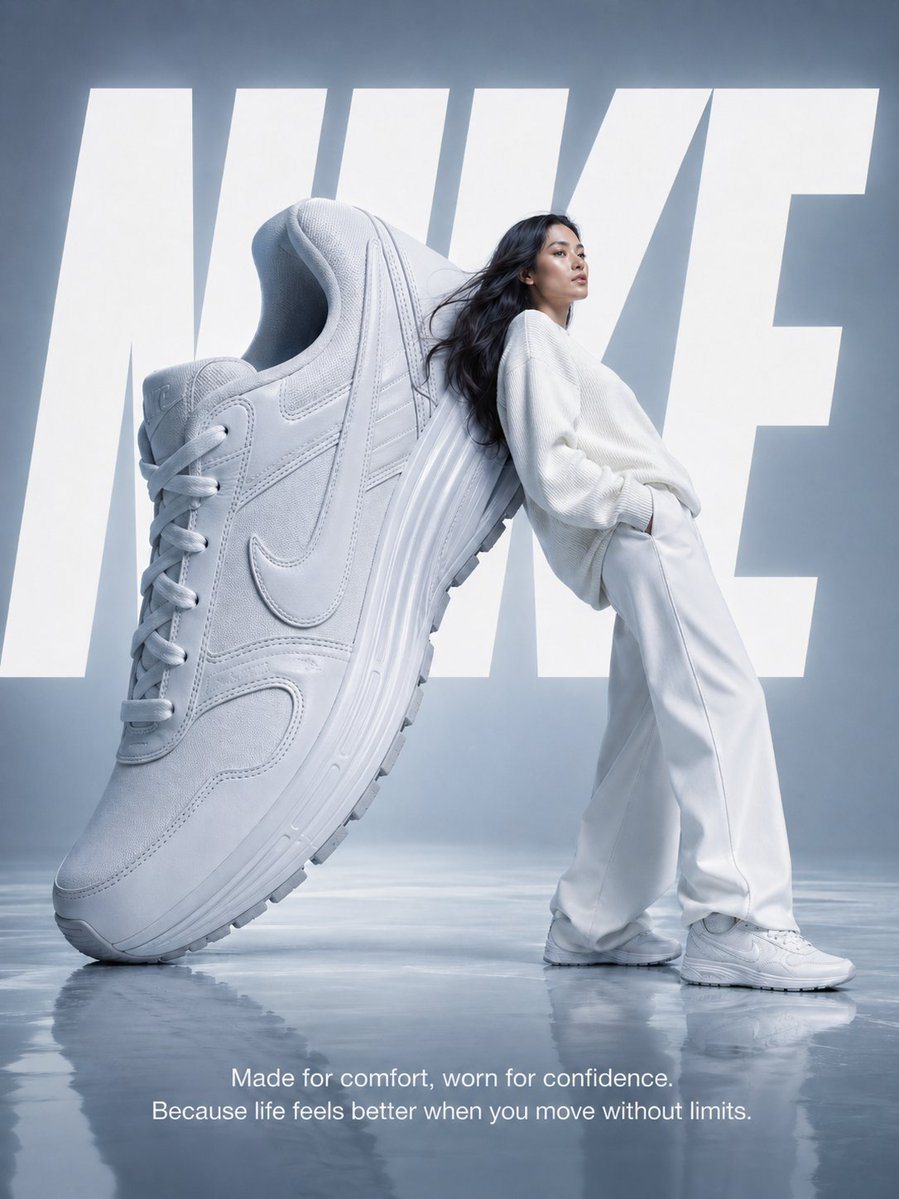
Using the provided reference image, regenerate the same Nike surreal fashion ad almost exactly as written, but present it as a polished finished poster: keep the cool light-blue minimalis...

Using the provided reference image, regenerate the same Nike surreal fashion ad almost exactly as written, but present it as a polished finished poster: keep the cool light-blue minimalis...
Prompt

Using the provided reference image, regenerate the same Nike surreal fashion ad almost exactly as written, but present it as a polished finished poster: keep the cool light-blue minimalist studio, the single oversized white Nike sneaker standing on its heel at a steep diagonal, the single female model in an all-white outfit leaning back against the shoe in right-facing three-quarter profile, the large background word "NIKE," and the glossy semi-reflective floor. Make the composition tighter and more cinematic, with the giant shoe dominating the left half and the model standing full-body on the right half, her hands in her pockets. Render the background "NIKE" text as 1 huge bold white word spanning behind the subjects, partially obscured by both the sneaker and the model. Add the bottom-center tagline as 2 lines of elegant white sans-serif text: "Made for comfort, worn for confidence." and "Because life feels better when you move without limits." Keep the top-right corner empty and do not add any extra text, logos, watermarks, credits, signatures, or captions. Ultra-clean premium advertising finish, soft diffused cool lighting, subtle floor reflections, high detail, 3:4 aspect ratio.

Prompt structure
  • Modelgpt-image-2
  • Use casesocial-media-post
  • Styleluxury, cinematic, photorealistic, 3d-render
  • Aspect ratioFlexible
Best used for
  • Use casesocial-media-post
  • Styleluxury, cinematic, photorealistic, 3d-render
  • Recommended specs1:1, 4:5, 16:9, or 9:16
  • ModelGPT Image 2
How to customize

Use this Using The Provided Reference Image prompt as a base. Replace the subject, product details, environment, lighting, brand colors, and output ratio while keeping the social-media-post intent and luxury, cinematic, photorealistic, 3d-render direction stable.

Editable variables
  • SubjectReplace the product, person, scene, interface, or object being generated.
  • Use caseKeep or rewrite the destination as social media post, ad creative, cover image, poster, or ecommerce hero.
  • FrameChoose 1:1, 4:5, 16:9, or 9:16 based on the final placement.
  • Brand cuesAdd colors, materials, props, text-safe space, and the platform where the image will be used.
Recommended specs

Choose the frame for the destination first, then use 1K, 2K, or 4K based on output quality needs. Product images and posters usually benefit from higher resolution.

Pre-generation checklist
  • CheckSubject, lighting, composition, and frame are specific enough to review.
  • CheckText-safe space is included when the image will carry a headline or ad copy.
  • CheckResolution, credit cost, and final destination are checked before generation.
Why this prompt works

Using The Provided Reference Image works because it starts from the image job, then controls subject, composition, lighting, style, and frame. It is best for social media post while keeping the luxury, cinematic, photorealistic, 3d-render direction stable.

Common questions
  • Can I use it directly?Yes. Replace the subject, brand cues, and frame, then generate in Image2Studio.
  • Which ratio should I use?Choose 1:1, 4:5, 16:9, or 9:16 based on the destination.




