
Image2Studio
Examples

gpt-image-2

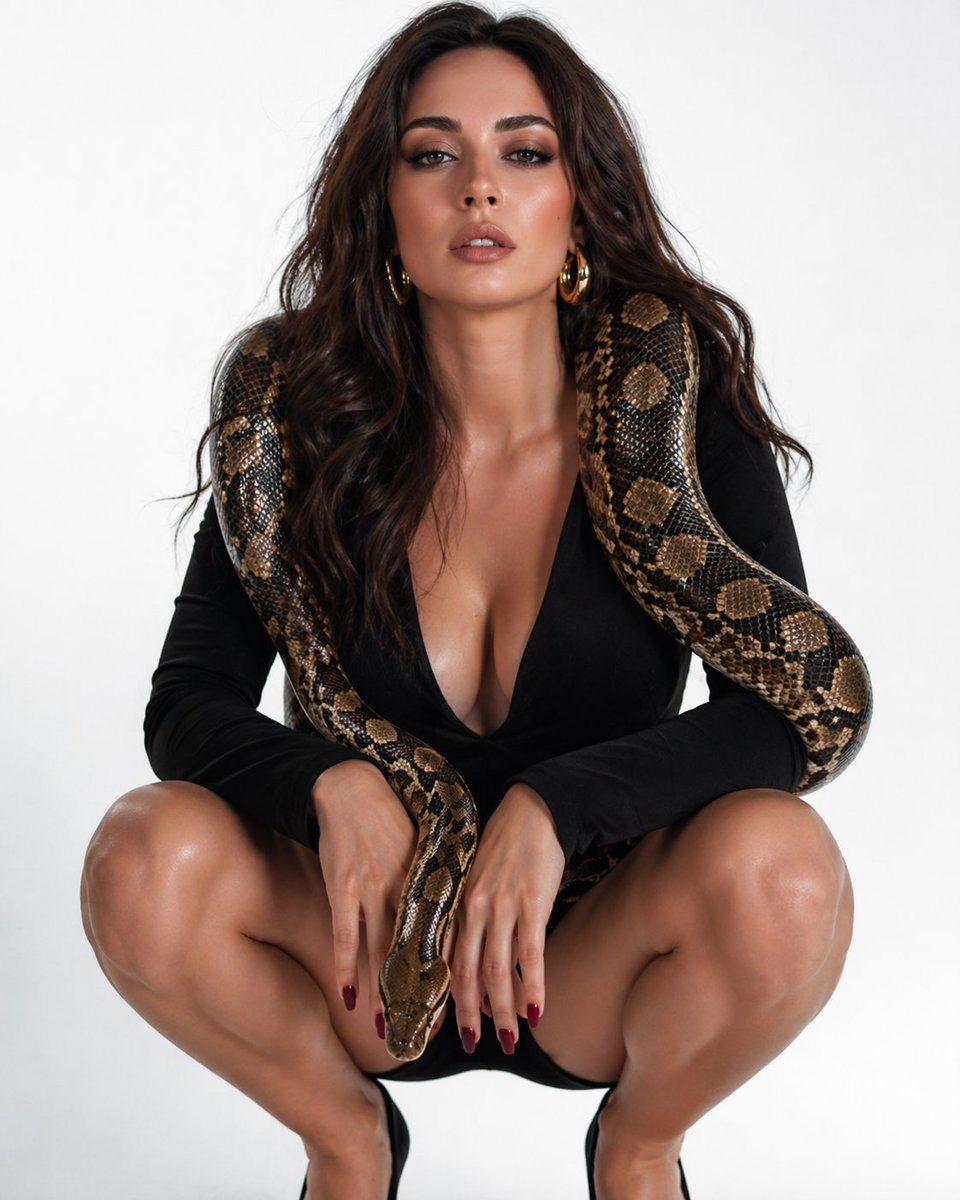
High-fashion Studio Portrait Of A Glamorous Woman Crouching Low In A Squ

A high-fashion studio portrait of a glamorous woman crouching low in a squat pose against a seamless light gray background, wearing a black long-sleeve deep-plunge mini dress and black po...

A high-fashion studio portrait of a glamorous woman crouching low in a squat pose against a seamless light gray background, wearing a black long-sleeve deep-plunge mini dress and black po...
Prompt

A high-fashion studio portrait of a glamorous woman crouching low in a squat pose against a seamless light gray background, wearing a black long-sleeve deep-plunge mini dress and black pointed high heels. She has long, voluminous wavy dark brown hair, medium tan skin, dark red manicured nails, and large gold hoop earrings. A single large python with brown, tan, and black patterned scales is draped around her shoulders like a living stole, with its thick body looping down both sides of her torso and its head hanging at the center between her knees near her hands. The composition is centered and symmetrical, shot full body in a vertical frame, with clean editorial lighting, sharp detail on skin, fabric, and snake scales, minimal shadows, luxury fashion photography style, confident sensual pose, plain uncluttered background.

Prompt structure
  • Modelgpt-image-2
  • Use casesocial-media-post
  • Stylephotorealistic, minimal, luxury, editorial
  • Aspect ratioFlexible
Best used for
  • Use casesocial-media-post
  • Stylephotorealistic, minimal, luxury, editorial
  • Recommended specs1:1, 4:5, 16:9, or 9:16
  • ModelGPT Image 2
How to customize

Use this High-fashion Studio Portrait Of A Glamorous Woman Crouching Low In A Squ prompt as a base. Replace the subject, product details, environment, lighting, brand colors, and output ratio while keeping the social-media-post intent and photorealistic, minimal, luxury, editorial direction stable.

Editable variables
  • SubjectReplace the product, person, scene, interface, or object being generated.
  • Use caseKeep or rewrite the destination as social media post, ad creative, cover image, poster, or ecommerce hero.
  • FrameChoose 1:1, 4:5, 16:9, or 9:16 based on the final placement.
  • Brand cuesAdd colors, materials, props, text-safe space, and the platform where the image will be used.
Recommended specs

Choose the frame for the destination first, then use 1K, 2K, or 4K based on output quality needs. Product images and posters usually benefit from higher resolution.

Pre-generation checklist
  • CheckSubject, lighting, composition, and frame are specific enough to review.
  • CheckText-safe space is included when the image will carry a headline or ad copy.
  • CheckResolution, credit cost, and final destination are checked before generation.
Why this prompt works

High-fashion Studio Portrait Of A Glamorous Woman Crouching Low In A Squ works because it starts from the image job, then controls subject, composition, lighting, style, and frame. It is best for social media post while keeping the photorealistic, minimal, luxury, editorial direction stable.

Common questions
  • Can I use it directly?Yes. Replace the subject, brand cues, and frame, then generate in Image2Studio.
  • Which ratio should I use?Choose 1:1, 4:5, 16:9, or 9:16 based on the destination.




