
Image2Studio
Examples

gpt-image-2

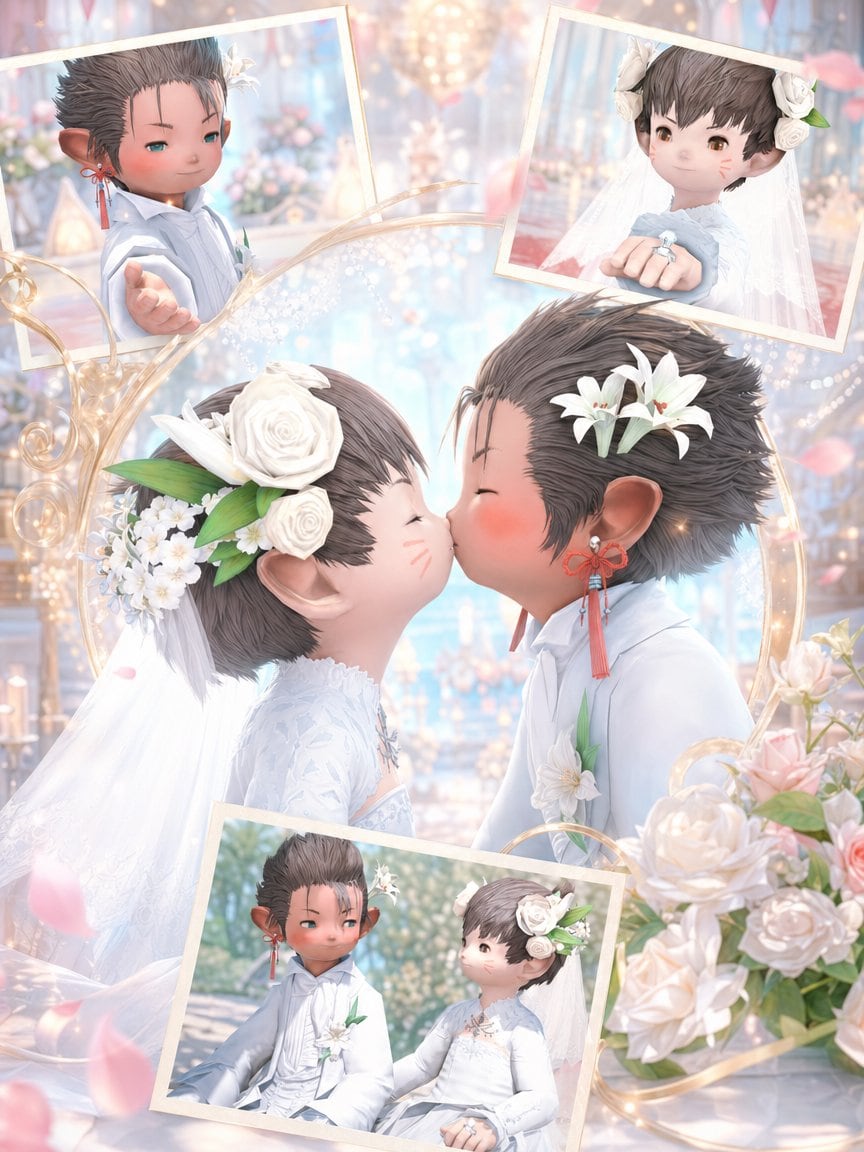
Dreamy Fantasy Wedding Collage In A Soft Pastel

A dreamy fantasy wedding collage in a soft pastel, high-detail anime game-art style, featuring two chibi lalafell-like newlyweds in an ornate chapel filled with warm bokeh lights, pale bl...

A dreamy fantasy wedding collage in a soft pastel, high-detail anime game-art style, featuring two chibi lalafell-like newlyweds in an ornate chapel filled with warm bokeh lights, pale bl...
Prompt

A dreamy fantasy wedding collage in a soft pastel, high-detail anime game-art style, featuring two chibi lalafell-like newlyweds in an ornate chapel filled with warm bokeh lights, pale blue and blush tones, flowers, and floating pink petals. The central focus is a close-up side view of the bride and groom leaning in for a kiss, with the bride on the left and the groom on the right. The bride is a tiny elf-eared fantasy character with short dark brown hair, round cheeks with faint blush marks, and a large white floral headpiece made of 2 white roses, small white blossoms, and green leaves, plus a long white veil flowing behind her. She wears an elegant long-sleeved white lace wedding dress with delicate embroidery and a jeweled neckline. The groom is a tiny elf-eared fantasy character with short spiky brown hair, white lily flowers tucked into his hair, and red tassel earrings; he wears a white formal wedding suit with subtle layered tailoring and a white boutonniere with green leaves. Surrounding the main kiss scene are 3 tilted framed inset photos with cream-colored borders: 1 top-left portrait of the groom reaching his hand toward the viewer, 1 top-right portrait of the bride showing her hand forward with a ring visible, and 1 bottom inset two-shot of the couple seated together outdoors in soft sunlight. Add ornate swirling golden decorative lines and glowing sparkles weaving across the composition, with a bouquet cluster of pale cream and blush roses in the lower right foreground. The background is an opulent chapel interior with chandeliers, candles, soft floral arrangements, and luminous pastel haze. Make it romantic, ethereal, polished, and sentimental, with a luxurious wedding album feel and a vertical smartphone-friendly composition.

Prompt structure
  • Modelgpt-image-2
  • Use casesocial-media-post
  • Styleanime, luxury
  • Aspect ratioFlexible
Best used for
  • Use casesocial-media-post
  • Styleanime, luxury
  • Recommended specs1:1, 4:5, 16:9, or 9:16
  • ModelGPT Image 2
How to customize

Use this Dreamy Fantasy Wedding Collage In A Soft Pastel prompt as a base. Replace the subject, product details, environment, lighting, brand colors, and output ratio while keeping the social-media-post intent and anime, luxury direction stable.

Editable variables
  • SubjectReplace the product, person, scene, interface, or object being generated.
  • Use caseKeep or rewrite the destination as social media post, ad creative, cover image, poster, or ecommerce hero.
  • FrameChoose 1:1, 4:5, 16:9, or 9:16 based on the final placement.
  • Brand cuesAdd colors, materials, props, text-safe space, and the platform where the image will be used.
Recommended specs

Choose the frame for the destination first, then use 1K, 2K, or 4K based on output quality needs. Product images and posters usually benefit from higher resolution.

Pre-generation checklist
  • CheckSubject, lighting, composition, and frame are specific enough to review.
  • CheckText-safe space is included when the image will carry a headline or ad copy.
  • CheckResolution, credit cost, and final destination are checked before generation.
Why this prompt works

Dreamy Fantasy Wedding Collage In A Soft Pastel works because it starts from the image job, then controls subject, composition, lighting, style, and frame. It is best for social media post while keeping the anime, luxury direction stable.

Common questions
  • Can I use it directly?Yes. Replace the subject, brand cues, and frame, then generate in Image2Studio.
  • Which ratio should I use?Choose 1:1, 4:5, 16:9, or 9:16 based on the destination.




