
Image2Studio
Examples

gpt-image-2

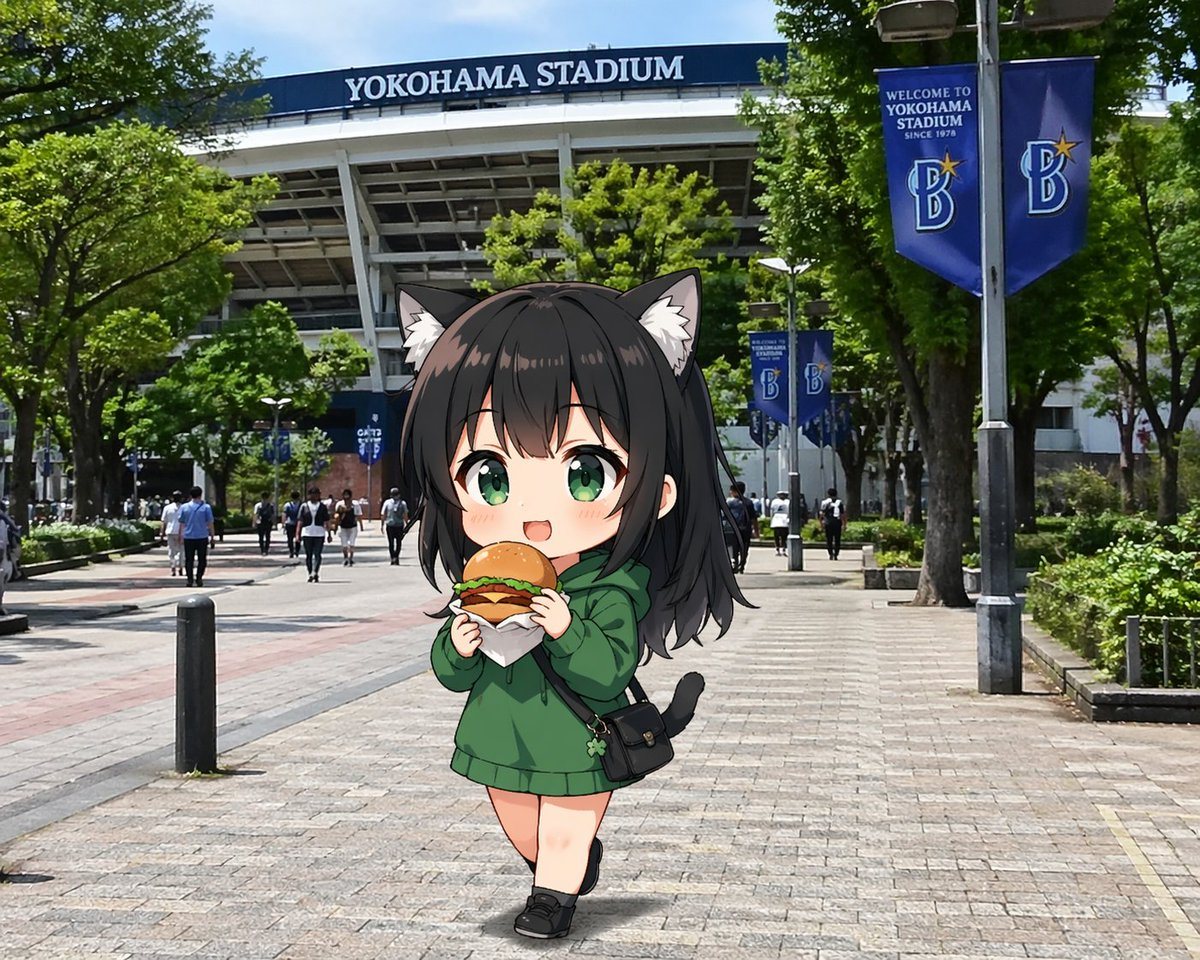
Cute Anime Chibi Girl Walking Toward The Camera On The Tree-lined Pedest

A cute anime chibi girl walking toward the camera on the tree-lined pedestrian approach outside YOKOHAMA STADIUM, shown in a realistic modern Japanese city photo background under bright m...

A cute anime chibi girl walking toward the camera on the tree-lined pedestrian approach outside YOKOHAMA STADIUM, shown in a realistic modern Japanese city photo background under bright m...
Prompt

A cute anime chibi girl walking toward the camera on the tree-lined pedestrian approach outside {argument name="stadium name" default="YOKOHAMA STADIUM"}, shown in a realistic modern Japanese city photo background under bright midday sunlight with a blue sky peeking through the trees. The stadium fills the upper background with its large white structural beams and a dark blue sign reading {argument name="stadium name" default="YOKOHAMA STADIUM"}. On the right side, there are 2 tall blue vertical banners on lampposts with a stylized B logo and welcome text for Yokohama Stadium, plus 2 smaller matching blue banners farther down the walkway. The paved plaza is wide and open, with 2 short black bollards visible in the foreground-left area, green hedges and mature trees along both sides, and small pedestrians scattered in the distance for scale. In the center foreground, place 1 super-deformed catgirl character composited naturally into the scene: petite chibi proportions, oversized head, soft anime shading, pale skin, long slightly tousled dark hair with bangs, fluffy cat ears, and a small black cat tail. She wears an oversized {argument name="hoodie color" default="forest green"} hoodie that falls like a short dress, black low-cut shoes, and 1 small black crossbody bag with a flap and tiny charm hanging from it. She is holding 1 wrapped burger or sandwich with both hands near her mouth as if eating while walking. Her pose is slightly pigeon-toed and casual, one leg crossing in front of the other, giving a shy adorable feeling. Use a whimsical contrast between highly realistic street photography and a polished anime sticker-like character with clean outlines and subtle shadowing on the pavement. Keep the face centered but obscured by a large square mosaic blur censor block.

Prompt structure
  • Modelgpt-image-2
  • Use casesocial-media-post
  • Stylephotorealistic, anime, minimal
  • Aspect ratioFlexible
Best used for
  • Use casesocial-media-post
  • Stylephotorealistic, anime, minimal
  • Recommended specs1:1, 4:5, 16:9, or 9:16
  • ModelGPT Image 2
How to customize

Use this Cute Anime Chibi Girl Walking Toward The Camera On The Tree-lined Pedest prompt as a base. Replace the subject, product details, environment, lighting, brand colors, and output ratio while keeping the social-media-post intent and photorealistic, anime, minimal direction stable.

Editable variables
  • SubjectReplace the product, person, scene, interface, or object being generated.
  • Use caseKeep or rewrite the destination as social media post, ad creative, cover image, poster, or ecommerce hero.
  • FrameChoose 1:1, 4:5, 16:9, or 9:16 based on the final placement.
  • Brand cuesAdd colors, materials, props, text-safe space, and the platform where the image will be used.
Recommended specs

Choose the frame for the destination first, then use 1K, 2K, or 4K based on output quality needs. Product images and posters usually benefit from higher resolution.

Pre-generation checklist
  • CheckSubject, lighting, composition, and frame are specific enough to review.
  • CheckText-safe space is included when the image will carry a headline or ad copy.
  • CheckResolution, credit cost, and final destination are checked before generation.
Why this prompt works

Cute Anime Chibi Girl Walking Toward The Camera On The Tree-lined Pedest works because it starts from the image job, then controls subject, composition, lighting, style, and frame. It is best for social media post while keeping the photorealistic, anime, minimal direction stable.

Common questions
  • Can I use it directly?Yes. Replace the subject, brand cues, and frame, then generate in Image2Studio.
  • Which ratio should I use?Choose 1:1, 4:5, 16:9, or 9:16 based on the destination.




