
Image2Studio
Examples

gpt-image-2

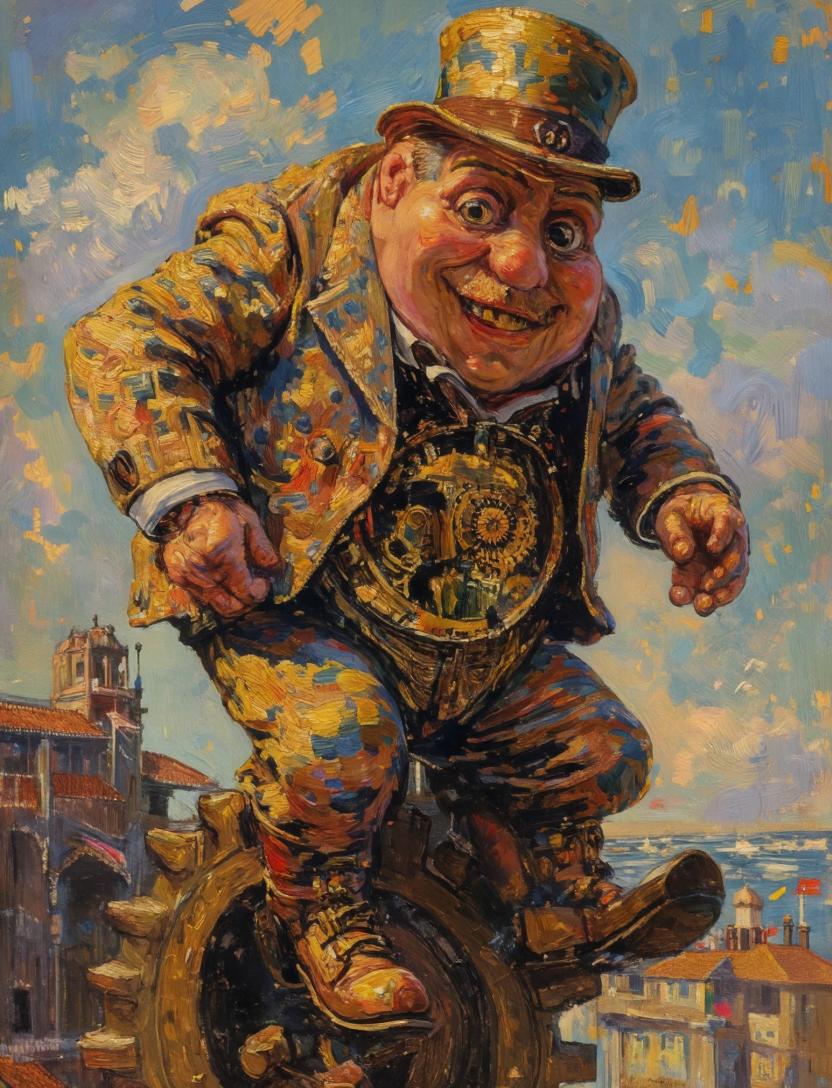
Surreal Clockwork Gentleman on a Gear

This prompt generates a whimsical post-impressionist oil painting of an anonymous steampunk gentleman balancing on a giant gear above a Venetian-style city, useful for surreal fine-art image creation.

This prompt generates a whimsical post-impressionist oil painting of an anonymous steampunk gentleman balancing on a giant gear above a Venetian-style city, useful for surreal fine-art image creation.
Prompt

A surreal impasto oil painting in the spirit of a late-19th-century post-impressionist masterpiece, showing a stout gentleman in a patterned golden-blue suit and tall top hat balancing awkwardly on a giant bronze gear high above a sunlit canal city. His face is obscured by a centered vertical rectangular censor block in warm brown, creating an intentional anonymous focal interruption. He wears a richly textured jacket with mosaic-like patches of ochre, cobalt, rust, and cream, matching trousers, heavy leather boots, and a waist area that opens into an exposed clockwork mechanism full of gears and ornate brass details. His body leans forward with both hands extended as if trying to keep balance, one boot planted on the gear and the other lifted slightly outward. The background is an airy blue sky with swirling painterly clouds and scattered gold brushstrokes, while below and to the left appears a historic bell tower and arched waterfront architecture, and to the right distant terracotta rooftops beside shimmering water. Use thick visible brushstrokes, luminous warm highlights, bold blue-and-gold contrast, expressive texture, and a whimsical steampunk-meets-Venetian atmosphere. Compose the figure large and central, slightly cropped by the frame, with the giant gear visible beneath him and the city receding below.

Prompt structure
  • Modelgpt-image-2
  • Use casesocial-media-post
  • Styleluxury
  • Aspect ratioFlexible
Best used for
  • Use casesocial-media-post
  • Styleluxury
  • Recommended specs1:1, 4:5, 16:9, or 9:16
  • ModelGPT Image 2
How to customize

Use this Surreal Clockwork Gentleman on a Gear prompt as a base. Replace the subject, product details, environment, lighting, brand colors, and output ratio while keeping the social-media-post intent and luxury direction stable.

Editable variables
  • SubjectReplace the product, person, scene, interface, or object being generated.
  • Use caseKeep or rewrite the destination as social media post, ad creative, cover image, poster, or ecommerce hero.
  • FrameChoose 1:1, 4:5, 16:9, or 9:16 based on the final placement.
  • Brand cuesAdd colors, materials, props, text-safe space, and the platform where the image will be used.
Recommended specs

Choose the frame for the destination first, then use 1K, 2K, or 4K based on output quality needs. Product images and posters usually benefit from higher resolution.

Pre-generation checklist
  • CheckSubject, lighting, composition, and frame are specific enough to review.
  • CheckText-safe space is included when the image will carry a headline or ad copy.
  • CheckResolution, credit cost, and final destination are checked before generation.
Why this prompt works

Surreal Clockwork Gentleman on a Gear works because it starts from the image job, then controls subject, composition, lighting, style, and frame. It is best for social media post while keeping the luxury direction stable.

Common questions
  • Can I use it directly?Yes. Replace the subject, brand cues, and frame, then generate in Image2Studio.
  • Which ratio should I use?Choose 1:1, 4:5, 16:9, or 9:16 based on the destination.




