
Image2Studio
Examples

gpt-image-2

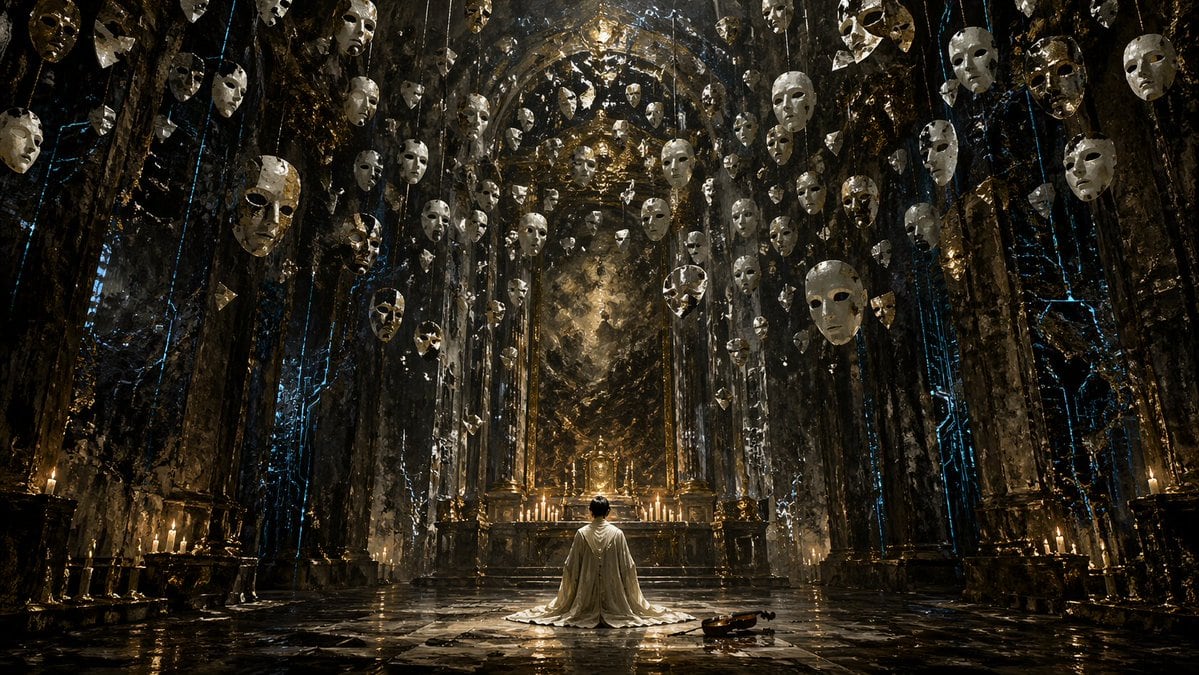
Surreal Gothic Hall with Floating Masks

Generates a dark fantasy scene of a kneeling figure in a grand hall filled with suspended objects, ideal for cinematic concept art.

Generates a dark fantasy scene of a kneeling figure in a grand hall filled with suspended objects, ideal for cinematic concept art.
Prompt

A highly detailed, cinematic wide shot of a grand, dark gothic hall with a {argument name="atmosphere" default="dark fantasy"} aesthetic. In the center, a single figure wearing a {argument name="clothing" default="long white robe"} kneels on a highly reflective stone floor, facing an ornate golden altar illuminated by a row of lit candles. To the right of the kneeling figure, a single {argument name="floor object" default="wooden violin"} rests on the ground. The cavernous room is framed by massive dark stone pillars detailed with {argument name="accent color" default="glowing blue"} ethereal cracks and veins. Suspended from the high ceiling are dozens of {argument name="floating objects" default="white porcelain theatrical masks"} hanging on thin strings, filling the upper half of the space and creating a haunting, surreal atmosphere. The lighting is dramatic and moody, featuring a rich color palette of deep blacks, tarnished golds, and cool blue accents. Format 16:9.

Prompt structure
  • Modelgpt-image-2
  • Use casesocial-media-post
  • Stylecinematic
  • Aspect ratioFlexible
Best used for
  • Use casesocial-media-post
  • Stylecinematic
  • Recommended specs1:1, 4:5, 16:9, or 9:16
  • ModelGPT Image 2
How to customize

Use this Surreal Gothic Hall with Floating Masks prompt as a base. Replace the subject, product details, environment, lighting, brand colors, and output ratio while keeping the social-media-post intent and cinematic direction stable.

Editable variables
  • SubjectReplace the product, person, scene, interface, or object being generated.
  • Use caseKeep or rewrite the destination as social media post, ad creative, cover image, poster, or ecommerce hero.
  • FrameChoose 1:1, 4:5, 16:9, or 9:16 based on the final placement.
  • Brand cuesAdd colors, materials, props, text-safe space, and the platform where the image will be used.
Recommended specs

Choose the frame for the destination first, then use 1K, 2K, or 4K based on output quality needs. Product images and posters usually benefit from higher resolution.

Pre-generation checklist
  • CheckSubject, lighting, composition, and frame are specific enough to review.
  • CheckText-safe space is included when the image will carry a headline or ad copy.
  • CheckResolution, credit cost, and final destination are checked before generation.
Why this prompt works

Surreal Gothic Hall with Floating Masks works because it starts from the image job, then controls subject, composition, lighting, style, and frame. It is best for social media post while keeping the cinematic direction stable.

Common questions
  • Can I use it directly?Yes. Replace the subject, brand cues, and frame, then generate in Image2Studio.
  • Which ratio should I use?Choose 1:1, 4:5, 16:9, or 9:16 based on the destination.




