Image2Studio
Prompts

gpt-image-2

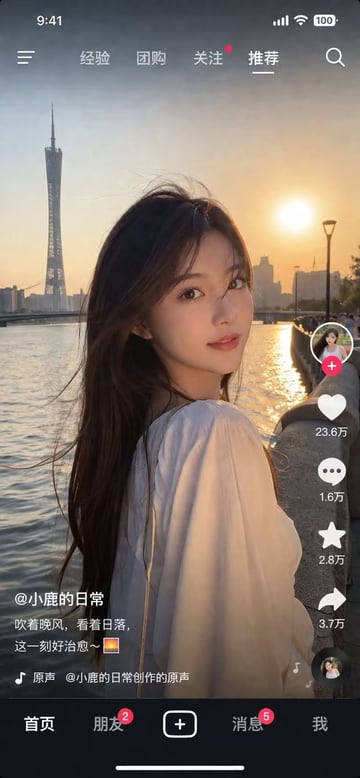
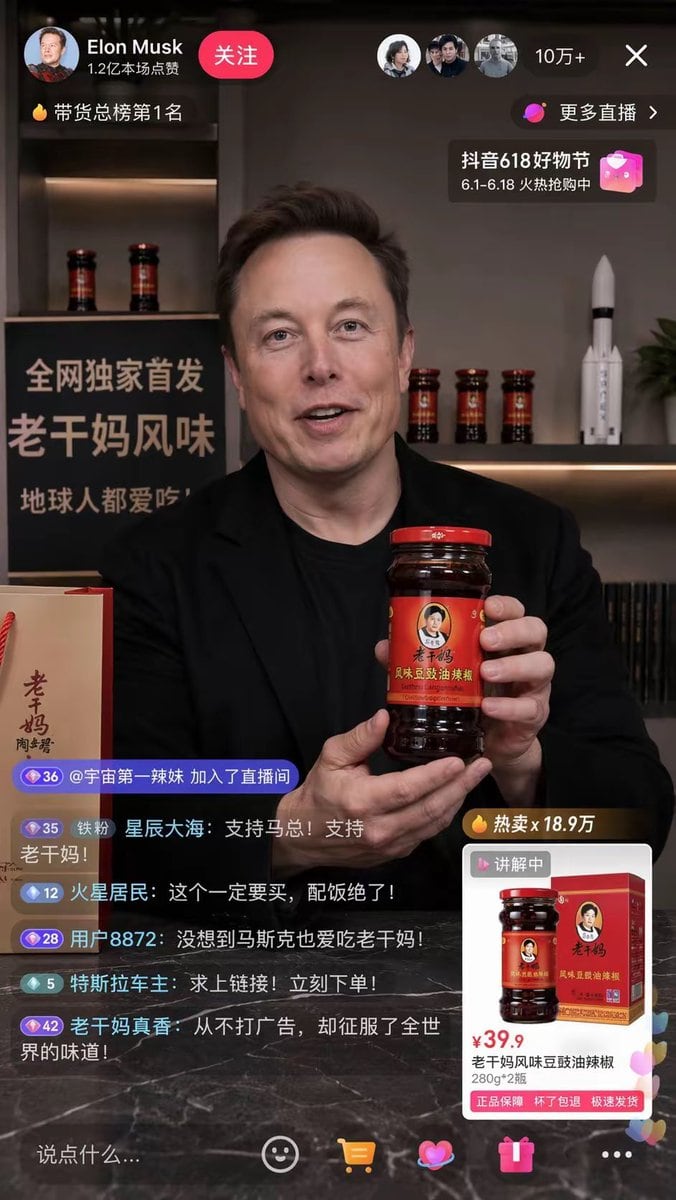
Mobile Livestream Interface Mockup

Structured mobile livestream interface mockup prompt for GPT Image 2.

Structured mobile livestream interface mockup prompt for GPT Image 2.
Prompt

{ "type": "mobile livestream interface mockup", "broadcaster": { "person": "{argument name=\"broadcaster name\" default=\"Elon Musk\"}", "action": "smiling warmly, holding up a jar of {argument name=\"product name\" default=\"Lao Gan Ma chili crisp\"} to the camera", "attire": "black t-shirt and black blazer" }, "environment": { "setting": "modern studio or office", "background_left": { "sign_text": "{argument name=\"promo sign text\" default=\"全网独家首发 老干妈风味 地球人都爱吃\"}", "foreground_item": "paper shopping bag with '老干妈' branding" }, "background_right": { "shelf_items": [ "3 jars of Lao Gan Ma chili crisp", "{argument name=\"background prop\" default=\"SpaceX Falcon 9 rocket model\"}" ] } }, "ui_overlay": { "top_left": { "profile_name": "Elon Musk", "subtitle": "1.2亿本场点赞", "button": "关注", "ranking_tag": "🔥 带货总榜第1名" }, "top_right": { "viewer_count": "10万+", "link": "更多直播 >", "banner": "抖音618好物节 6.1-6.18 火热抢购中" }, "bottom_left_chat": { "count": 6, "messages": [ "@宇宙第一辣妹 加入了直播间", "铁粉 星辰大海: 支持马总!支持老干妈!", "火星居民: 这个一定要买,配饭绝了!", "用户8872: 没想到马斯克也爱吃老干妈!", "特斯拉车主: 求上链接!立刻下单!", "老干妈真香: 从不打广告,却征服了全世界的味道!" ] }, "bottom_right_product_card": { "sales_tag": "🔥 热卖x 18.9万", "status": "讲解中", "price": "{argument name=\"product price\" default=\"¥39.9\"}", "title": "老干妈风味豆豉油辣椒 280g*2瓶", "features": "正品保障 坏了包退 极速发货" }, "bottom_bar": { "input_placeholder": "说点什么...", "icon_count": 5, "icons": ["smiley face", "shopping cart", "heart", "gift box", "three dots"] } } }

Prompt structure
  • Modelgpt-image-2
  • Use casesocial-media-post
  • Stylephotorealistic
  • Aspect ratioFlexible
Best used for
  • Use casesocial-media-post
  • Stylephotorealistic
  • Recommended specs1:1, 4:5, 16:9, or 9:16
  • ModelGPT Image 2
How to customize

Use this Mobile Livestream Interface Mockup prompt as a base. Replace the subject, product details, environment, lighting, brand colors, and output ratio while keeping the social-media-post intent and photorealistic direction stable.

Editable variables
  • SubjectReplace the product, person, scene, interface, or object being generated.
  • Use caseKeep or rewrite the destination as social media post, ad creative, cover image, poster, or ecommerce hero.
  • FrameChoose 1:1, 4:5, 16:9, or 9:16 based on the final placement.
  • Brand cuesAdd colors, materials, props, text-safe space, and the platform where the image will be used.
Recommended specs

Choose the frame for the destination first, then use 1K, 2K, or 4K based on output quality needs. Product images and posters usually benefit from higher resolution.

Pre-generation checklist
  • CheckSubject, lighting, composition, and frame are specific enough to review.
  • CheckText-safe space is included when the image will carry a headline or ad copy.
  • CheckResolution, credit cost, and final destination are checked before generation.
Why this prompt works

Mobile Livestream Interface Mockup works because it starts from the image job, then controls subject, composition, lighting, style, and frame. It is best for social media post while keeping the photorealistic direction stable.

Common questions
  • Can I use it directly?Yes. Replace the subject, brand cues, and frame, then generate in Image2Studio.
  • Which ratio should I use?Choose 1:1, 4:5, 16:9, or 9:16 based on the destination.