
Image2Studio
Examples

gpt-image-2

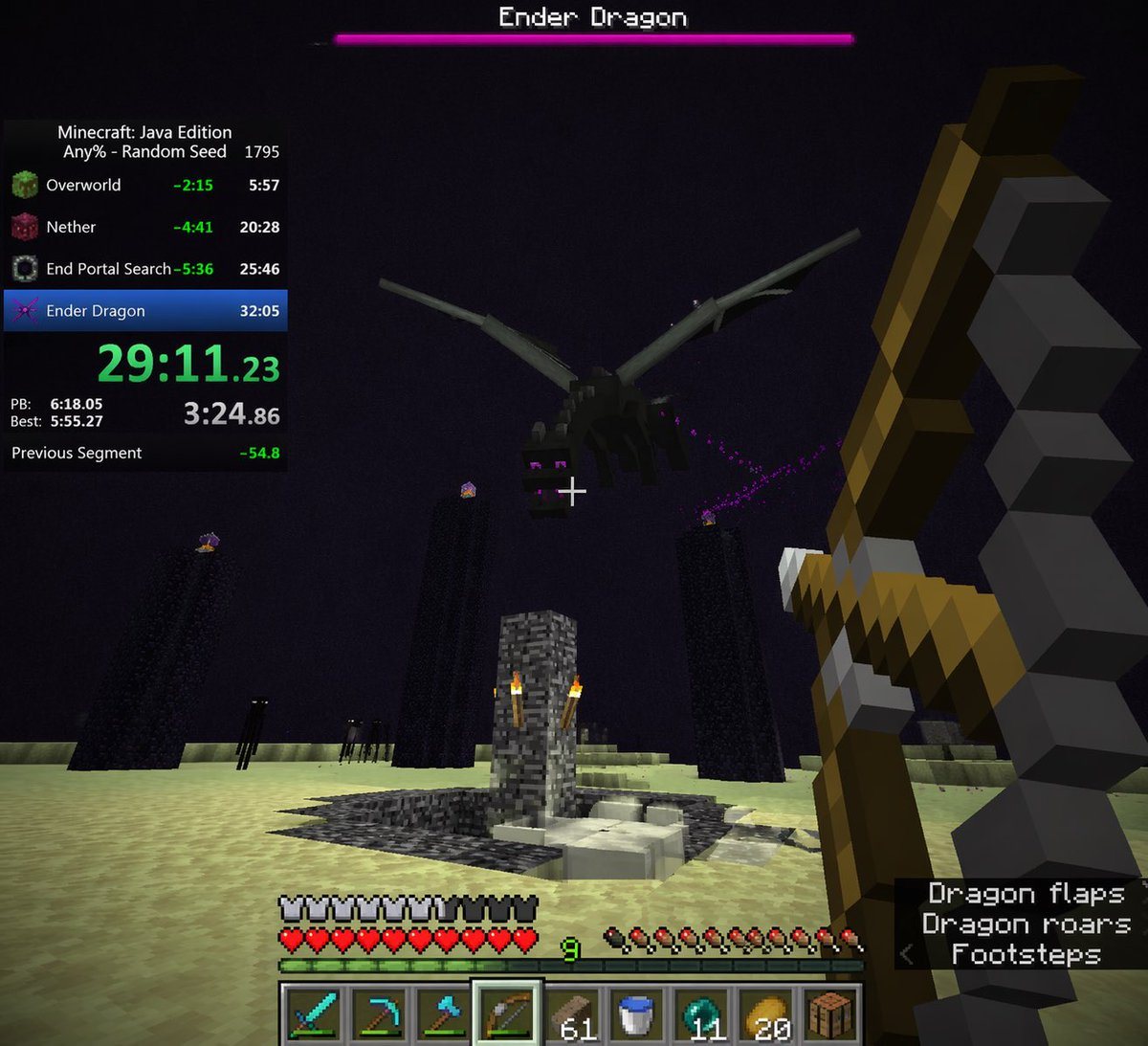
First-person Video Game Screenshot

Ready-to-edit first-person video game screenshot image prompt.

Ready-to-edit first-person video game screenshot image prompt.
Prompt

{ "type": "first-person video game screenshot", "setting": "The End dimension in Minecraft", "scene": { "environment": "pale yellow end stone ground, dark purple sky, tall obsidian pillars with end crystals on top, central bedrock exit portal structure with torches, dark endermen figures in the background", "subject": "a large black dragon flying overhead", "player_view": "first-person perspective, holding a {argument name=\"held weapon\" default=\"drawn bow\"} in the right hand, white crosshair in the center" }, "ui_overlay": { "top": { "boss_bar": "pink health bar with text '{argument name=\"boss name\" default=\"Ender Dragon\"}'" }, "left": { "speedrun_timer": { "header": "Minecraft: Java Edition, {argument name=\"speedrun category\" default=\"Any% - Random Seed\"} 1795", "splits_count": 4, "splits_labels": ["Overworld", "Nether", "End Portal Search", "Ender Dragon"], "main_time": "{argument name=\"current time\" default=\"29:11.23\"} in bright green", "stats": "PB, Best, and Previous Segment times" } }, "bottom": { "status_bars": "full armor bar, full heart health bar, green experience bar at level {argument name=\"experience level\" default=\"9\"}, full hunger bar", "hotbar": { "slots_count": 9, "items": ["diamond sword", "diamond pickaxe", "diamond axe", "bow (highlighted)", "61 wood planks", "water bucket", "11 ender pearls", "20 golden apples", "crafting table"] } }, "bottom_right": { "subtitles": { "lines_count": 3, "text": ["Dragon flaps", "Dragon roars", "< Footsteps"] } } } }

Prompt structure
  • Modelgpt-image-2
  • Use casesocial-media-post
  • Styleprompt-defined style
  • Aspect ratioFlexible
Best used for
  • Use casesocial-media-post
  • Styleprompt-defined style
  • Recommended specs1:1, 4:5, 16:9, or 9:16
  • ModelGPT Image 2
How to customize

Use this First-person Video Game Screenshot prompt as a base. Replace the subject, product details, environment, lighting, brand colors, and output ratio while keeping the social-media-post intent and the visual style direction stable.

Editable variables
  • SubjectReplace the product, person, scene, interface, or object being generated.
  • Use caseKeep or rewrite the destination as social media post, ad creative, cover image, poster, or ecommerce hero.
  • FrameChoose 1:1, 4:5, 16:9, or 9:16 based on the final placement.
  • Brand cuesAdd colors, materials, props, text-safe space, and the platform where the image will be used.
Recommended specs

Choose the frame for the destination first, then use 1K, 2K, or 4K based on output quality needs. Product images and posters usually benefit from higher resolution.

Pre-generation checklist
  • CheckSubject, lighting, composition, and frame are specific enough to review.
  • CheckText-safe space is included when the image will carry a headline or ad copy.
  • CheckResolution, credit cost, and final destination are checked before generation.
Why this prompt works

First-person Video Game Screenshot works because it starts from the image job, then controls subject, composition, lighting, style, and frame. It is best for social media post while keeping the prompt-defined style direction stable.

Common questions
  • Can I use it directly?Yes. Replace the subject, brand cues, and frame, then generate in Image2Studio.
  • Which ratio should I use?Choose 1:1, 4:5, 16:9, or 9:16 based on the destination.




